
截图

介绍




Portable Hole adds a simple magical tool that opens temporary passages through solid blocks. Click a surface to clear a short tunnel in that direction, letting you slip through walls, floors, ceilings, and tight spaces without permanently breaking anything. 🌀
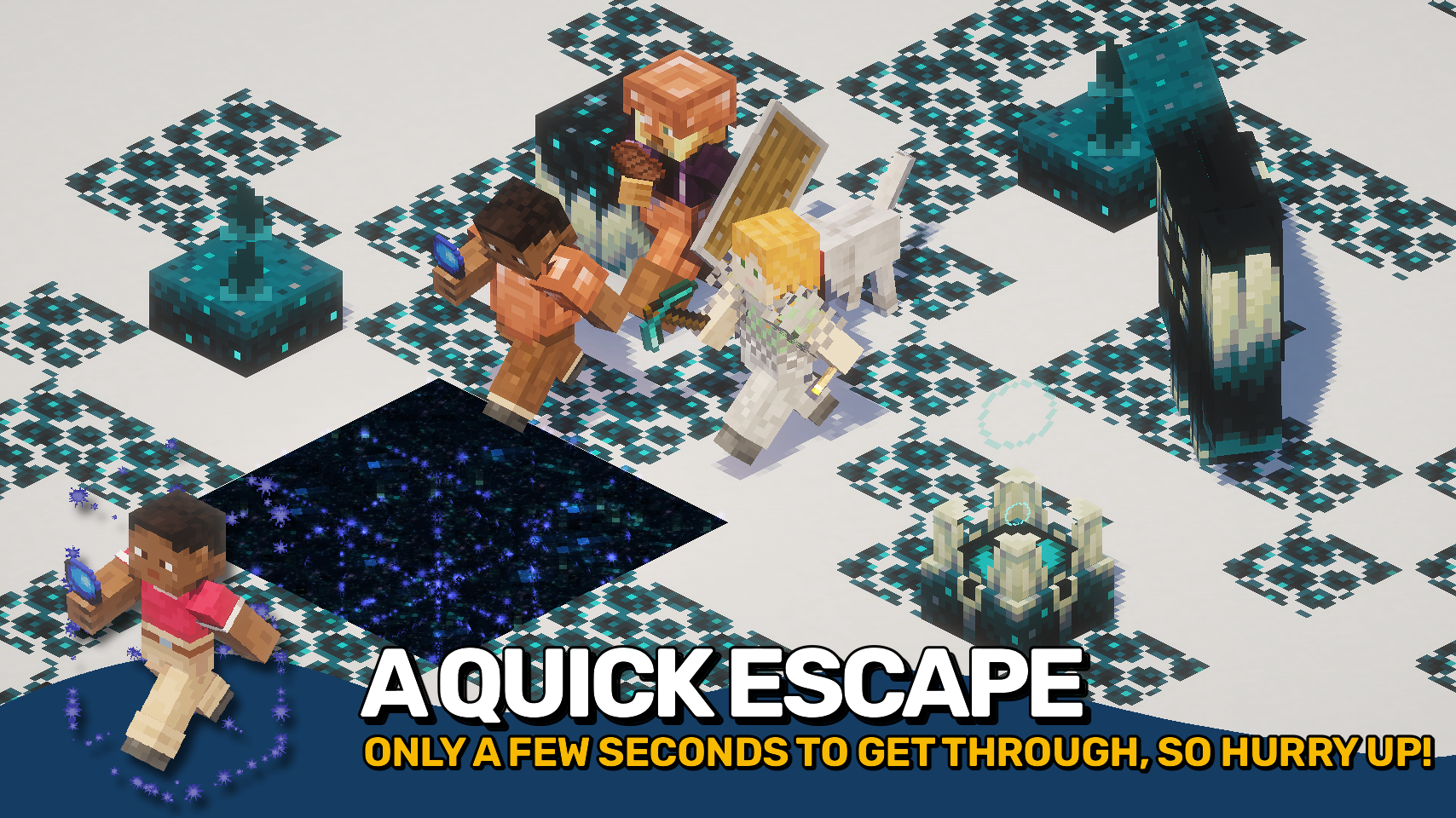
After a brief moment, the removed blocks return on their own, making it useful for exploration, quick escapes, hidden entrances, and creative builds where you want movement without lasting damage. ✨
The mod keeps the effect readable with spark particles, a portal-style overlay, and reappearing block feedback, while offering configuration for hole depth, duration, cooldown, visuals, and which blocks can be affected. ⚙️

- 🌀 Temporary Passages: Open short-lived holes through blocks and move through them without leaving permanent damage behind.
- ↔️ Directional Tunnels: Create holes through walls, floors, or ceilings based on the side of the block you click.
- ⏳ Automatic Restoration: Removed blocks return after a few seconds, keeping worlds intact.
- ✨ Clear Visual Feedback: Spark particles, portal-style edges, and reappearing block effects make active holes easy to spot.
- ⚙️ Configurable Behaviour: Adjust cooldown, tunnel depth, duration, block hardness limits, and visual effects to fit your world or server.


⏩ INSTALLATION REQUIRED ON CLIENT & REQUIRED ON SERVER
⏩ REQUIRES PUZZLES LIB TO BE INSTALLED (FABRIC & NEOFORGE)
⏩ REQUIRES FABRIC API TO BE INSTALLED (FABRIC)
⏩ REQUIRES FORGE CONFIG API PORT TO BE INSTALLED (FABRIC)

If available for a mod, configuration is possible directly from in-game using the mod menu (requires Mod Menu by Prospector to be installed on Fabric).
For manual configuration using an external text editor all files are found at .minecraft/config, named as MOD_ID-client.toml, MOD_ID-common.toml, or MOD_ID-server.toml, depending on the type of config. Not all types might exist for a mod, if any at all.

🌟 Huge thanks to Azanor for creating Thaumcraft 3, whose item by the same name inspired this mod from the very beginning.
🌟 Thanks to Vazkii for creating Botania, which inspired the magical spark particle effects used in this mod.
🌟 Thanks to Finalbossblues for creating the excellent icon set available on itch.io, parts of which are used in this mod.
 |
 |
|
 |
 |
|
 |
 |
|
 |
 |
|
 |
 |

© 2026 @heyitsfuzs. All rights reserved. This page was last edited on 11 September 2026, at 06:44 (UTC).
常见问题
Portable Hole 支持哪些 Minecraft 版本?
Portable Hole 支持 Minecraft Java 版 1.18.2–26.3,共 23 个版本,可用的加载器:Fabric / Forge / NeoForge。下载时注意选择和你游戏版本一致的文件。
Portable Hole 怎么安装?
先用 PCL2 或 HMCL 启动器安装对应版本的 Fabric / Forge / NeoForge,再把下载的 .jar 文件放进游戏目录的 mods 文件夹,重新启动游戏即可。开启了版本隔离的,mods 文件夹在 versions/版本名 下面。运行环境:客户端和服务端都要装。
LunaPixelStudios 的其他作品
查看全部 →
Visual Workbench
物品会留在工作台内,并且会渲染在上方。真的很精致!

Pick Up Notifier
收集到的所有物品都会通知你。
Necronomicon API
我的模组专用工具库。

Easy Magic
附魔台本该如此!关闭后物品仍会保留,还能轻松重新刷新附魔。
评论
登录后评论和评分