
Portable Crafting (Standalone)
Use crafting stations (tables, smithing, anvils, stonecutters, etc) directly from your inventory.
介绍
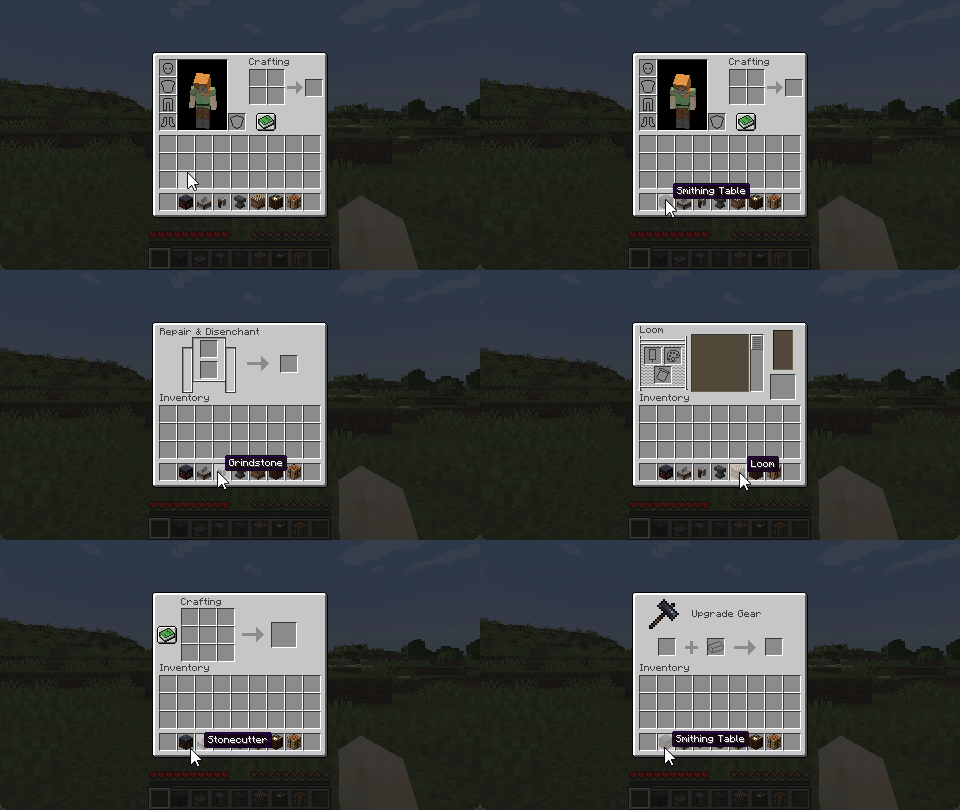
Open crafting screens from your inventory.
Works server-side, with extra polish when installed on the client.
Requires Connector and FFAPI on (neo)forge.
Server Features
- Open workstation blocks by right-clicking them in the inventory (or using them from the hotbar)
- Supports crafting, smithing, stonecutting, grinding, looms, cartography tables, and anvils by default
- Supports all vanilla and most modded non-container workstations via the config (see below)
Mixed-Side Features
- Opening workstations is seamless, with no ping-dependent "ghost pickup" while the screen is loading
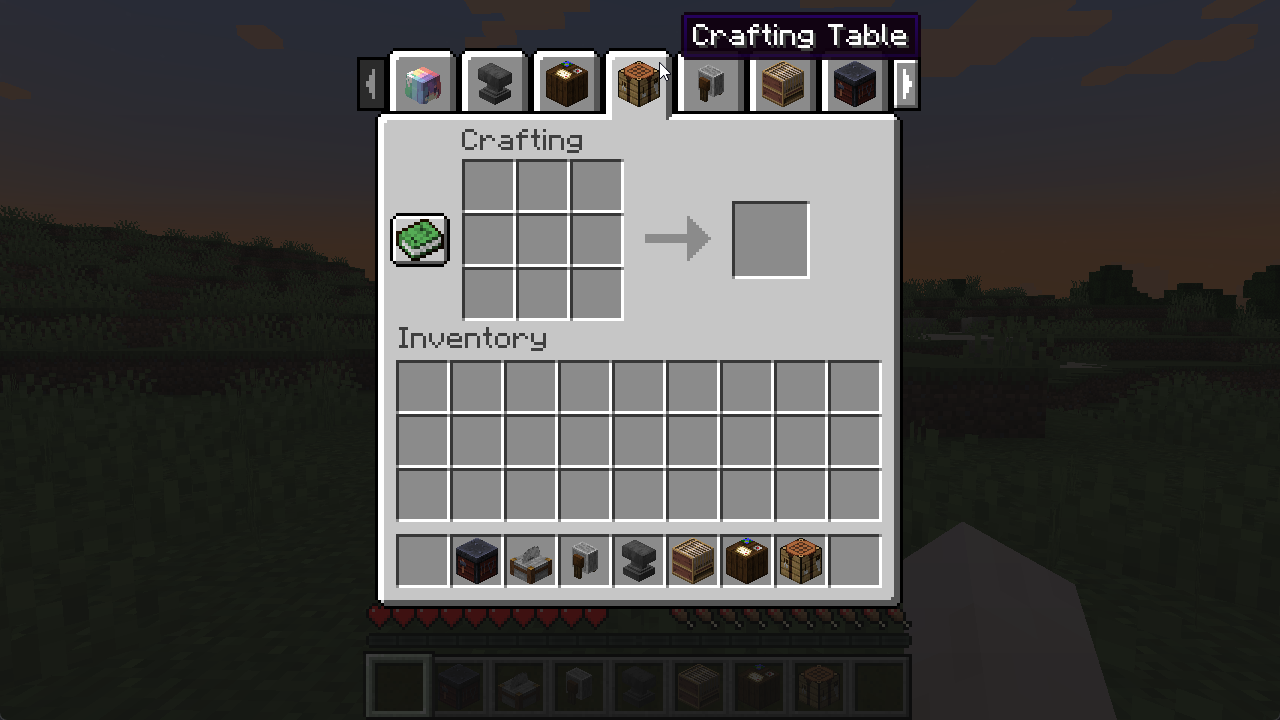
- Quickly open your crafting table via a hotkey (Default:
v) - Swap to portable workstations using Inventory Tabs
Modpack Configuration
You add and change which workstations are portable via config/portable_crafting.toml.
Blocks must open the specified screen handler on use, or this will not work.
[blockItemScreens]
	"minecraft:crafting_table" = "minecraft:crafting"
	"...block_item" = "...screen_handler"

[blockItemTags]
	"c:player_workstations/crafting_tables" = "minecraft:crafting_table"
	"...item_tag" = "...block_item_from_above"
Modded non-container workstations that use vanilla code conventions will work. Others crash, so test as you go.
The config is synchronised to the client when mixed-side to display tabs and apply seam-hiding changes.
Incompatible Blocks
Don’t file issues for modded workstations! We can’t fix them on our side.
To function as portable workstations, blocks must:
- Have no state/container, i.e. items cannot be left in them
- Override
getMenuProvider/createScreenHandlerFactoryto open their screen - Have a screen that doesn’t rely on the existence of a block at the position provided at any time
- Have a screen that can be uniquely identified by a screen handler type
Afterword
All mods are built on the work of many others.
This mod specifically is inspired by a similar feature from Svenhjol’s Charm – one of the few implementations of portable crafting grids that didn’t introduce new items at the time.
常见问题
Portable Crafting (Standalone) 支持哪些 Minecraft 版本?
Portable Crafting (Standalone) 支持 Minecraft Java 版 1.18.2–1.21.1,共 8 个版本,可用的加载器:Fabric / Forge / NeoForge / Quilt。下载时注意选择和你游戏版本一致的文件。
Portable Crafting (Standalone) 怎么安装?
先用 PCL2 或 HMCL 启动器安装对应版本的 Fabric / Forge / NeoForge / Quilt,再把下载的 .jar 文件放进游戏目录的 mods 文件夹,重新启动游戏即可。开启了版本隔离的,mods 文件夹在 versions/版本名 下面。
sleepingdragoninn 的其他作品
查看全部 →
Portable Crafting
直接从物品栏使用工作台、锻造台、铁砧、切石机等制作站。

SwingThrough
允许透过草、作物和花朵等透明方块锁定、生物交互并攻击生物。
Antique Atlas 4
一款手绘风格的客户端世界地图,支持地图分享、结构发现等功能! 基于 hunternif 的 Antique Atlas 制作的 Surveyor 地图前端。
Euphonium
基于生物群系和世界特征的环境音效——Charmonium 的分支版本。
评论
登录后评论和评分