
截图
介绍
中文介绍正在准备中,下面暂时显示原文。

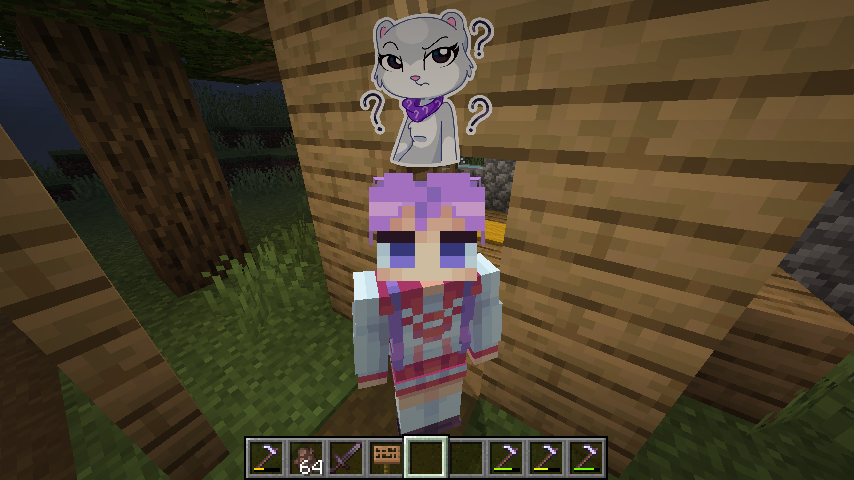
This mod allows you to customize and display pop-up emotes above your character’s head
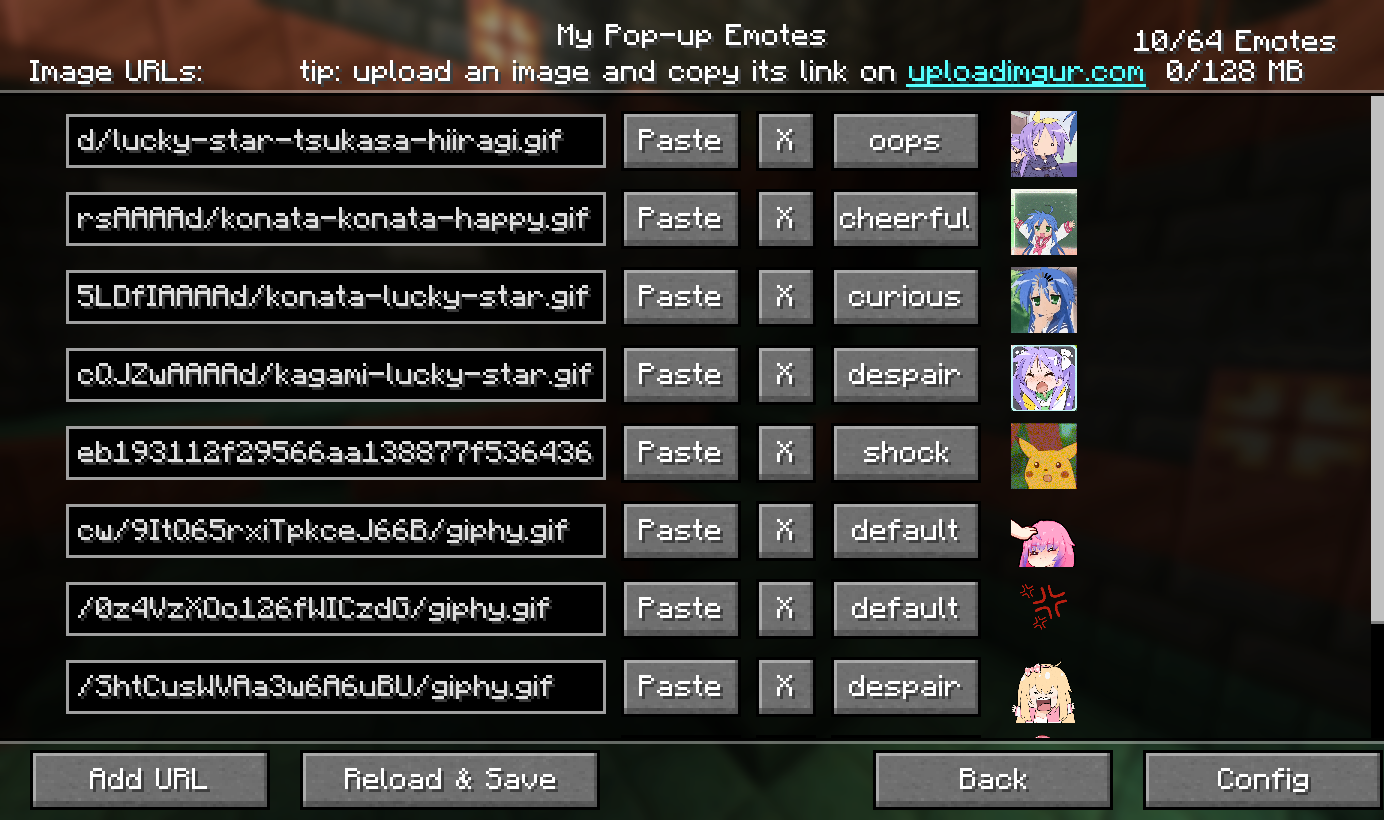
Custom emotes
- Can be added by entering image URLs in the My Emotes screen, accessible through a button on the title screen
- Supported formats are .png, .gif and .jpeg.
- There are several selectable sounds for each emote
Usage
- Open the emote menu by holding the V key
- Move the cursor to the desired emote and release the button
- To change pages, click either the right or left side of the screen
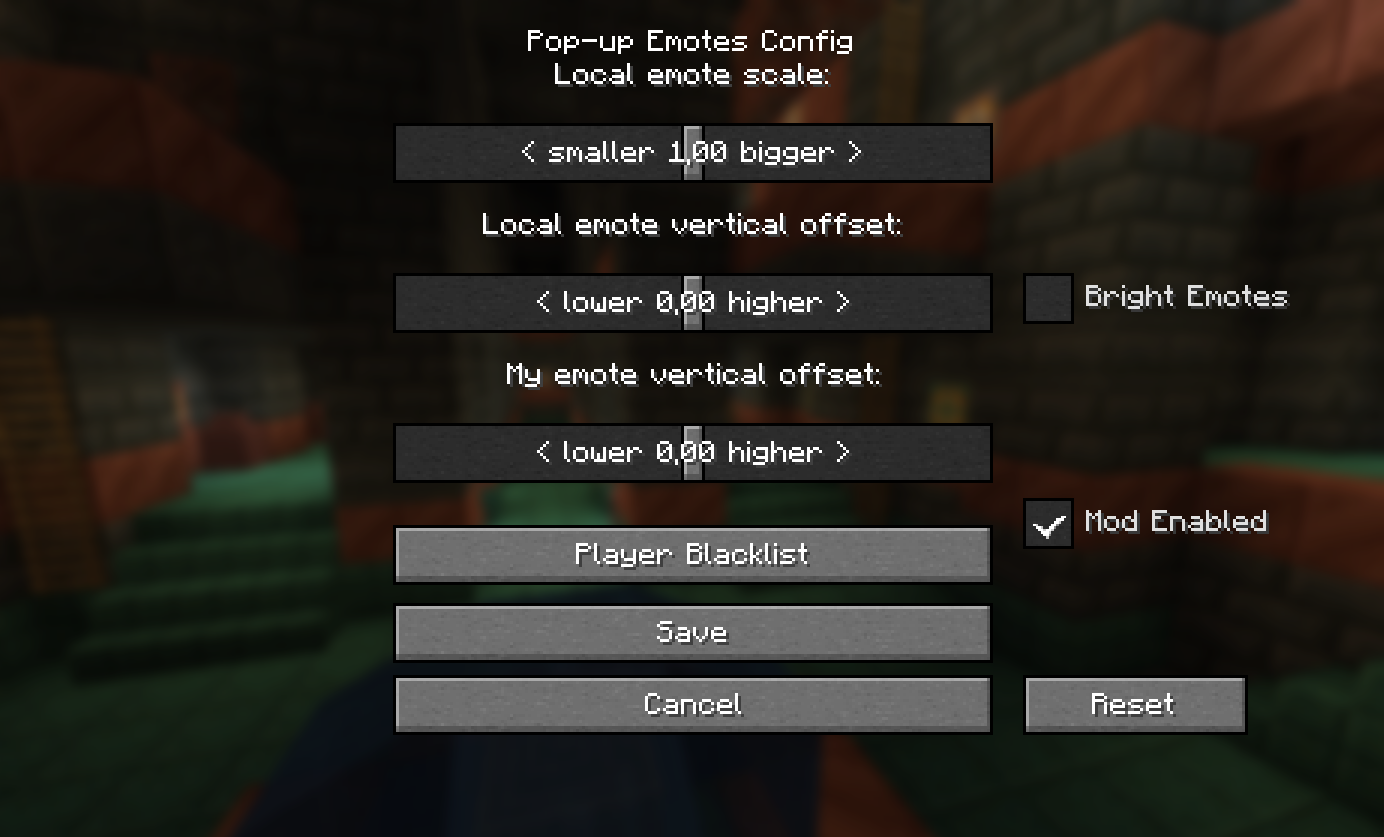
Mods > Pop-up Emotes > Config
- Configure scale and brightness of emotes
- Set personal emote height. Helps when you play with custom player model mods like Yes Steve Model
- Access player blacklist
- If you are using a texture pack to replace default emotes that has fewer emotes than the default emount, you can hide what’s left by specifying resourcePackEmoteAmount in the client config file
Server
- Server-side blacklist can be managed via the /popupemotes serverblacklist add/remove/clear/show command. It requires permission level 3 (configurable) or the pop_up_emotes.moderator permission.
Also check out Pop-up Emotes Online Addon

常见问题
Pop-up Emotes 支持哪些 Minecraft 版本?
Pop-up Emotes 支持 Minecraft Java 版 1.19.2–26.3,共 11 个版本,可用的加载器:Fabric / Forge / NeoForge。下载时注意选择和你游戏版本一致的文件。
Pop-up Emotes 怎么安装?
先用 PCL2 或 HMCL 启动器安装对应版本的 Fabric / Forge / NeoForge,再把下载的 .jar 文件放进游戏目录的 mods 文件夹,重新启动游戏即可。开启了版本隔离的,mods 文件夹在 versions/版本名 下面。运行环境:客户端和服务端都要装。
Catomon 的其他作品
查看全部 →
Easy Mob Spawn Control
by Catomon
通过游戏内菜单快速调整生成率、禁用不受欢迎的生物、更改生物上限等。
102.9万
2 天前
Modrinth · CurseForge
Psycho Villagers
by Catomon
Murderous psychopaths hiding among villagers
28.3万
今天
CurseForge

Chat Highlight & Sound
by Catomon
Highlights your name and custom words in chat, changes message color, and plays sounds
21.6万
20 天前
Modrinth

Scream & Disappear Meme Death Sounds
by Catomon
Plays "scream and disappear" meme sounds when a player dies
4万
14 天前
CurseForge
评论
登录后评论和评分