PokeCollections
PokéCollections brings Pokémon cards and plushies to Minecraft with storage binders, card battles, trading, animated crates, collection rewards, and customizable displays.
截图
介绍
PokéCollections
Collect, trade, battle, and display Pokémon cards, plushies, and boxed figures across all nine generations of Pokémon.
PokéCollections brings 2,058 collectible cards, 1,027 placeable plushies, and 1,027 boxed PokePop figures to Minecraft. Organize your collection in visual binders, challenge friends to card battles, unlock collection rewards, and turn your base into a Pokémon gallery.
Collect All Nine Generations
Build your collection across Kanto, Johto, Hoenn, Sinnoh, Unova, Kalos, Alola, Galar, and Paldea.
- Standard and animated holographic cards for all 1,025 Pokémon.
- Placeable Pokémon plushies to decorate your world.
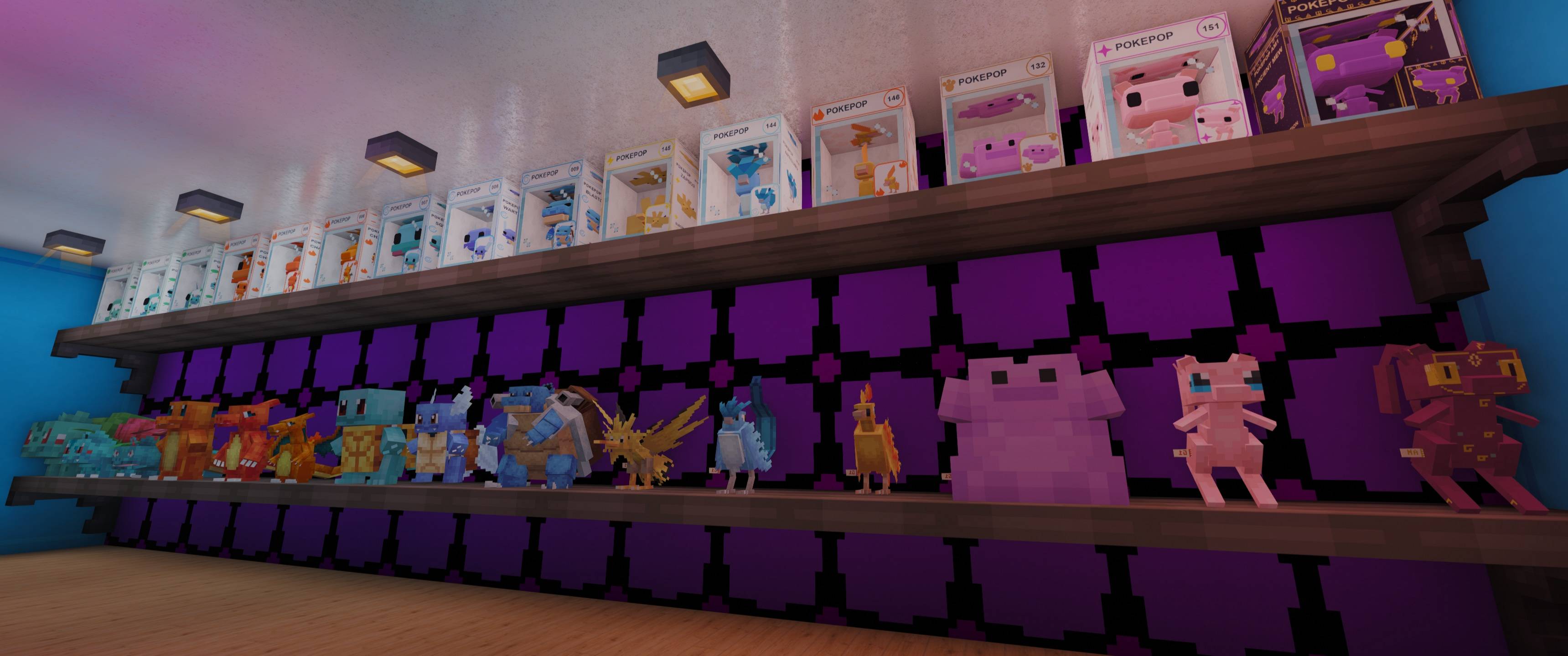
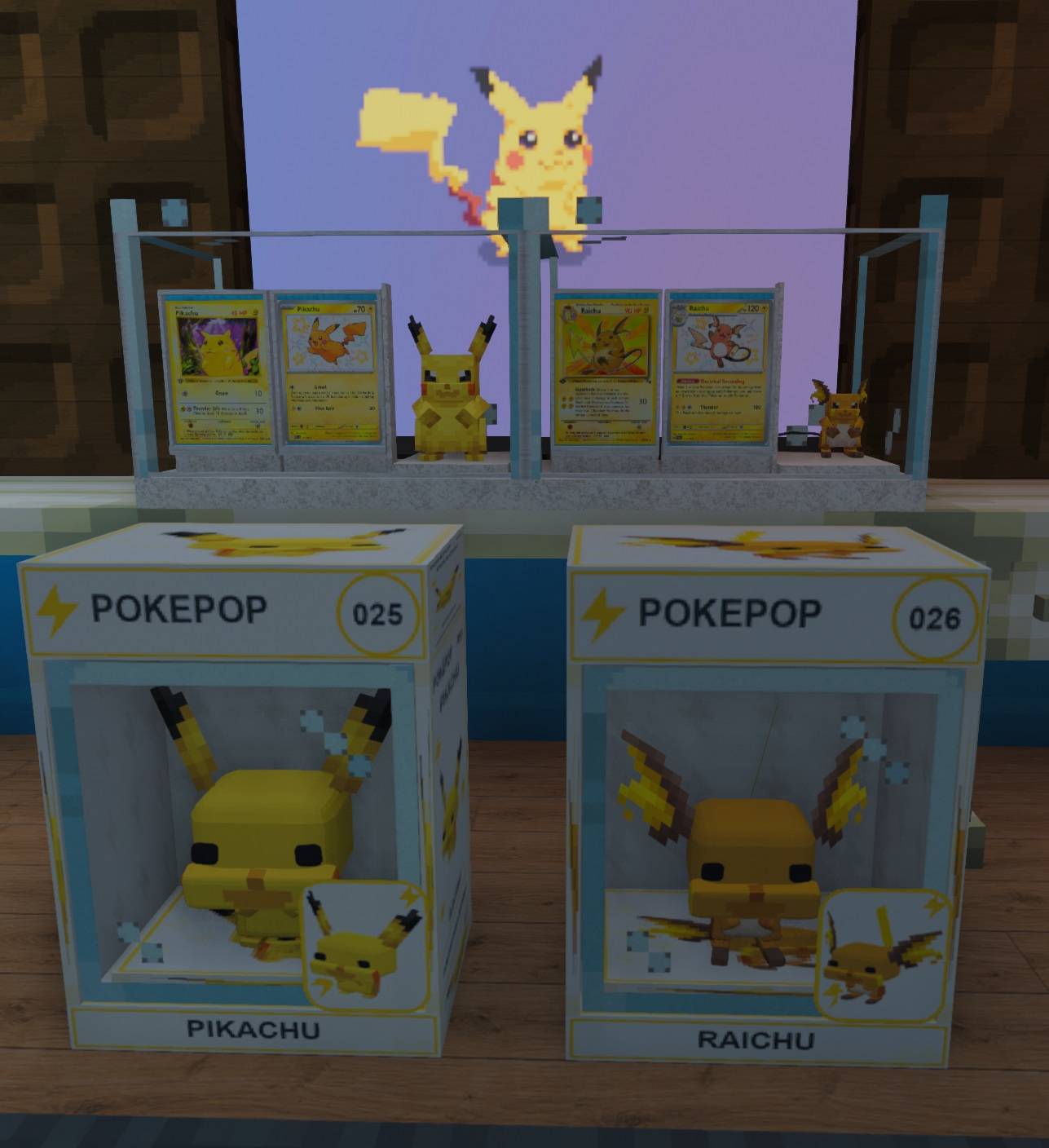
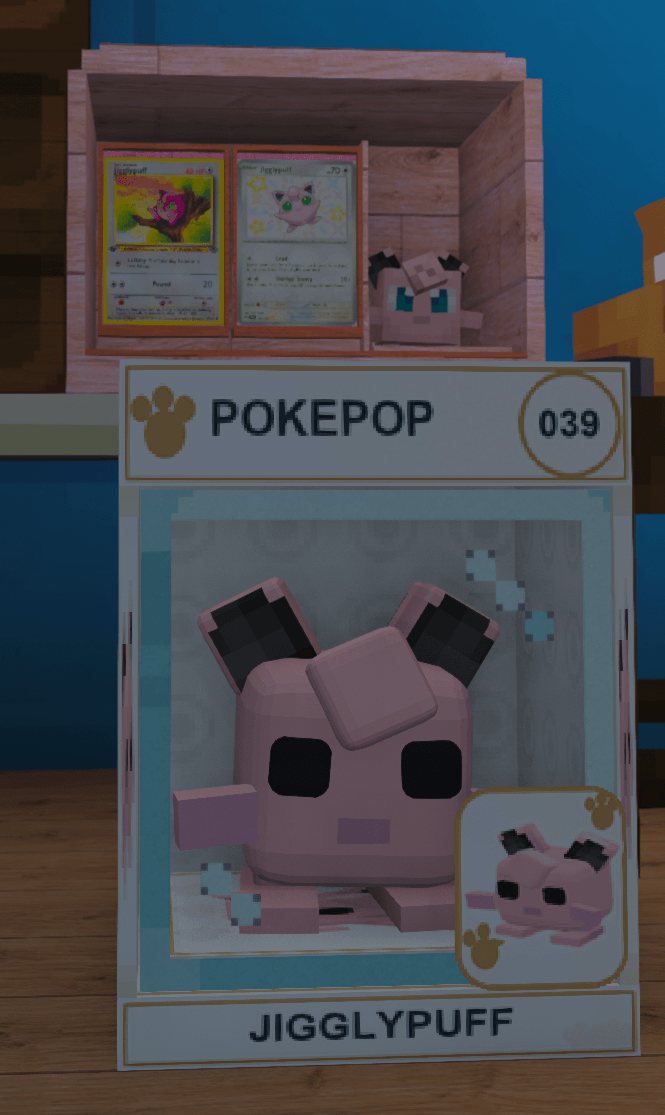
- Boxed PokePop figures with numbered packaging, species artwork, and Pokémon-themed designs.
- Special collectibles, including Ancient Mew and Ender Dragon #000.
- Additional special cards featuring Shadow Lugia, Crystal Celebi, Shiny Rayquaza, Shining Ho-Oh, MissingNo., and Wither.
- Animated card pack openings and collectible PokePop blind boxes.
Rarity names and colors match throughout the collection: Common, Uncommon, Rare, Ultra Rare, Legendary, and Mythical.
Visual Binders and Storage
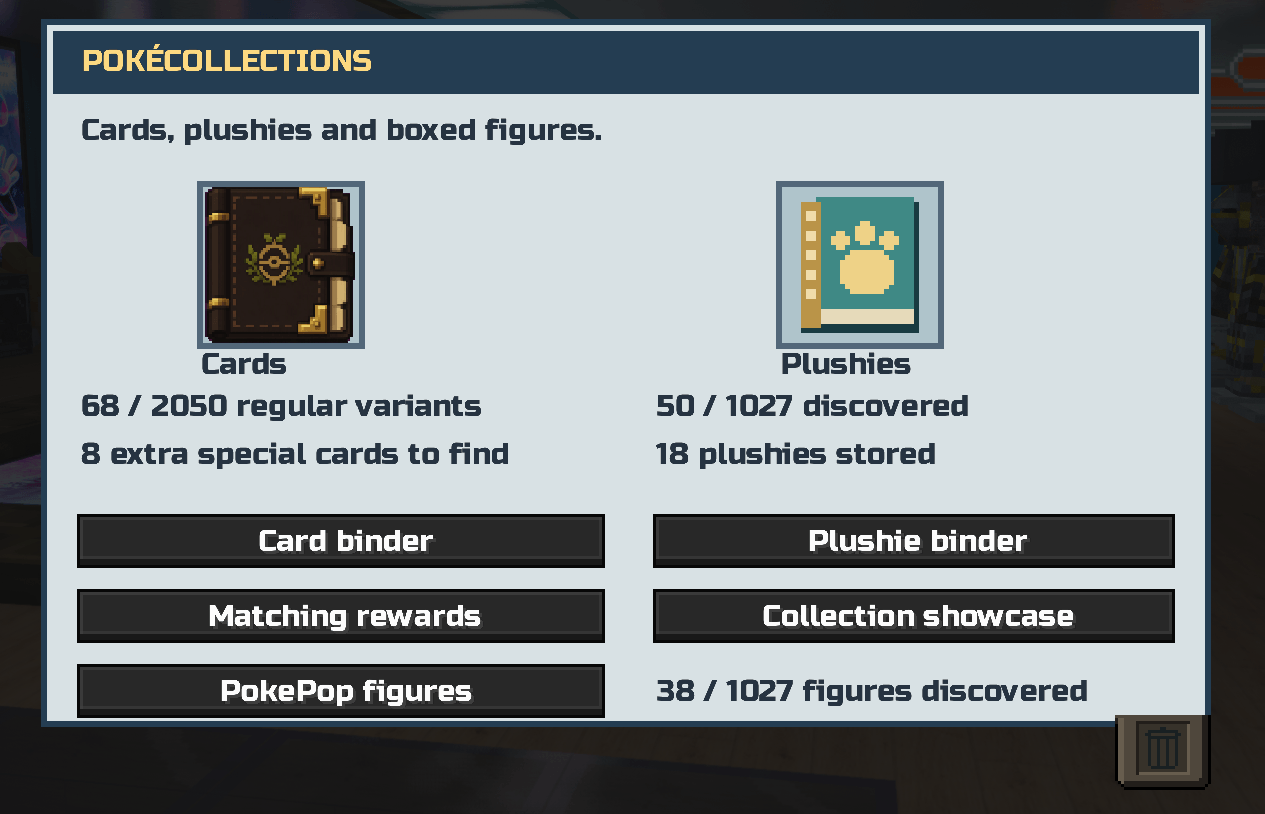
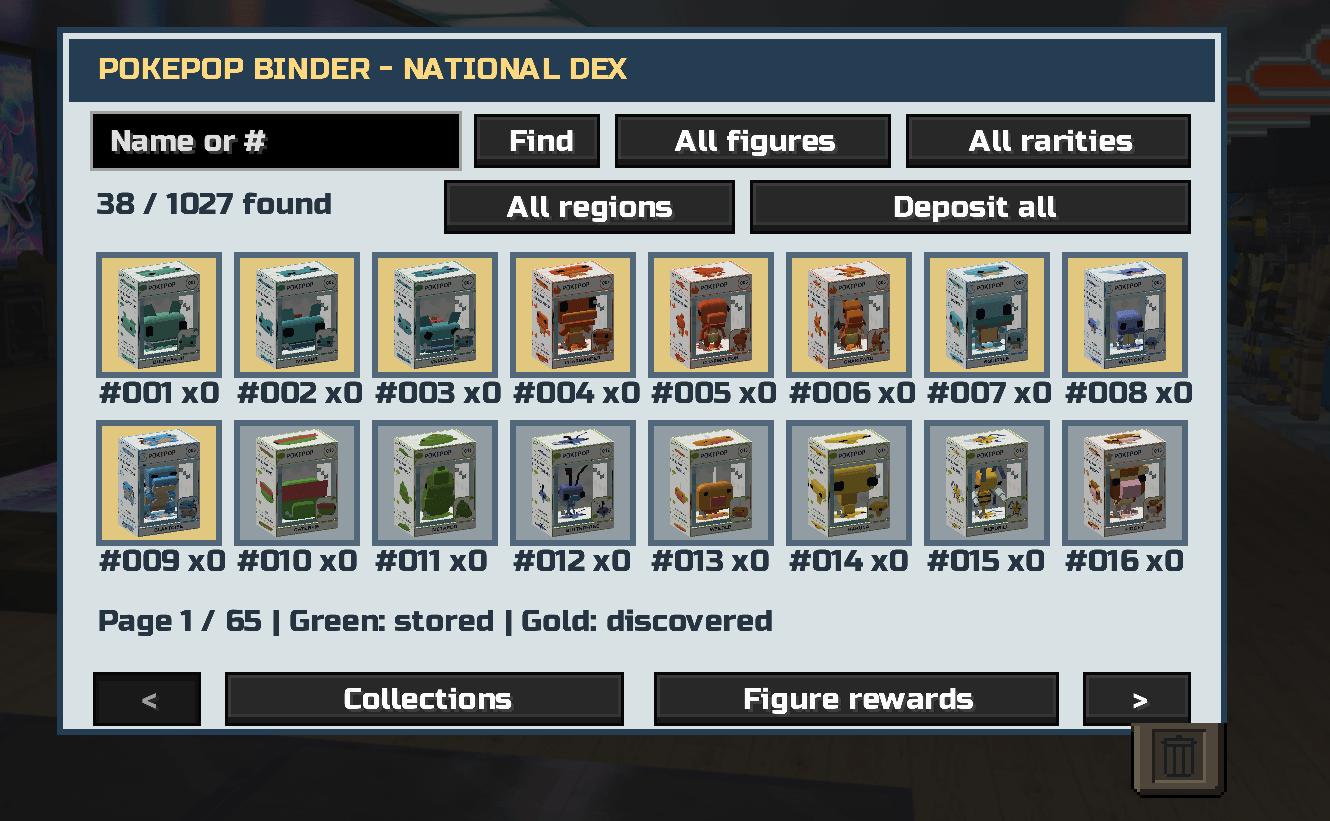
Keep your collections organized with dedicated card, plushie, and PokePop binders.
- Browse collectibles visually.
- Store and withdraw copies.
- Search and filter card and PokePop collections.
- See collection progress and discovered species.
- Protect favorite cards.
- Track collection statistics.
- Open binders through commands without holding a binder item.
Your historical discoveries remain recorded after displaying or trading collectibles.
Collection Achievements and Rewards
Complete 27 regional and themed achievements to unlock:
- Binder cover colors
- Display-shelf finishes
- Collector titles shown in the collection hub and showcases
Achievements include all nine regional archives, nine starter collections, and themed groups such as Eevee Evolutions, Legendary Birds, Legendary Beasts, Weather Legends, and more.
A species can count through its regular card, plushie, or PokePop, allowing you to mix collection types. Existing discoveries count toward achievements.
Separate collection milestones award packs, blind boxes, crate keys, badges, and other rewards. PokePop milestones cover every region, with a regional Master badge for completing each collection.
Open /pokeachievements to track progress and equip your unlocked cosmetics.
Build Your Collection Gallery
Display your favorite collectibles using:
- Floor card stands
- Wall card displays
- Placeable plushies
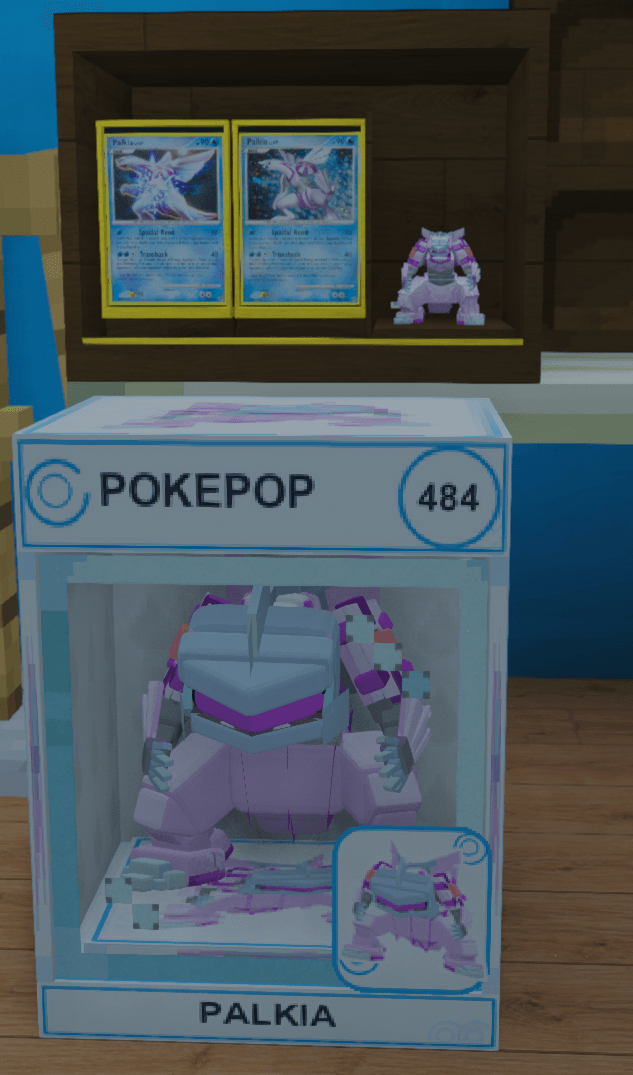
- Boxed PokePop figures
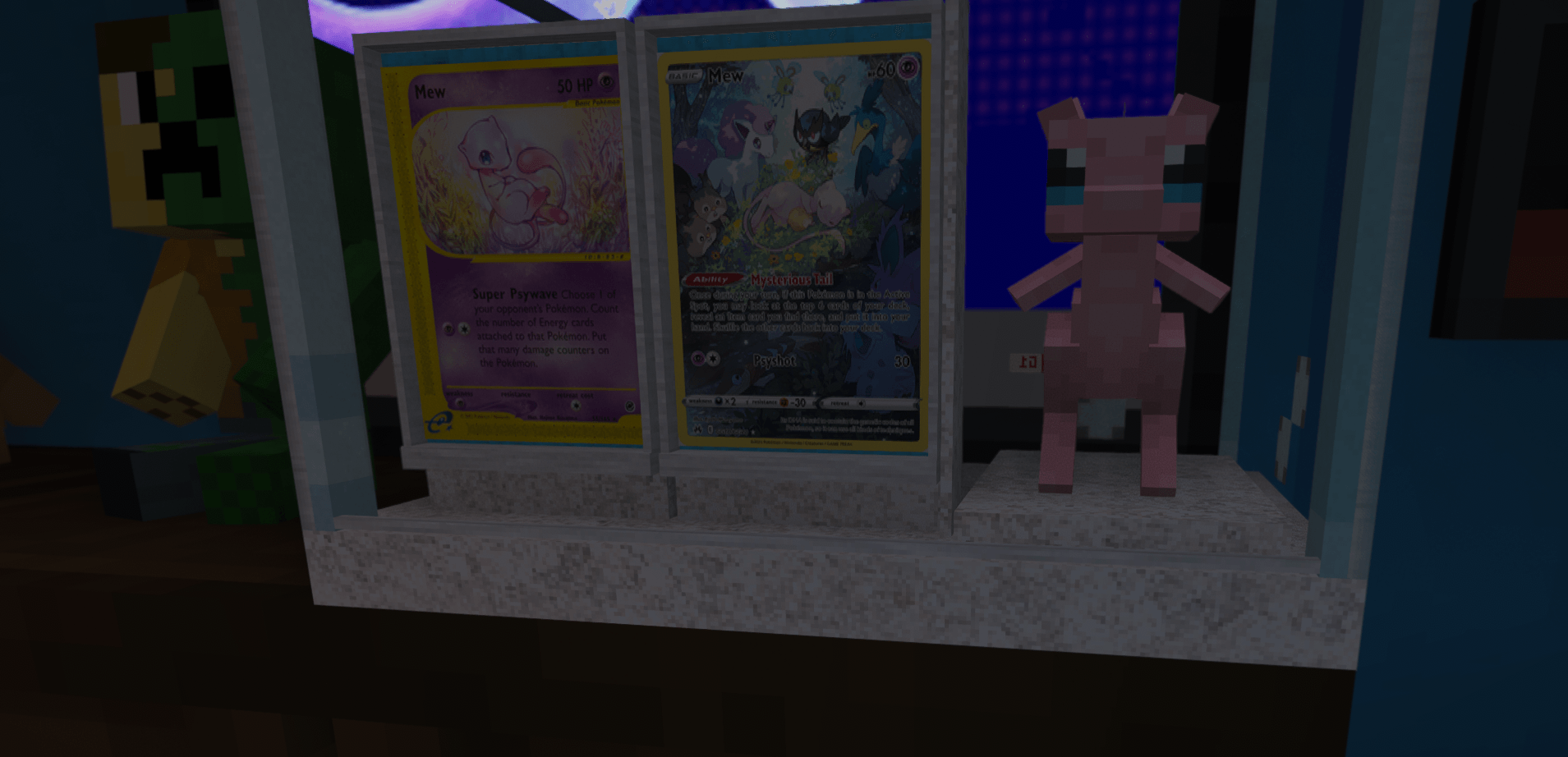
- Combined shelves holding two cards and one plushie
Combined shelves come in five styles:
- Classic Dark Oak
- Quartz Gallery
- Blackstone Vault
- Cherry Cabinet
- Glass Showcase
Matching Display Sets
Shelves recognize matching collections and gain subtle illuminated accents.
Create a standard-card, holo-card, and plushie trio of the same Pokémon; arrange an evolution family; or display members of a supported themed group.
Evolution recognition supports 340 families with multiple species, including evolutions introduced in later generations.
Select an unlocked finish, then sneak-right-click an existing shelf with an empty hand to apply it. Newly placed shelves use your selected finish automatically.
GUI Card Battles
Build your deck visually and challenge solo trainers or other players using cards you own.
- Equal 3-card, 5-card, or 10-card teams
- Animated opening coin flip to decide the first turn
- Type advantages and energy management
- Attack accuracy and status effects
- Basic attacks, power attacks, and techniques
- Guarding, restoring, focusing, and switching
- Deck presets and ranked progression
Normal battles do not cost you cards. Optional wagers require agreement from both players, and the winner receives the wagered cards.
Visual Trading
Invite another player, review both offers in the trading GUI, and confirm the exchange.
Completed trades appear in your trade history. Collection showcases let you share your progress and equipped collector title.
Duplicate cards also have a purpose through exchange and collection crafting features.
PokePop Figures
Collect all 1,025 Pokémon as sealed, placeable boxed figures, alongside special Ancient Mew and Ender Dragon editions.
Regular packaging stays primarily white, with species artwork, type motifs, numbered headers, and matching accents. Ultra Rare figures receive special purple-and-gold packaging.
Special editions have their own presentation:
- Ancient Mew: ancient-symbol packaging and holographic accents.
- Ender Dragon #000: dark packaging and animated purple effects.
Discover figures through National Blind Boxes and PokePop Crates, then store, stack, withdraw, or display them.
Animated Crates and Keys
Three crate types offer different collections:
| Crate | Matching key | Rewards |
|---|---|---|
| PokeCard Crate | PokeCard Key | Cards and card packs |
| PokePlush Crate | PokePlush Key | Collectible plushies |
| PokePop Crate | PokePop Key | Boxed figures and special editions |
How to Use Crates
- Left-click: preview possible rewards and their odds.
- Right-click with the matching key: start an animated opening with cycling floating rewards.
- Shift-right-click with the matching key: open instantly using the same odds.
Every opening consumes one key, including in Creative mode. Rewards use rarity-weighted pools. Rewards that cannot fit in your inventory remain pending.
Obtaining Keys
Keys are available through:
- Qualifying collection milestone rewards
- Expensive crafting recipes
- Operator and administrator commands
Key recipes require four Gold Blocks, two Diamond Blocks, one Nether Star, and two Ender Pearls or Amethyst Shards, depending on the key.
All three crates resist explosions. Only operators or administrators with permission level 2 or higher can break them. Authorized players use sneak-left-click to break a crate; regular players can still open crates using keys.
Main Commands
| Command | Function |
|---|---|
/pokecollections |
Open the shared collection hub |
/pokebinder |
Open the card binder |
/pokebinder storage |
Open the card binder storage shortcut |
/pokeplushbinder |
Open the plushie binder |
/pokepopbinder or /pokepop |
Open the PokePop binder |
/pokeachievements |
View achievements and equip cosmetics |
/pokeshowcase |
Browse collection showcases |
/pokerewards |
Check collection rewards |
/poketrade |
Open visual trading |
/pokebattle |
Open battles and the visual deck builder |
/pokebattle claim |
Collect pending item payouts |
/kanto collection |
Show standard and holo collection progress |
/kanto starter |
Claim your one-time starter pack |
Operator Commands
These require permission level 2 or higher.
| Command | Function |
|---|---|
/pokecrate key <player> [count] |
Give PokeCard Keys |
/pokecrate plushkey <player> [count] |
Give PokePlush Keys |
/pokecrate popkey <player> [count] |
Give PokePop Keys |
/pokecrate crate <player> |
Give a PokeCard Crate |
/pokecrate plushcrate <player> |
Give a PokePlush Crate |
/pokecrate popcrate <player> |
Give a PokePop Crate |
/kanto card <number> <holographic> |
Give yourself a regular Pokémon card |
/kanto validate |
Run the card-data validation report |
Key counts default to one and support 1–64. For card grants, use a number from 1–1025 and true for holographic or false for standard.
Versions and Installation
- Minecraft 1.20.1 — Forge: Java 17 and supported Forge 47.4.x versions, including 47.4.0 and 47.4.20.
- Minecraft 1.21.1 — Fabric: Java 21, Fabric Loader, and Fabric API. Tested alongside Cobblemon 1.8.1.
- Cobblemon is optional.
- Install the matching build on both the server and every connecting client.
- Replace older PokéCollections versions when updating.
- Do not install the old standalone CobblemonPlushiesV1 alongside this mod; its content is already included.
- Forge and Fabric are separate builds. Switching loaders does not automatically convert collection saves.
Start with /pokecollections and build your collection your way.
PokéCollections is an unofficial fan-made mod.
常见问题
PokeCollections 支持哪些 Minecraft 版本?
PokeCollections 支持 Minecraft Java 版 1.20.1–1.21.1,共 2 个版本,可用的加载器:Fabric / Forge。下载时注意选择和你游戏版本一致的文件。
PokeCollections 怎么安装?
先用 PCL2 或 HMCL 启动器安装对应版本的 Fabric / Forge,再把下载的 .jar 文件放进游戏目录的 mods 文件夹,重新启动游戏即可。开启了版本隔离的,mods 文件夹在 versions/版本名 下面。
评论
登录后评论和评分