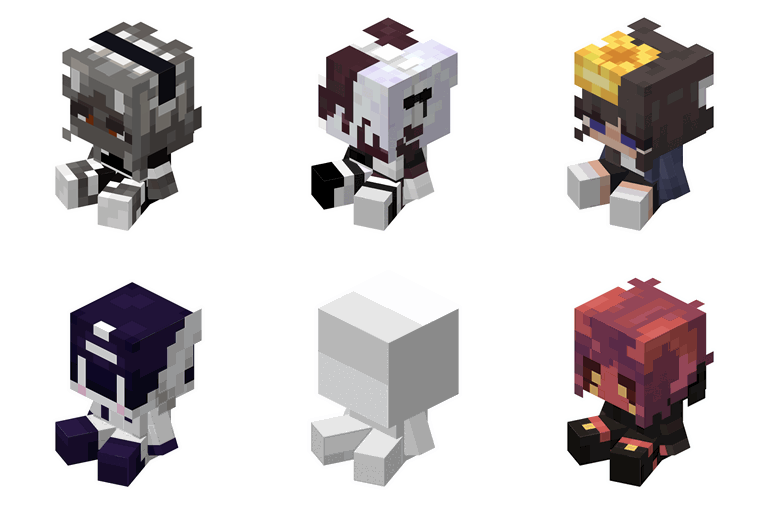
截图
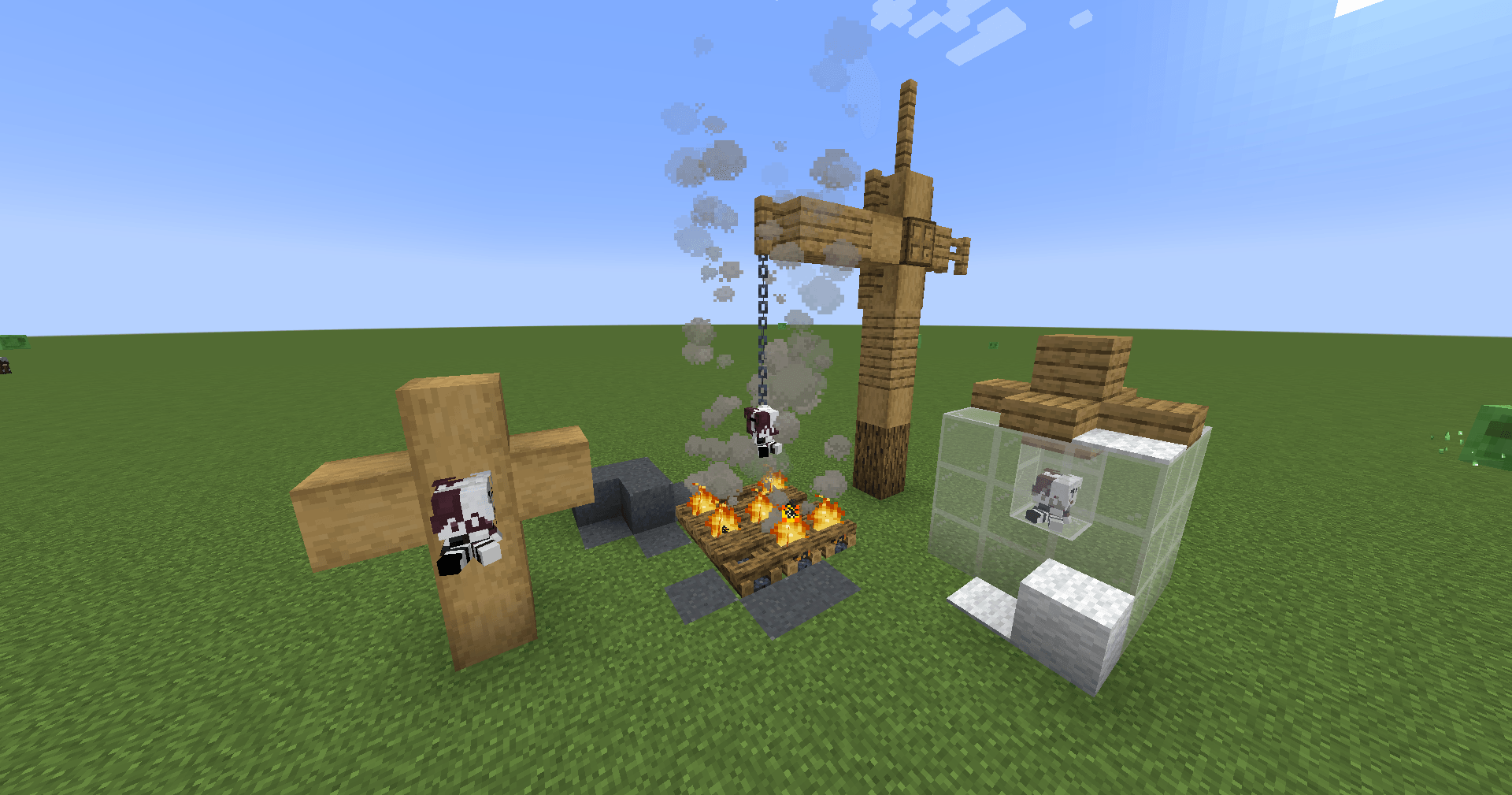
介绍
中文介绍正在准备中,下面暂时显示原文。


\*\*DISCONTINUED\*\*
Overview
The Plushie Blocks Mod allows users to create custom plushie blocks with their own textures, sounds, and descriptions. Personalize your Minecraft world with unique plushies by simply adding a texture file and updating the configuration file.
Features
- Custom Textures: Add your own textures for plushie blocks.
- Custom Sounds: Assign specific sound events to your plushies.
- Custom Descriptions: Add unique descriptions for each plushie.
How to Use
-
Add Your Texture:
- Place your texture files in the
config/plushified/texturesfolder. - Ensure the texture name matches the “texture” field in the configuration file.
- Place your texture files in the
-
Update Configuration File:
- Open the
config/plushified/config.json5file. - Add a new JSON object for each plushie you want to create. Follow the format below:
"your_plushie_name": { "texture": "your_texture_name", "soundEvent": "your_sound_event", "descriptionText": "your_description" }Example:
"cup_plushie": { "texture": "cup_plushie", "soundEvent": "minecraft:block.mud.hit", "descriptionText": "It's only been a week, but it feels like a year." } - Open the
Example Configuration
Here is an example configuration with multiple plushies:
{
    "cup_plushie": {
        "texture": "cup_plushie",
        "soundEvent": "minecraft:block.mud.hit",
        "descriptionText": "It's only been a week, but it feels like a year."
    },
    "bear_plushie": {
        "texture": "bear_plushie",
        "soundEvent": "minecraft:block.wood.hit",
        "descriptionText": "A cuddly bear plushie."
    },
    "cat_plushie": {
        "texture": "cat_plushie",
        "soundEvent": "minecraft:block.wool.hit",
        "descriptionText": "A cute cat plushie to keep you company."
    }
}
Notes
- The texture file must be named exactly as specified in the “texture” field.
- Make sure the sound event exists in the Modpack.
- Descriptions can be any text string to give your plushies a unique touch.
Installation
- Download and install the mod.
- Place your texture files in the
config/texturesfolder. - Edit the
config/plushified/config.json5file to add your plushie configurations. - Launch Minecraft and enjoy your custom plushie blocks!
Sponsor

常见问题
Plushified 支持哪些 Minecraft 版本?
Plushified 支持 Minecraft Java 版 1.20.1–1.21.1,共 3 个版本,可用的加载器:Fabric。下载时注意选择和你游戏版本一致的文件。
Plushified 怎么安装?
先用 PCL2 或 HMCL 启动器安装对应版本的 Fabric,再把下载的 .jar 文件放进游戏目录的 mods 文件夹,重新启动游戏即可。开启了版本隔离的,mods 文件夹在 versions/版本名 下面。
BackupCup 的其他作品
查看全部 →
RunicLib
by Yirmiri, BackupCup
RunicLib 是一个前置库模组,为模组开发者提供了 MultiLoader 工具、新属性和新效果。
798.2万
2 个月前
Modrinth · CurseForge

MC Dungeons Enchanting
by Timefall Development
将 Minecraft Dungeons 的附魔系统带入 Minecraft
108.5万
1 年前
Modrinth

Wathe: Murder Mystery
by RAT, BackupCup 等
一款谋杀之谜社交游戏(《Last Voyage of the Harpy Express》体验的核心模组)
53.4万
1 个月前
Modrinth
MC Dungeons Enchanting
by BackupCup, Iamnotagenius
将《Minecraft Dungeons》的附魔系统带入《Minecraft》。
36.1万
1 年前
CurseForge
评论
登录后评论和评分