
截图
介绍
Player Info
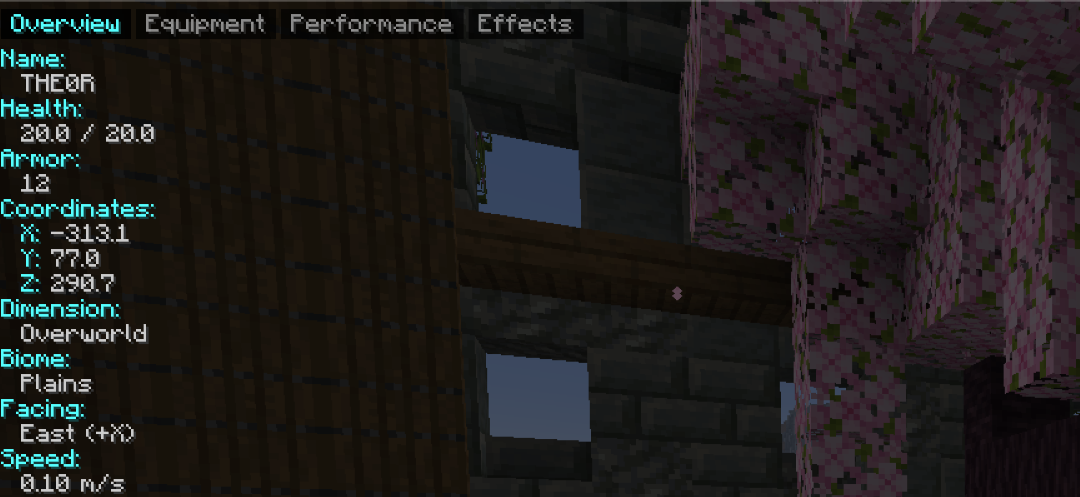
a lightweight mod that shows useful info about other players, just aim your crosshair at them and it pops up
What it shows: Health, Hunger, Saturation, Armor, Absorption, XP level, Coordinates, Dimension, Biome, Facing direction, Speed, Air supply, Ping, Gamemode, Status (on fire, sneaking, sprinting, swimming, elytra, glowing)
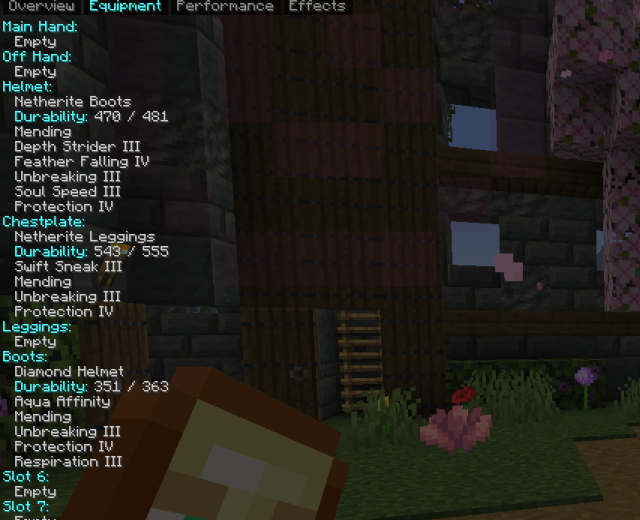
Also shows their Equipment (main hand, off hand, helmet, chestplate, leggings, boots) with item name, count, durability and enchantments, and their active Effects with level and time remaining
You can change: Panel position, Panel size, Text color, Heading color, Background opacity, and toggle each tab on or off
All settings can be changed in-game and reset at any time
The mod is lightweight, easy to use and works without changing vanilla gameplay, use the keybind to open the panel, and another one for the radial menu to switch tabs quickly
常见问题
players info 支持哪些 Minecraft 版本?
players info 支持 Minecraft Java 版 26.2–26.3,共 2 个版本,可用的加载器:Fabric。下载时注意选择和你游戏版本一致的文件。
players info 怎么安装?
先用 PCL2 或 HMCL 启动器安装对应版本的 Fabric,再把下载的 .jar 文件放进游戏目录的 mods 文件夹,重新启动游戏即可。开启了版本隔离的,mods 文件夹在 versions/版本名 下面。运行环境:仅客户端。

评论
登录后评论和评分