
PlayerPrefixes
Add prefixes to players that appear on the name tag and in the tab list. If you want, put them at the top.
截图

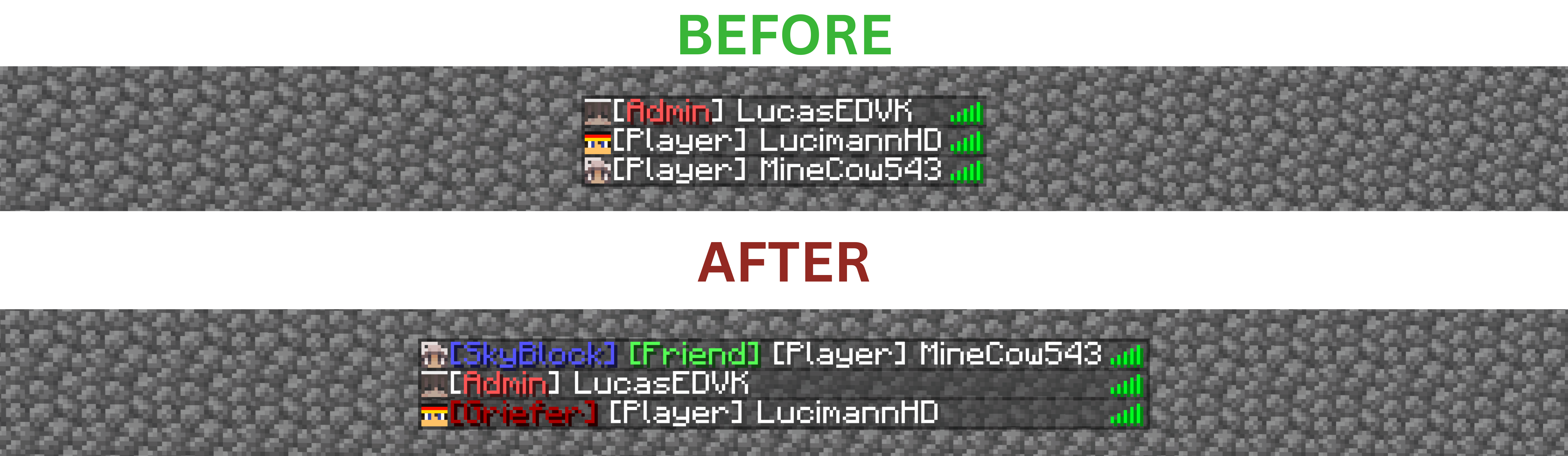
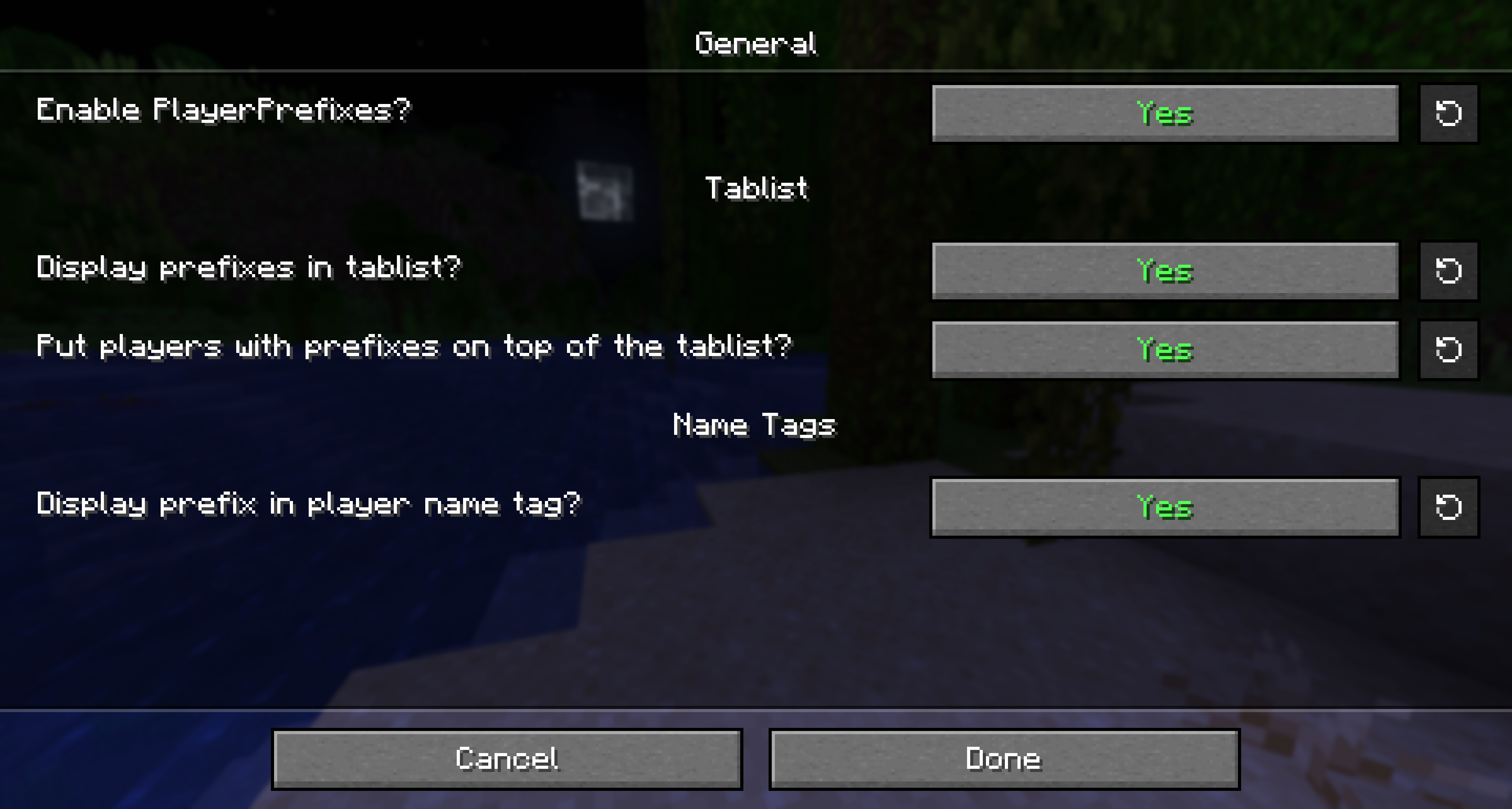
介绍
Core Commands
- /PlayerPrefix add – Creates a new prefix.
- /PlayerPrefix del – Deletes a prefix.
- /PlayerPrefix set – Assigns a prefix.
- /PlayerPrefix remove – Removes a prefix.
- /PlayerPrefix – Displays a help dialog.
Further Commands
List Commands
Player
- /PlayerPrefix view – View all prefixes of all players.
- /PlayerPrefix list [identifier] – Lists all players, including their prefixes. Optionally, specify a prefix filter.
- /PlayerPrefix listOnline [identifier] – Lists all online players, including their prefixes. Optionally, specify a prefix filter.
Click on a prefix to remove it from the player.
Hover over a prefix to see when it was assigned.
Prefixes
- /PlayerPrefix listPrefixes – Lists all prefixes.
Update Commands
- /PlayerPrefix updateIdentifier – Updates the identifier.
- /PlayerPrefix updatePrefix – Updates the prefix.
- /PlayerPrefix updateTab – Updates the behavior in the tablist.
Dependencies
No need to install any other mod than Fabric API.
Please note that Mod Menu is required to access the config GUI.
Questions? Issues? Feature Requests?
Feel free to join the Discord ( https://www.lucasedvk.de/discord ) or send me a PM on Discord (Lucas.EDVK).
Issues and feature requests are encouraged to be reported on GitLab. Discord is also fine. Thank you!!
Quality Assurance
My code and description are at least 90 % human-written. Only the icon was made using generative AI.
Also, my goal is to port to new Minecraft versions asap. All my mods were updated from 1.21. within 1 week of the release of 26.1.
#HumanWritten
Special Thanks
Special Thanks to Motschen for providing this awesome config library with jar-in-jar option!
常见问题
PlayerPrefixes 支持哪些 Minecraft 版本?
PlayerPrefixes 支持 Minecraft Java 版 1.21.11–26.3,共 6 个版本,可用的加载器:Fabric。下载时注意选择和你游戏版本一致的文件。
PlayerPrefixes 怎么安装?
先用 PCL2 或 HMCL 启动器安装对应版本的 Fabric,再把下载的 .jar 文件放进游戏目录的 mods 文件夹,重新启动游戏即可。开启了版本隔离的,mods 文件夹在 versions/版本名 下面。运行环境:仅客户端。
LucasEDVK 的其他作品
查看全部 →
LootMate
Never miss the best loot again. Intelligent item beams, inventory highlighting, and advanced weapon/armor stat comparisons with support for custom items and a highly customizable config.
LootMate
Never miss the best loot again. Intelligent item beams, inventory highlighting, and advanced weapon/armor stat comparisons with support for custom items and a highly customizable config.

Click To Translate Chat (CTTC)
Translate chat messages with a click. Incoming and outgoing. Translation via online service (no API key required). Translator.

Can I survive this jump? (CISTJ)
Shows your remaining health after falling onto the block you’re looking at, in a customizable HUD.
评论
登录后评论和评分