
截图
介绍
中文介绍正在准备中,下面暂时显示原文。
PlayerInfo!
Description
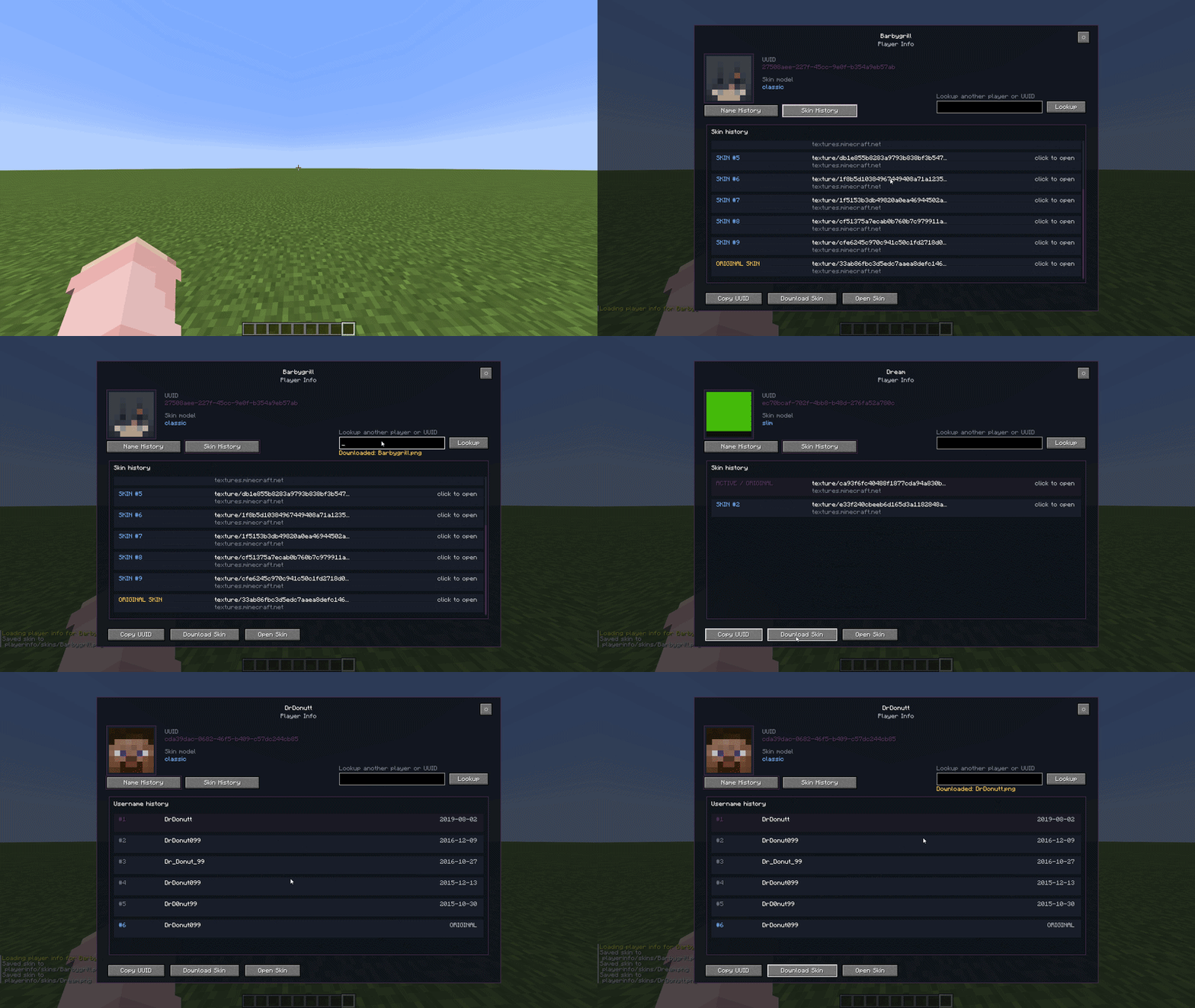
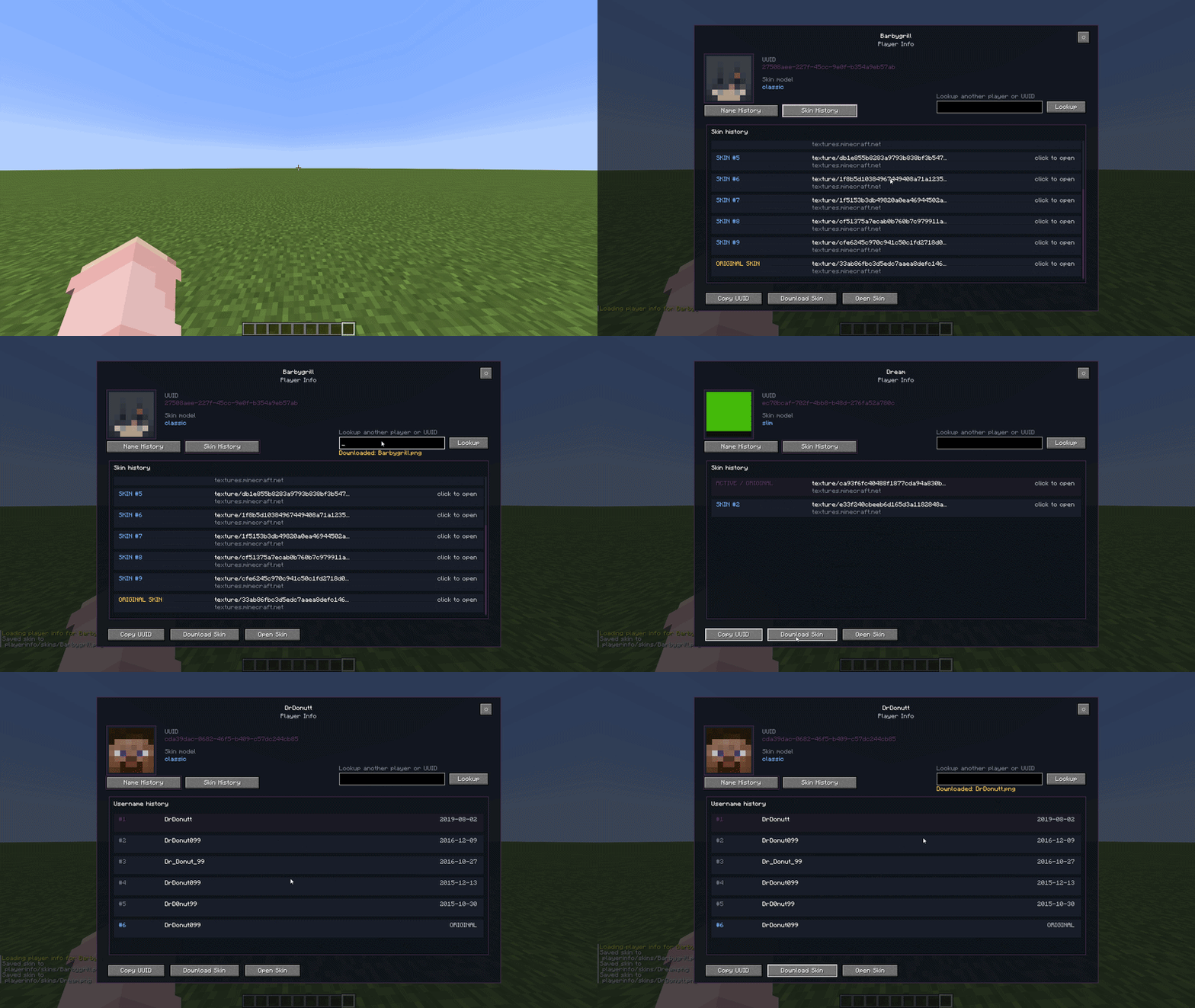
PlayerInfo lets you look up player profiles in-game and view information such as UUIDs, previous usernames, active skins, skin model, and skin history. All of this is shown in a UI where you can, open skin links, download active skins, and customize the UI color.
Commands
/playerinfo <player>/igns <player>/names <player>/skin <player>– Sends a clickable link to the player’s active skin./uuid <player>– Shows the player’s UUID.
Features
- View UUIDs
- View previous usernames
- View active skins
- View skin history
- Open skin links
- Download active skins directly in-game
- Search another player from inside the UI
- Customize the UI accent color
Downloaded skins are saved in:
.minecraft/playerinfo/skins/PlayerName.pngHow to use
- Drop the .jar file into your .minecraft/mods folder.
- Make sure you have Fabric Loader and Fabric API installed.
For support, questions, or bug reports, contact me on Discord: barbygrill.
常见问题
PlayerInfo 支持哪些 Minecraft 版本?
PlayerInfo 支持 Minecraft Java 版 1.21–26.1.2,共 15 个版本,可用的加载器:Fabric。下载时注意选择和你游戏版本一致的文件。
PlayerInfo 怎么安装?
先用 PCL2 或 HMCL 启动器安装对应版本的 Fabric,再把下载的 .jar 文件放进游戏目录的 mods 文件夹,重新启动游戏即可。开启了版本隔离的,mods 文件夹在 versions/版本名 下面。运行环境:仅客户端。
评论
登录后评论和评分