
PlayerCoordsAPI
Lightweight Fabric mod exposing locally MC player coords through HTTP API
截图
介绍

PlayerCoordsAPI
A lightweight Fabric mod that exposes your Minecraft player coordinates via a local HTTP API.


📋 Overview
PlayerCoordsAPI provides real-time access to your Minecraft player coordinates through a simple HTTP endpoint. This enables external applications to track your position without needing to read Minecraft’s memory or capture the screen.
✨ Features
- Lightweight HTTP server running only on localhost providing your coordinates
- Client-side only – no server-side components needed
- Works in singleplayer and multiplayer
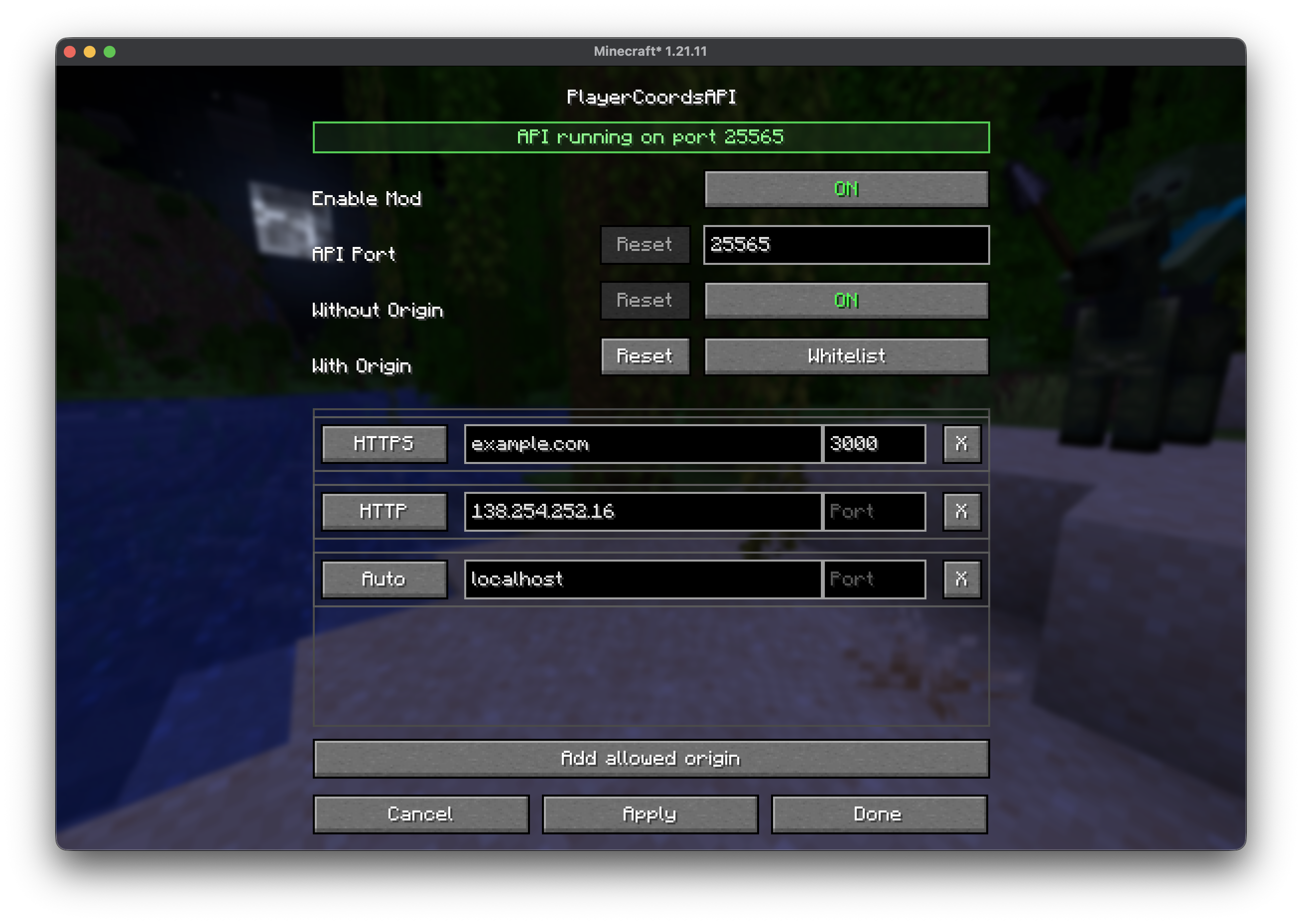
- Mod menu integration allowing you to enable/disable the API, change its port, and configure requests with or without an
Originheader
🚀 Installation
- Install Fabric Loader for a supported Minecraft version
- Download the latest
playercoordsapi-x.x.x+mcx.x.x.jarfrom the releases page - Place the jar in your
.minecraft/modsfolder - Launch Minecraft with the Fabric profile
⚙️ Configuration
The API is read-only and only accepts loopback connections such as 127.0.0.1 and ::1.
From Mod Menu, you can configure:
- Whether the API is enabled
- Which port it listens on (default:
25565) - How requests without a CORS
Originheader are handled - How requests with a CORS
Originheader are handled
Requests with an Origin can be handled in three different modes:
Allow allLocal originsWhitelist
In Whitelist mode, you can configure each allowed origin with a scheme, host/IP, and optional port.
🔌 API Usage
| Endpoint | Method | Description |
|—————|—————–|———————————————————-|
| /api/coords | GET, OPTIONS | Returns the player’s current coordinates and world infos |
Response Fields
| Field | Type | Description |
|————|———-|——————-|
| x | number | East-West |
| y | number | Height |
| z | number | North-South |
| yaw | number | Horizontal rotation (degrees) |
| pitch | number | Vertical rotation (degrees) |
| world | string | Minecraft world registry ID |
| biome | string | Minecraft biome registry ID |
| uuid | string | Player UUID |
| username | string | Player username |
Error Responses
| Status | Message |
|——–|———————|
| 403 | Access denied / Origin not allowed |
| 404 | Player not in world |
| 405 | Method not allowed |
Response Format Example
{
  "x": 123.45,
  "y": 64.00,
  "z": -789.12,
  "yaw": 180.00,
  "pitch": 12.50,
  "world": "minecraft:overworld",
  "biome": "minecraft:plains",
  "uuid": "550e8400-e29b-41d4-a716-446655440000",
  "username": "PlayerName"
}
🛠️ Examples
Replace 25565 with your configured port if you changed it in the Mod Menu.
cURL
curl http://localhost:25565/api/coordsPython
import requests

response = requests.get("http://localhost:25565/api/coords")
data = response.json()
print(f"Player {data['username']} (UUID: {data['uuid']}) at X: {data['x']}, Y: {data['y']}, Z: {data['z']}")
JavaScript
fetch("http://localhost:25565/api/coords")
    .then(response => response.json())
    .then(data => console.log(`Player ${data.username} (UUID: ${data.uuid}) at X: ${data.x}, Y: ${data.y}, Z: ${data.z}`));
Crafted by
Sukikui
常见问题
PlayerCoordsAPI 支持哪些 Minecraft 版本?
PlayerCoordsAPI 支持 Minecraft Java 版 1.21.3–26.3,共 7 个版本,可用的加载器:Fabric / Quilt。下载时注意选择和你游戏版本一致的文件。
PlayerCoordsAPI 怎么安装?
先用 PCL2 或 HMCL 启动器安装对应版本的 Fabric / Quilt,再把下载的 .jar 文件放进游戏目录的 mods 文件夹,重新启动游戏即可。开启了版本隔离的,mods 文件夹在 versions/版本名 下面。运行环境:仅客户端。
评论
登录后评论和评分