
Player History
Search Minecraft player history, usernames, skins and capes from Crafty, Laby and NameMC.
截图
介绍
Player History
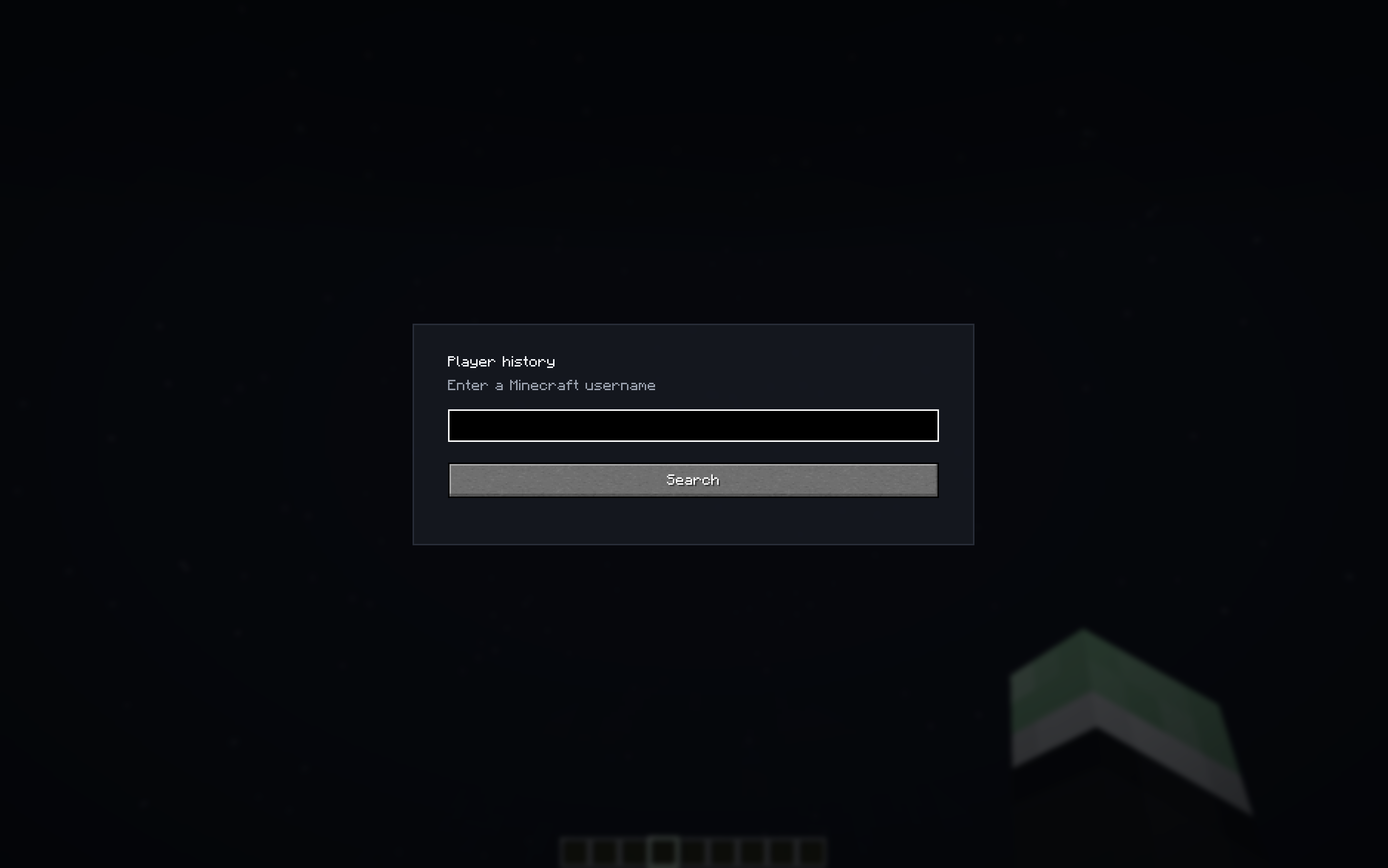
Player History is a client-side Fabric mod for Minecraft that lets you search any Minecraft player and view their public profile history directly in-game.
Press the default keybind H to open a search window, enter a player nickname, and the mod will show a transparent profile menu with merged information from multiple public sources.
Features
- Search Minecraft players by nickname
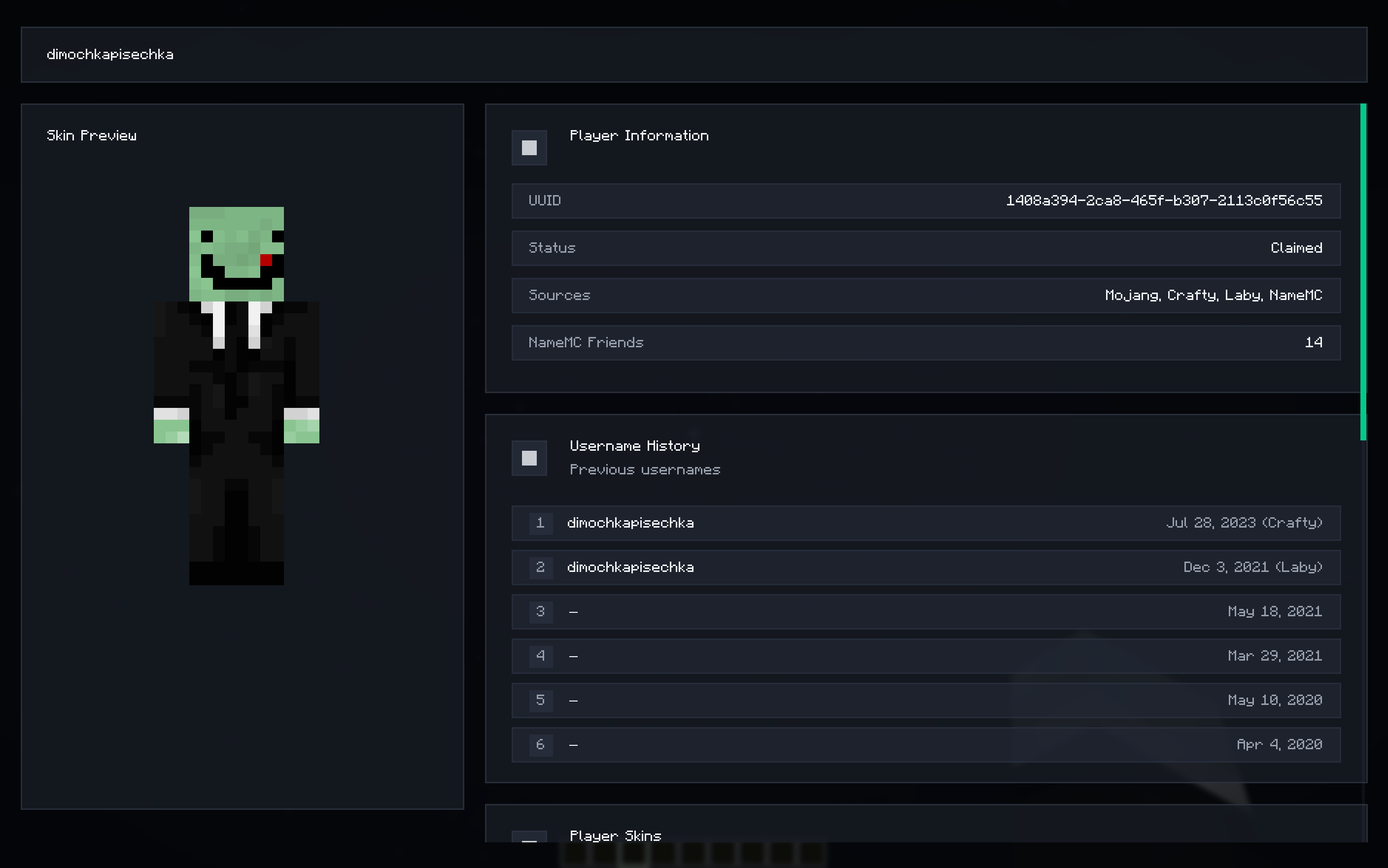
- View the player’s current name
- View username history with dates
- Shows the data source for duplicated/conflicting username entries
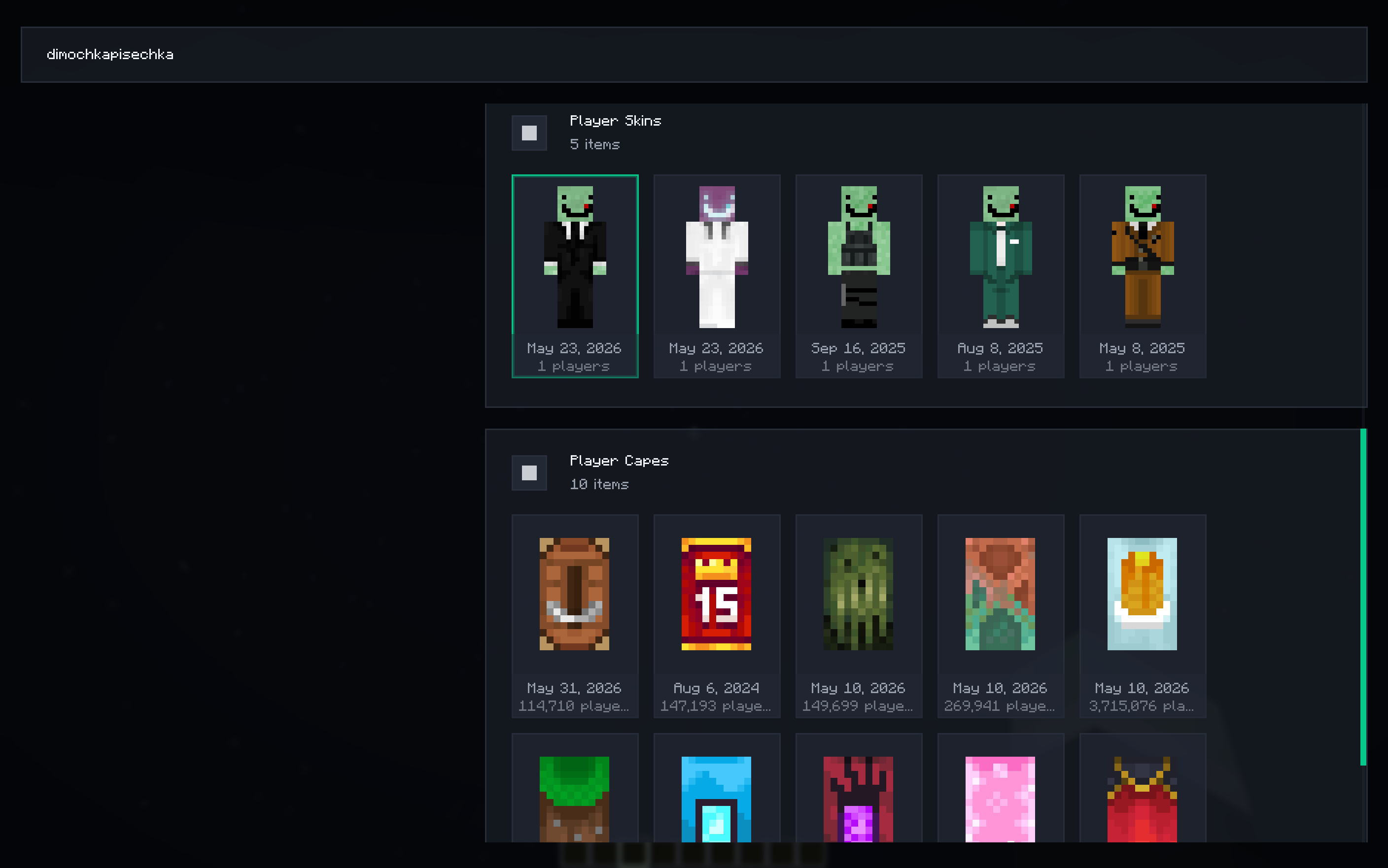
- View player skins history
- View player capes, prioritizing LabyNet cape data
- Skin and cape preview inside the menu
- Player information panel with UUID, claim status, sources, and NameMC friends count
- Data is merged from Mojang, Crafty.gg, LabyNet, and NameMC
- Duplicate information is filtered where possible
- Default keybind is H, but it can be changed in Minecraft keybind settings
- No settings screen, simple search-focused interface
- Supports multiple languages: English, Russian, Chinese, Japanese, French, German, Polish, Ukrainian, Romanian, and Portuguese
Data Sources
Player history uses public data from:
- Mojang
- Crafty.gg
- LabyNet
- NameMC
The mod combines the available information into one in-game profile view. Some dates or textures may depend on what these public services currently provide.
Credits
常见问题
Player History 支持哪些 Minecraft 版本?
Player History 支持 Minecraft Java 版 1.21–26.2,共 16 个版本,可用的加载器:Fabric。下载时注意选择和你游戏版本一致的文件。
Player History 怎么安装?
先用 PCL2 或 HMCL 启动器安装对应版本的 Fabric,再把下载的 .jar 文件放进游戏目录的 mods 文件夹,重新启动游戏即可。开启了版本隔离的,mods 文件夹在 versions/版本名 下面。运行环境:仅客户端。

评论
登录后评论和评分