Player Craft Command
This mod adds useful commands to simulate crafting and search for and execute commands at blocks
介绍
This mod gives several extremely useful commands for use in datapacks or maps
This mod acts as a dependency for some of my maps and may be required for the map to work
Simulated Crafting
The /craft command allows you to simulate crafting for players without the need for a crafting table. It checks for the required items in the player’s inventory and uses them to craft the specified item. The number of crafted items can be specified, and the “infinite” component will continue crafting until the player doesn’t have enough items to craft more.
Usage:
/craft <item name> <quantity>
Example: /execute as Granthas1 run craft minecraft:wooden_axe infinite
Swap Items
The /item_swap command acts as a better version of the /item command where it allows you to swap items between players or block entities rather than overwriting the item. It also allows you to search and retrieve a specific item rather than manually sifting through an inventory with dozens of commands. This can greatly reduce the amount of commands needed in datapacks that make liberal use of the /item command or that need to manage a player’s inventory
Usage:
/item_swap entity <entity name> <container> <item name>
/item_swap block <coordinates> from entity <entity name> <item name>
Example (entity): /item_swap entity Granthas1 hotbar.0 minecraft:iron_sword
Example (block entity): /item_swap block 40 75 -25 container.1 from entity @p minecraft:coal
Search for a block within a radius
The “block_find” command component used for “/execute if block_find” allows you to search for a certain block within a spherical radius from the execution location for usage with the /execute command
Usage:
/execute if block_find <block name> <radius>
Example: /execute if block_find minecraft:end_portal_frame 64 run tellraw @a “A stronghold is nearby”
Execute a command at a block
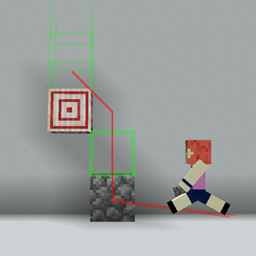
The “at_block” command component for used for “/execute at_block” allows you to run a command at a specific block similar to how vanilla allows command execution at entities. This is extremely useful for datapacks where you want to get a block’s location or run a command executed at a certain block.
Usage:
/execute at_block <block name> <radius>
Example: /execute at_block minecraft:acacia_log 20 run summon minecraft:armor_stand ~ ~1 ~ {Tags:[“pos1”]}
常见问题
Player Craft Command 支持哪些 Minecraft 版本?
Player Craft Command 支持 Minecraft Java 版 1.21,可用的加载器:Fabric。下载时注意选择和你游戏版本一致的文件。
Player Craft Command 怎么安装?
先用 PCL2 或 HMCL 启动器安装对应版本的 Fabric,再把下载的 .jar 文件放进游戏目录的 mods 文件夹,重新启动游戏即可。开启了版本隔离的,mods 文件夹在 versions/版本名 下面。
评论
登录后评论和评分