
Player Corpse
Never lose your loot! Spawns an owner-protected corpse with your player skin, floating hologram timers, and one-click quick retrieval.
截图
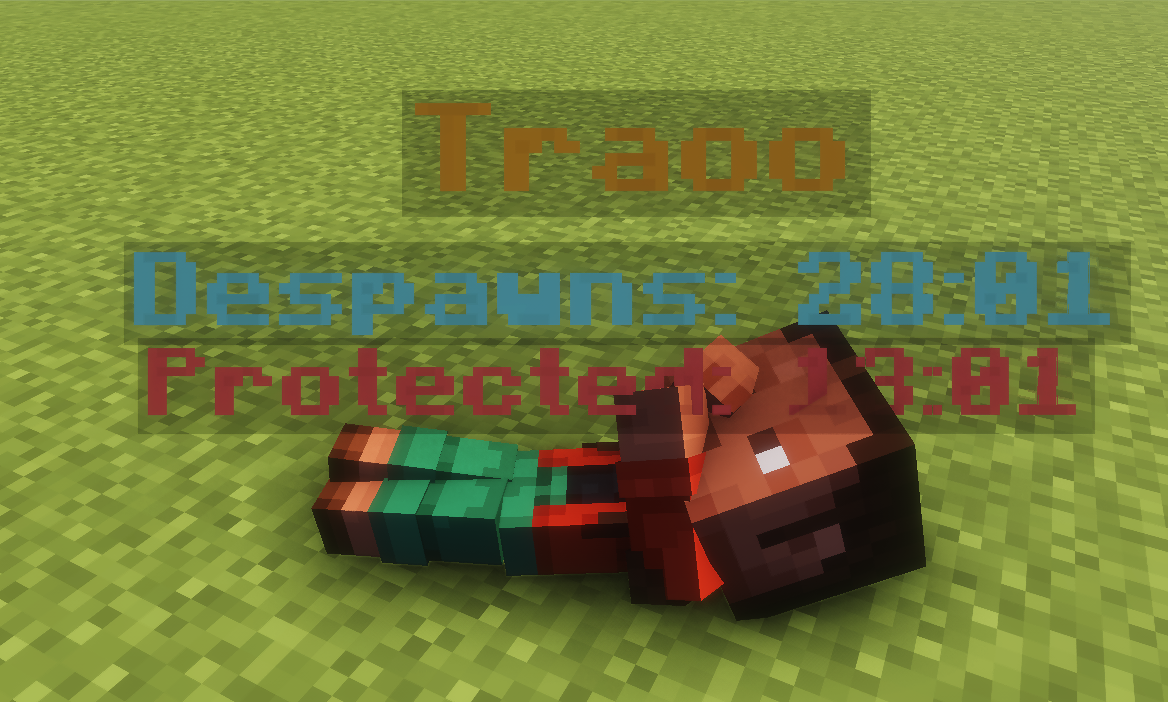
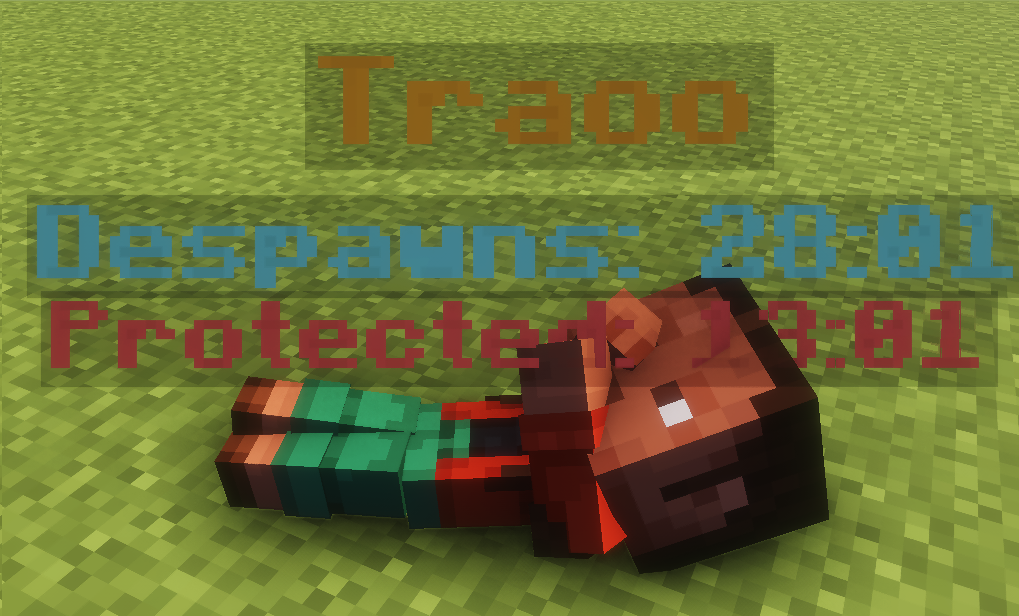
介绍
🪦 Player Graves
Never lose your hard-earned loot again! When a player dies, their items are safely stored in a highly-detailed, protected corpse grave instead of despawning on the ground

✨ Key Features
- 👤 Player Skin Rendering: The grave isn’t just a block; it accurately renders the fallen player’s custom skin for true immersion.
- 🛡️ Advanced Owner Protection: Graves are protected for the owner by default. It includes a smart “Unlock Timer” that allows others to access the loot only after a configured amount of
time passes.
- 🔮 Floating Hologram: A sleek, floating display above the grave shows crucial details at a glance: the player’s name, the time left until it despawns, and the current protection status
<img src="https://cdn.modrinth.com/data/cached_images/b8aec502fb9fba1cf5c3565d7bcb53bf09188077.png" alt="* 🔮 Floating Hologram: A sleek, floating display above the grave shows crucial details at a glance: the player’s name, the time left until it despawns, and the current protection status.” loading=”lazy”>
- 🎒 Flexible Loot Retrieval: * GUI Mode: Right-click the grave to open a clean GUI and pick specific items.
- Quick Restore:
Shift + Right-clickto instantly restore all items to their original inventory slots. - ⏳ Smart Despawn System: No more rushing blindly. The grave intelligently stays in the world and won’t despawn until the loot is fully handled.

⚙️ Configuration & Compatibility
- Platform: Exclusively built for Fabric (Requires Fabric API).
- Deeply Customizable: Almost everything can be tweaked! Timers, hologram colors, exact corpse poses, XP recovery rates, and void rescue toggles.
💬 Support & Feedback
If you encounter any issues, have suggestions, or need help with the configuration, feel free to contact me
⚙️ Configuration Guide
You can customize the mod by editing the configuration file located at:
.minecraft/config/corpsegraves.json (or inside your server’s config/ folder).
Important: Always stop your game or server before editing this file, then save and restart.
Default Config Example:
{
  "enabled": true,
  "despawnSeconds": 3600,
  "unlockSeconds": 1800,
常见问题
Player Corpse 支持哪些 Minecraft 版本?
Player Corpse 支持 Minecraft Java 版 1.20–26.3,共 10 个版本,可用的加载器:Fabric / Forge / NeoForge。下载时注意选择和你游戏版本一致的文件。
Player Corpse 怎么安装?
先用 PCL2 或 HMCL 启动器安装对应版本的 Fabric / Forge / NeoForge,再把下载的 .jar 文件放进游戏目录的 mods 文件夹,重新启动游戏即可。开启了版本隔离的,mods 文件夹在 versions/版本名 下面。运行环境:客户端和服务端都要装。
Kadddor 的其他作品
查看全部 →
Soft Glow Ores
Vanilla ores emit a soft, cave-friendly glow for better visibility without flashy effects or noticeable lag. Fabric 1.20.1-1.21.11, works server-side or client-optional.

SecureLocks
Server-side sign-based protection for containers and villagers, with trust lists, anti-hopper security, and TNT-only raid balance.
SecureLocks
Server-side sign-based protection for containers and villagers, with trust lists, anti-hopper security, and TNT-only raid balance.

Selective Keep Inventory
Per-player keep inventory for vanilla Minecraft. Give keep inventory to selected players only instead of the whole server.
评论
登录后评论和评分