
Planarium Panorama
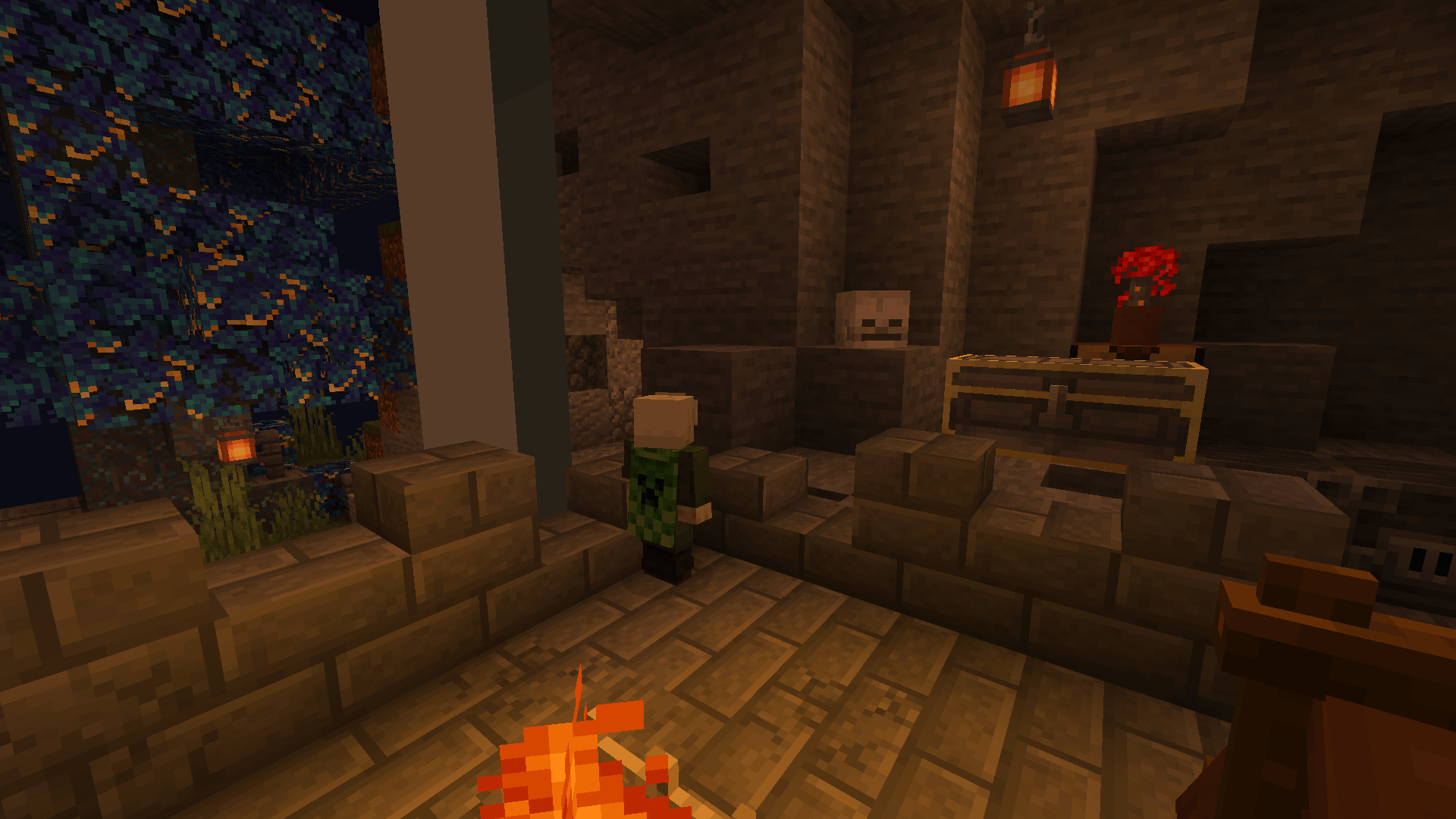
Turns Ars Nouveau’s Planarium into a window: see its surroundings as a giant world from inside the jar!
截图
介绍
Planarium Panorama
Ars Nouveau’s Planarium lets you shrink yourself into a pocket dimension inside a jar. Normally, the world around that jar is a black void. Planarium Panorama turns the jar into a window: from inside, you see the area around the Planarium as a giant world, 32 times bigger, under the real sky, with real lighting!
Features
- Giant view – the blocks around the Planarium, drawn 32 times bigger around the jar. You can see up to 96 blocks in the distance.
- Synced sky and weather – the outside time, sun, moon, rain, snow, clouds and lightning.
- Real lighting – the giant view, the miniature and the jar interior are lit like the Planarium’s real spot.
- Outside sounds – explosions, blocks, mobs and jukebox music from around the Planarium, heard from their direction.
- Living mobs (only vanilla mobs have been tested) – mobs appear in the giant view and the miniature (off by default), with movement, attack and death animations, equipment, fire and particles.
- Planariums on ships – with Sable and Create Aeronautics, ships appear in the scenery and the miniature, and a Planarium placed on a moving ship keeps its view: the scenery and the sky follow the ship’s position and rotation.
Everything can be tweaked in game: Mods > Planarium Panorama > Config.
Optional integrations
Detected automatically, each one can be turned on or off in the config.
- AmbientSounds
- Dynamic Surroundings
- Enhanced Celestials 2
- Sable / Create Aeronautics (still experimental). Ars Sable is recommended.
Compatibility
Made to work with as many mods as possible. Here are the most popular ones, and the ones worth a note.
Compatible
- Contraption Lights (colored light)
- Create / Flywheel
- Falling Leaves
- Lithium
- NeoVoxy
- Serene Seasons – grass and leaves in the jar take the season colors of the Planarium’s world
- Sodium
- Traveler’s Titles – shows the Planarium’s name when entering a jar
- Windy: Configurable – its winds can be seen from the Planarium
Partly compatible
- Distant Horizons – disabled automatically inside the Planarium
- Jaden’s Nether Expansion – vanilla particles are shown in the giant scenery and the miniature instead of its custom ones
- Swinging Lanterns – lanterns don’t swing in the giant scenery and the miniature
Tested versions are listed on the GitHub page.
Known issues and limitations
- Modonomicon: very rarely, entering a jar fails halfway and you float in the void. Save and Quit, then rejoin the world to fix it.
- Shaders (Iris) – the shaders inside the Planarium won’t match the ones outside.
Requirements
- Minecraft 1.21.1, NeoForge 21.1+
- Ars Nouveau 5.13+ (client and server)
- YACL 3.5+ (client, for the config screen)
If you have any bugs or suggestions, open an issue on GitHub or leave a comment.
Made with the help of AI: the code was written with the help of Claude (Anthropic) and Codex (OpenAI). Reuses parts of Ars Nouveau’s Planarium rendering, by Bailey Hollingsworth. Config screen style inspired by Better Clouds. License: LGPL-3.0.
常见问题
Planarium Panorama 支持哪些 Minecraft 版本?
Planarium Panorama 支持 Minecraft Java 版 1.21.1,可用的加载器:NeoForge。下载时注意选择和你游戏版本一致的文件。
Planarium Panorama 怎么安装?
先用 PCL2 或 HMCL 启动器安装对应版本的 NeoForge,再把下载的 .jar 文件放进游戏目录的 mods 文件夹,重新启动游戏即可。开启了版本隔离的,mods 文件夹在 versions/版本名 下面。
评论
登录后评论和评分