
介绍
⚠ This Data Pack will NOT be updated beyond 1.21.4, as it is being replaced by the mod version, which you can check out here!
Placeable
Allows you to place plants on almost any block!
📥How to Install
Choose if you want to download the pure Data Pack version or the Mod version and follow the steps accordingly.
Data Pack
- 1) Download the Datapack
- 2) Chose the world you want to install the Data Pack in and navigate to its “_datapacks_” folder
- 3) Copy the downloaded Data Pack file (Placeable) into this folder
- 4) Join the world and run
/reloadcommand
Mod
- 1) Download the Mod
- 2) Navigate to your
modsfolder (for the vanilla launcher the path is.minecraft/mods - 3) Put the downloaded .jar file (Placeable) into this folder
- 4) Join the world and run
/reloadcommand
⚠️ Mod version is available starting from Minecraft 1.21 and up
📖Features
- This Data Pack allows you to place plants on any flat surface. To do that, just rename a plant to
Placeableand by dropping it on a flat surface, it will place. - Made the Dead Bush renewable through smelting and camp fire cooking.
- Added recipes for Tall Grass and Large Fern.


YouTube Showcase
🌱Compatible Plants
1.20+
- Grass
- Tall Grass
- Fern
- Large Fern
- Dead Bush
- Sweet Berries
- Nether Sprouts
- Crimson Roots
- Warped Roots
- All Flowers
- Torchflower (new)
- Pitcher Plant (new)
Pink Petals _(coming soon)_
1.18 – 1.19
- Grass
- Tall Grass
- Fern
- Large Fern
- Dead Bush
- Sweet Berries
- Nether Sprouts
- Crimson Roots
- Warped Roots
- All Flowers
📤How to Uninstall
Data Pack
To uninstall the Data Pack simply remove it from the “_datapacks_” folder.
Mod
To uninstall the Mod version simply remove the jar file from your .minecraft/mods folder.
🔗External links


📣Credits
Bisumto the original creator of this feature.
常见问题
Placeable Plants 支持哪些 Minecraft 版本?
Placeable Plants 支持 Minecraft Java 版 1.18.2–1.21.4,共 18 个版本,可用的加载器:Fabric / Forge / NeoForge / Quilt。下载时注意选择和你游戏版本一致的文件。
Placeable Plants 怎么安装?
先用 PCL2 或 HMCL 启动器安装对应版本的 Fabric / Forge / NeoForge / Quilt,再把下载的 .jar 文件放进游戏目录的 mods 文件夹,重新启动游戏即可。开启了版本隔离的,mods 文件夹在 versions/版本名 下面。运行环境:客户端 / 服务端。
Nico4play 的其他作品
查看全部 →
Better Lanterns
改进灯笼和锁链模型,增强3D外观,带来更沉浸的体验。

3D Ladders
更改并改进了梯子的模型,使其变为3D!
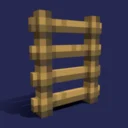
Nico’s 3D Ladders
将梯子的模型改为3D。

MasterCutter
石切机现在比以往更加实用,新增超过 500 个配方,包括木材加工、增强基础石材切割、回收和“拆解合成”。
评论
登录后评论和评分