Piston Command
Push block entities like on Bedrock and make pistons work the way you want with tags
介绍
Inspired by Piston Control
from the_will_bl
This mod gives you control over the way pistons move blocks with four new data pack tags:
pistoncommand:piston_behavior_normal– pistons can push and pull the block like normalpistoncommand:piston_behavior_block– blocks pistons like obsidian or bedrockpistoncommand:piston_behavior_destroy– gets destroyed like beds and torchespistoncommand:piston_behavior_push_only– can be pushed but not pulled with a sticky piston, like glazed terracotta
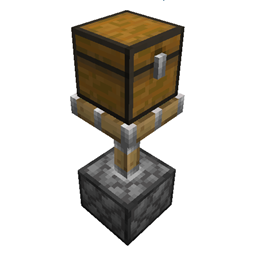
Also lets you move block entities like chests and furnaces. You can turn this on for all blocks in the mod config
(Mods > Piston Command > Config) or by setting push_block_entities to true in your server’s
config/pistoncommand-server.toml.
You can match Bedrock behavior by installing
the Bedrock Pistons data pack and
turning on Push Block Entities. This makes all block entities pushable other than campfires, signs, banners and broken
modded blocks.
Works with vanilla and Fabric clients when installed on the server. We’re trying to be compatible with as many other
mods as possible. If you notice any problems like blocks not updating or visual bugs
please report them on GitHub.
Incompatible Blocks
Some modded blocks can stop working when pushed. You should never add these to piston_behavior_normal or
piston_behavior_push_only:
- Create mechanical belt – separates from other belt blocks, stops moving items even if pulled back and plays a broken
animation - Create fluid tank – breaks the multiblock structure
- Create mechanical piston – leaves behind useless and visually broken extension poles
- Anything tagged as
#c:relocation_not_supported. Other mods use this tag for blocks that can trigger gamebreaking
bugs or even crash the server when moved with a piston.
常见问题
Piston Command 支持哪些 Minecraft 版本?
Piston Command 支持 Minecraft Java 版 1.21.1,可用的加载器:NeoForge。下载时注意选择和你游戏版本一致的文件。
Piston Command 怎么安装?
先用 PCL2 或 HMCL 启动器安装对应版本的 NeoForge,再把下载的 .jar 文件放进游戏目录的 mods 文件夹,重新启动游戏即可。开启了版本隔离的,mods 文件夹在 versions/版本名 下面。
评论
登录后评论和评分