截图
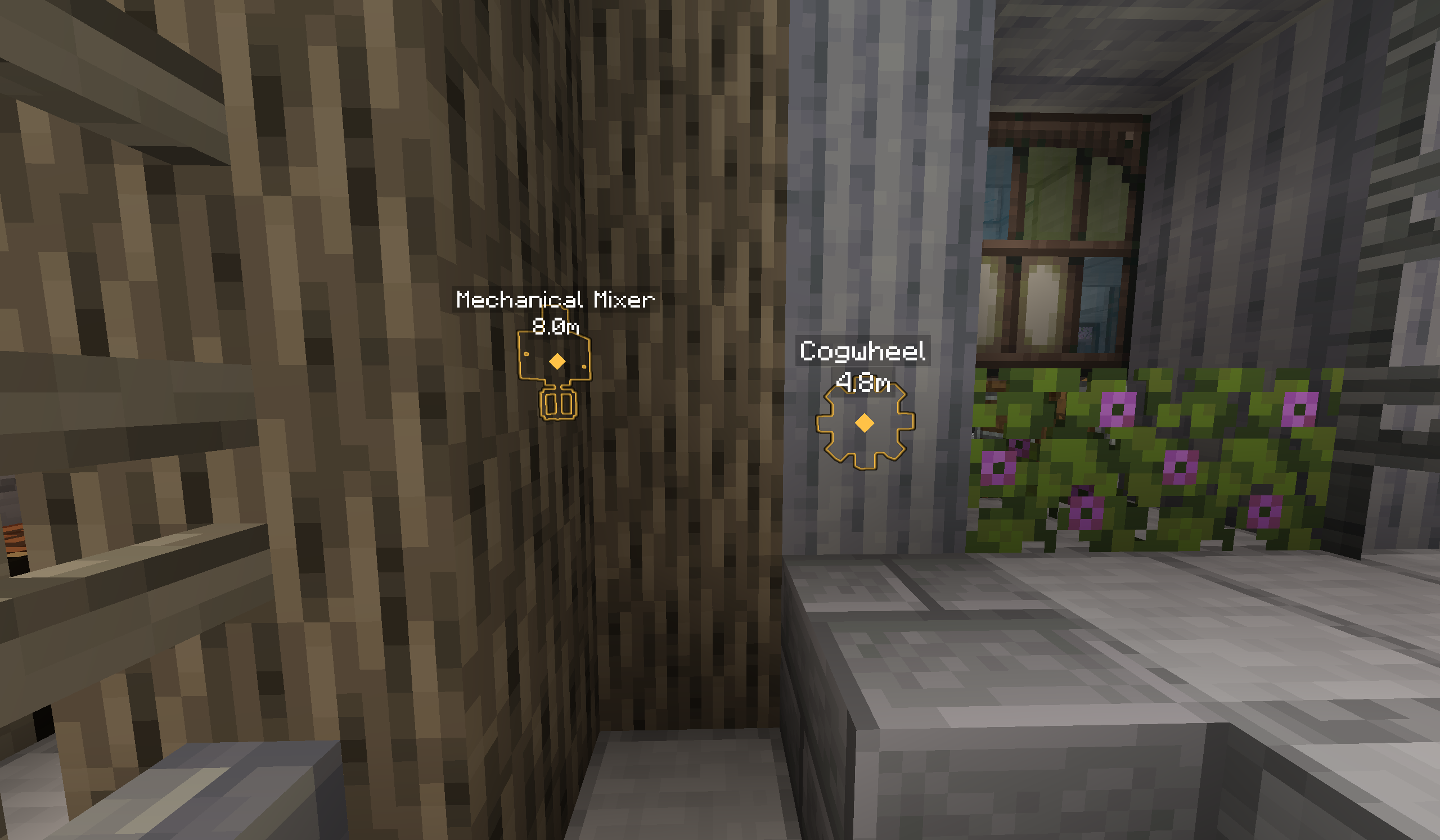
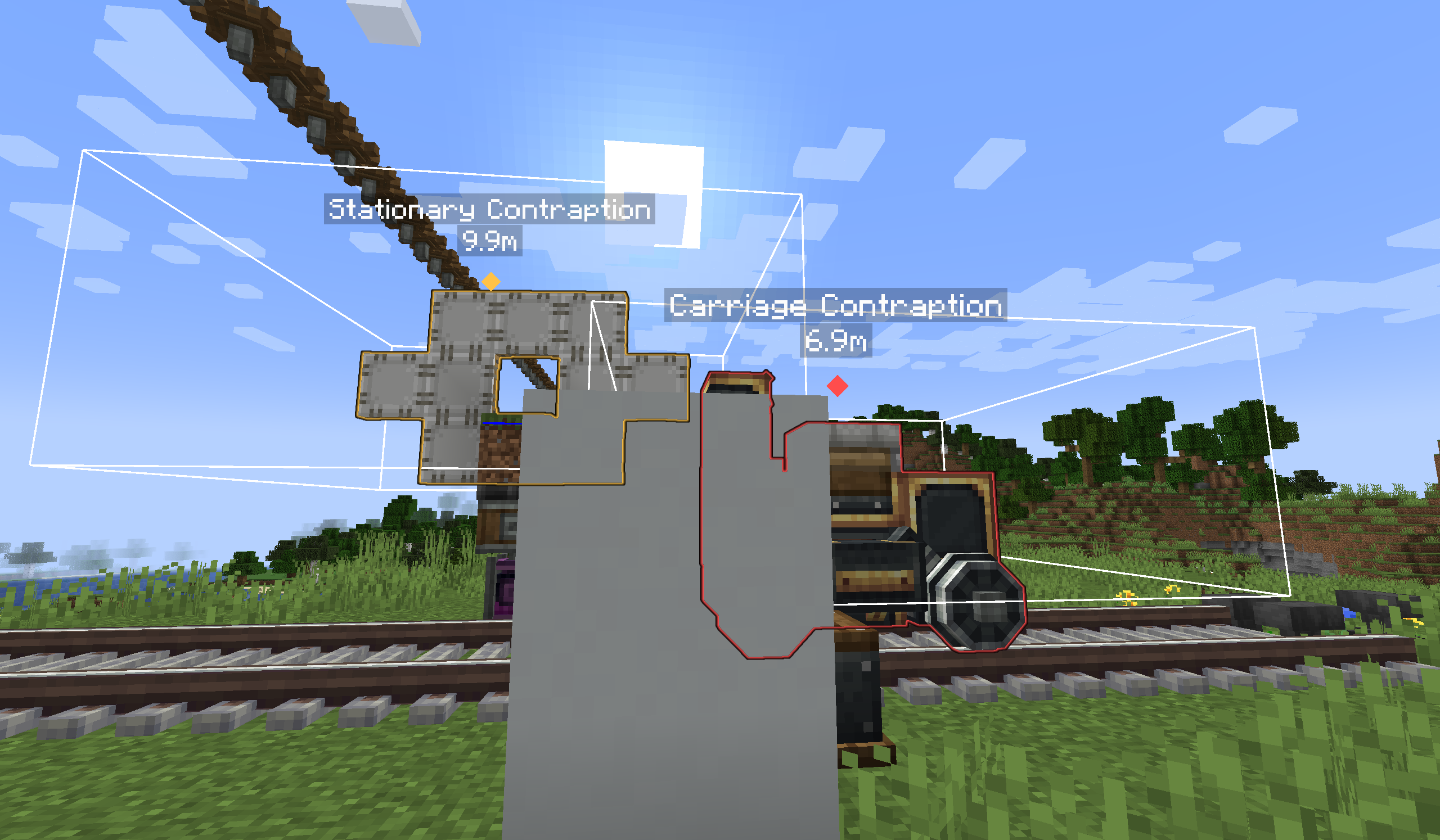
介绍
Ping For It!
Special thanks to Luken, the original creator of Ping Wheel.
Ping For It is an independent fork built upon their excellent work. This project would not exist without the original mod, its design, and its open-source foundation. Thanks also to RXJpaw and everyone who contributed to Ping Wheel.
Ping For It is a multiplayer-friendly ping system for Minecraft, intends to show your friends what deserves their attention.
Features
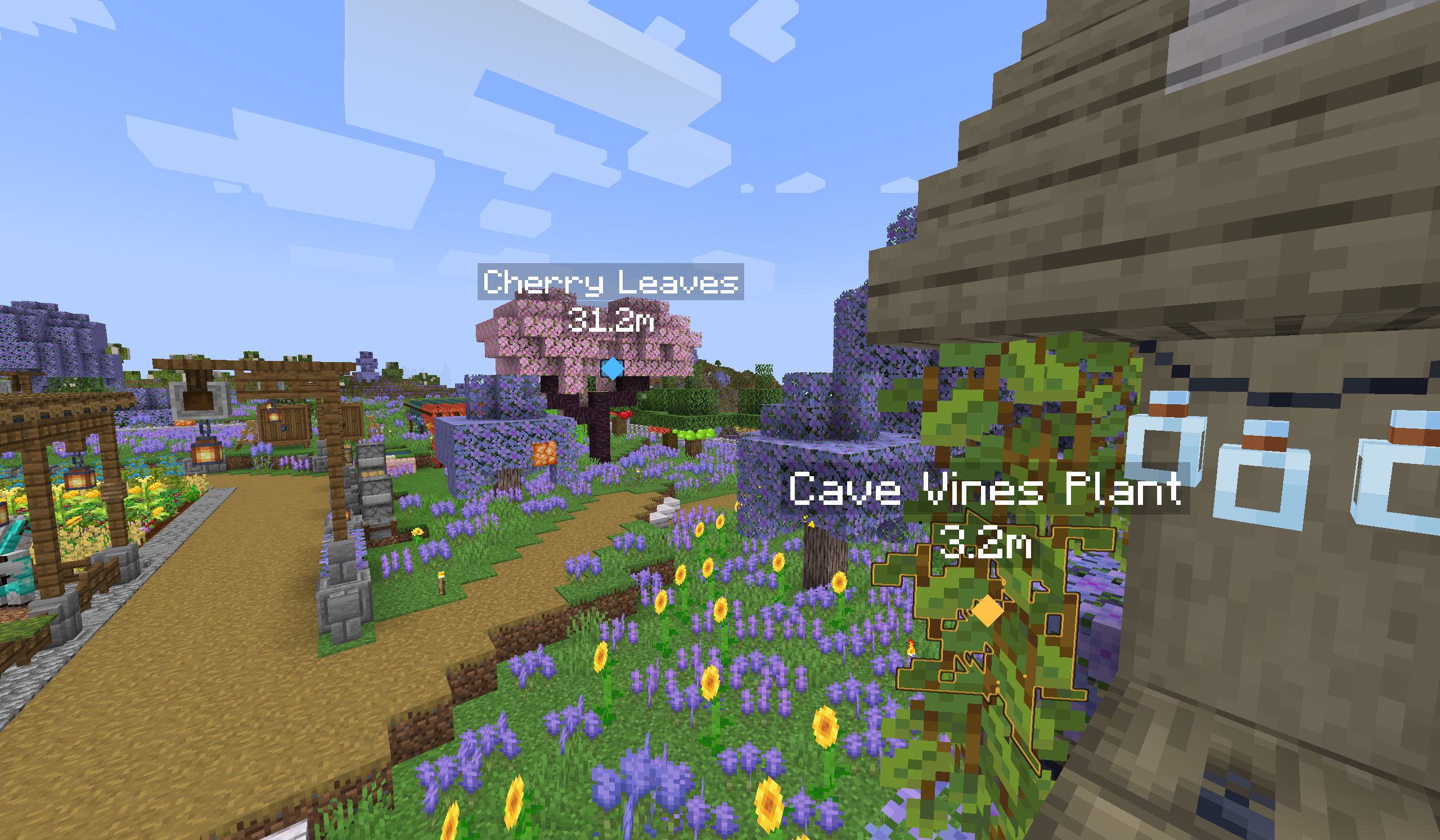
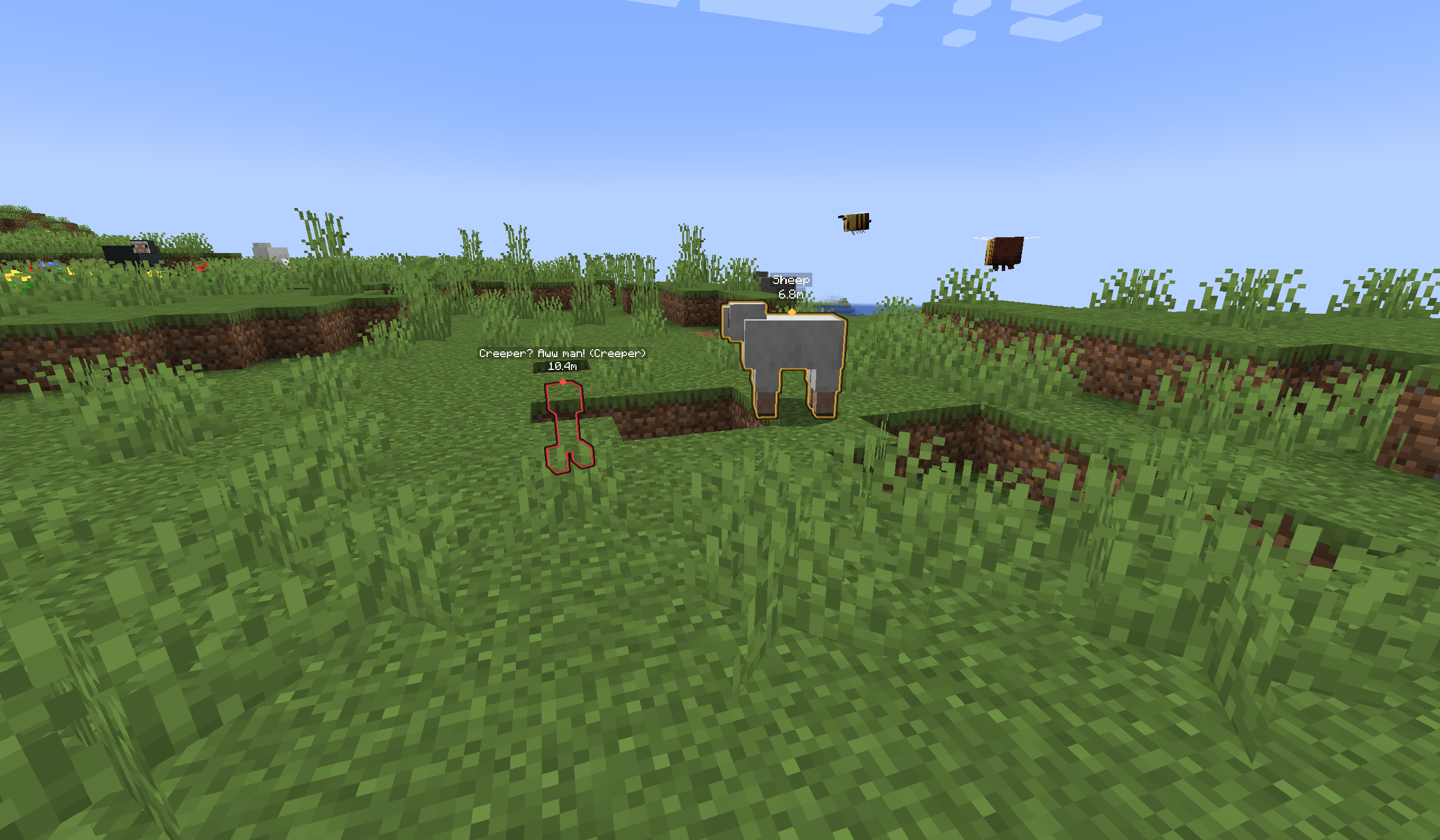
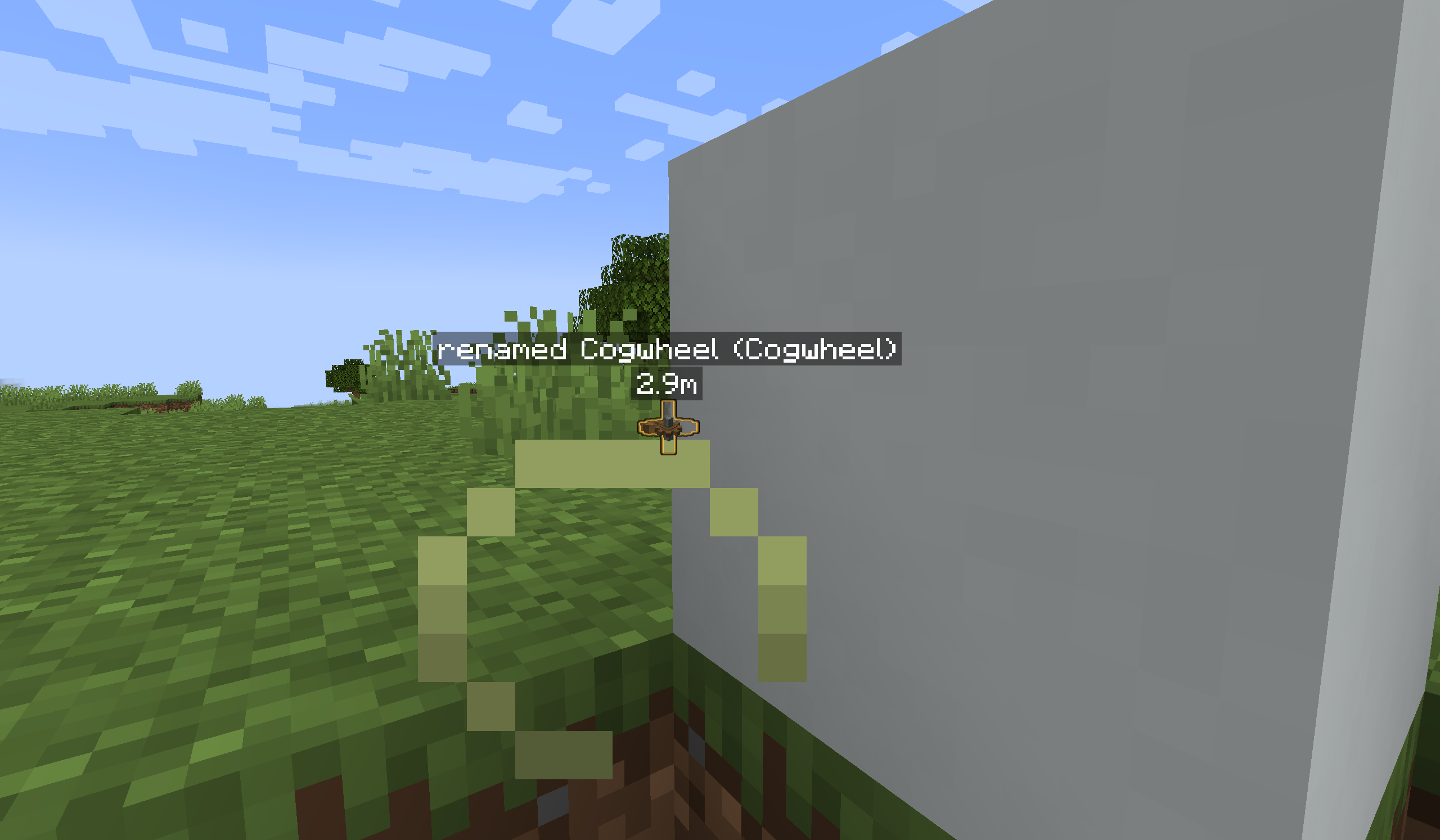
- Target-aware pings for items, entities, blocks, containers, and locations
- Different ping types
- Colored entity & block outlines, fits vanilla glowing
- Block outlines, including non-full blocks
- Target names, directional indicators, team colors, and positional sounds
- Localized messages
- rate limiting (can be disabled)
- Track item counts in a container (can be disabled)
- Display or select certain properties of a block or mob (can be disabled)
- Long-Press Compatibility Mode for clients that report a held button as rapid repeated clicks
- Active mod support for mods in the list:
- Create (Neoforge 1.21.1)
- Sable (Neoforge 1.21.1)
- Refined Storage 2 (Neoforge 1.21.1)
Controls
Ping target
The default ping binding is Mouse Button 5 and can be changed from Minecraft’s Controls menu.
- Short press: create the target’s default ping
- Hold: open the ping-intend selection
The target are captured when the key is first pressed – try capture phantoms even when holding for ping type selection wheel!
Configuration
Open the settings screen through the configured keybind, Mod Menu, or:
/pingforit configChannel controls are available through:
/pingforit channelLong-Press Compatibility Mode
Some key conflicts or input implementations turn a physical hold into a rapid sequence of short clicks. Compatibility Mode recognizes these sequences as a virtual hold.
The first click behaves normally. Additional clicks belonging to the same rapid sequence are intercepted locally, preventing ping spam while still allowing the existing radial wheel to open after the configured hold duration.
This mode is disabled by default.
Compatibility
Ping For It supports Minecraft 1.21.1 on:
- Fabric (require Fabric API)
- Forge
- NeoForge
Compatibility with original mod(Ping Wheel)
Ping For It uses a separate mod ID and its own network protocol.
It does not provide protocol interoperability or configuration migration from the original Ping Wheel mod. Installing both mods is not explicitly blocked, but cross-mod behavior is not guaranteed.
Credits & Special Thanks
Ping For It is a fork of Ping Wheel.
The greatest thanks go to Luken, who created the original mod and provided the foundation that made this project possible.
Thanks also to the upstream contributors, translators, testers, and the Minecraft modding community.
Thank SHARK_oi for selecting the icon when I’m hesitating – I’m bad on those things.
Q&A
Wheel Control
Q: I often accidentally enter the
Backbranch when making a selection in the wheel!
A: Try set
Require Sustained Hover to ReturntoON, and extend the required time if needed. This decrease chances of accidently backing.
Others
Q: Why this mod even if we got Ping Wheels?
A: It’s better to just a click, rather than describe a special modded beautiful Phantom with a hat as “Look at one in the sky. No, not this one, the one on the left. Dude, that’s too left! ON NO WHY YOU KILLED IT?!”
After this I started to make the mod. Then I thought, “If we can highlight phantoms, why not chests? Why not other mods? Why not create cogwheel? Why not provide my intend about the target?” and the mod gets more and more complex, finally I decided to make it public. I believe that there are people who suffered from the same situation.
Q: Why no compatibility with original mod?
A: Reworking on network protocol makes the mod better for all those extra functions & configs, and not removing old protocol will make the program more complex than I can control.
Q: More versions?
A: On its way! Planned to support more versions after core functions are stable.
Future plan
Create Compatibility– DONESable Compatibility– DONE- Improve Distant Horizon Compatibility
- Immersive Portal Compatibility
Refined Storage 2 COmpatibility– DONE- Icons for different ping types
- Players can respond to pings
- Assest rework
- Better
Channelconfig
Notice
This mod is not affiliated with or endorsed by Ping Wheel’s developer.
常见问题
Ping for it! 支持哪些 Minecraft 版本?
Ping for it! 支持 Minecraft Java 版 1.21–1.21.1,共 2 个版本,可用的加载器:Fabric / Forge / NeoForge。下载时注意选择和你游戏版本一致的文件。
Ping for it! 怎么安装?
先用 PCL2 或 HMCL 启动器安装对应版本的 Fabric / Forge / NeoForge,再把下载的 .jar 文件放进游戏目录的 mods 文件夹,重新启动游戏即可。开启了版本隔离的,mods 文件夹在 versions/版本名 下面。运行环境:客户端和服务端都要装。
评论
登录后评论和评分