
Ping My Party
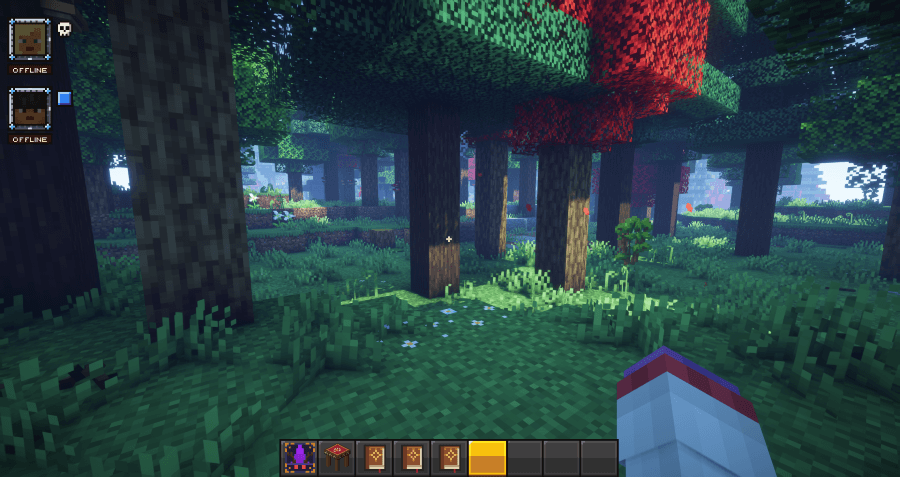
Party System, Ping System, Waypoints, FTB Teams compatable, simple i think
截图
介绍
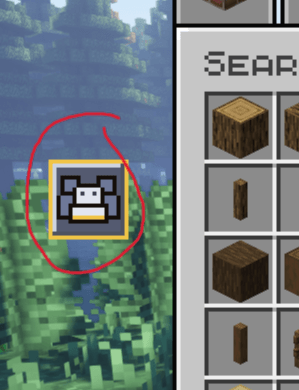
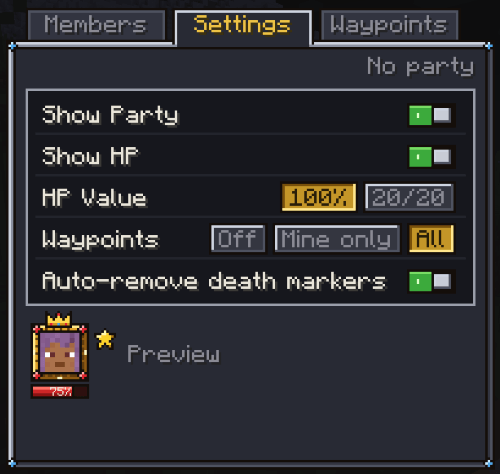
Only party members can see your pings, so no spam to anyone else.
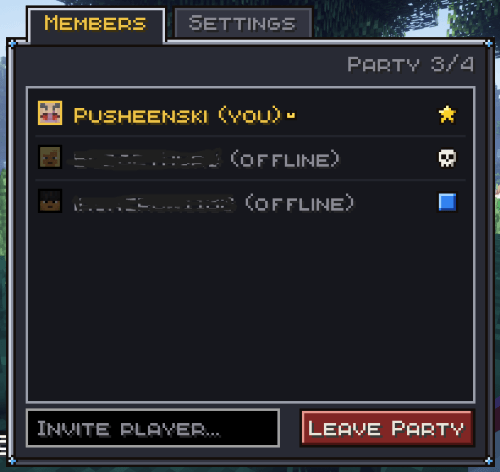
Parties are persistent, so they stay even when all players log out.
Keybindings (you can rebind them):
Quick Ping B
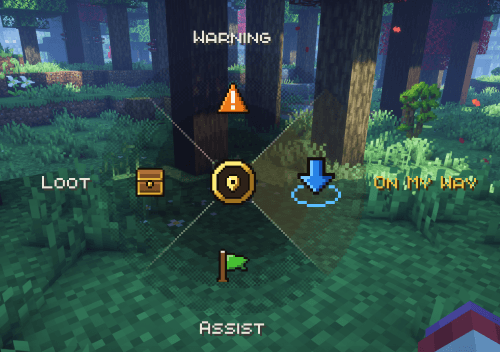
Ping Wheel Hold B
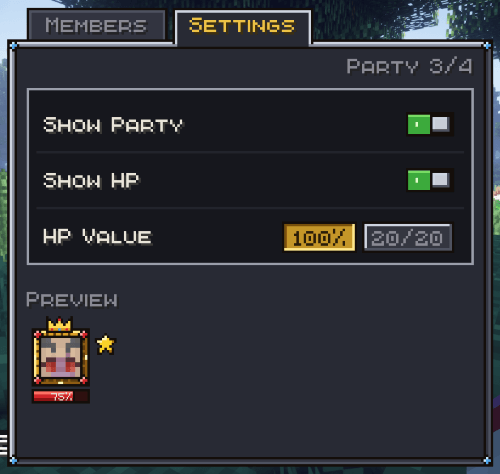
Party Menu G
Admin Command:
Change Party Cap (default 4) /party cap <size>
Set shared waypoints limit (default 5) /waypoint sharecap <0-100>
Waypoint Commands: (all this can be done through gui, but chat commands just in case)
Create waypoint where you stand /waypoint add <name> [colour]
colors are optional but here : green, red, light_blue, ultramarine (yeah i know), yellow, purple, white, orange, pink
Delete waypoint /waypoint remove <name>
Track / untrack the waypoint /waypoint track <name> OR /waypoint untrack <name>
Share / unshare waypoint /waypoint share <name> OR /waypoint unshare <name>
FTB Teams Compatability
added compatability with FTB Teams, so that you don’t have to create a team/group twice. PingMyParty will simply know that you are part of the FTB Teams and that will be your party. You can toggle that off if you’d like and continue to use PingMyParty parties.
Party management like creating a team, adding new members, kicking people and who’s the leader for FTB Teams is managed through ftb teams menu, PmP is just a party display and ping system in this case.
You DON’T need FTB Teams installed, if server or modpack you are playing on has ftb teams, the toggle option will be in the PmP setting. If you don’t have FTB Teams, then it doesnt affect you in any way and the toggle option will not show. So you can safely use this version and it’s just an extra convinience thing to have.
WAYPOINTS
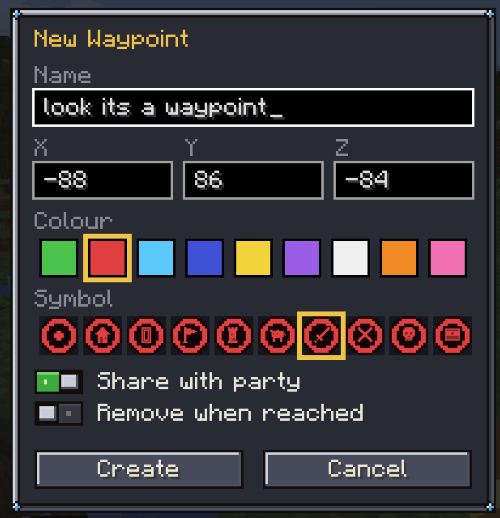
Added ability to add waypoints through party menu and ping wheel.
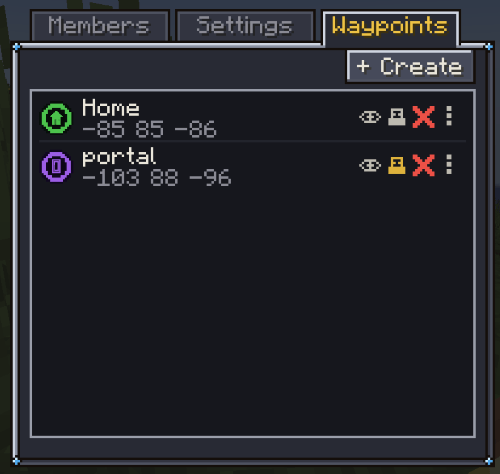
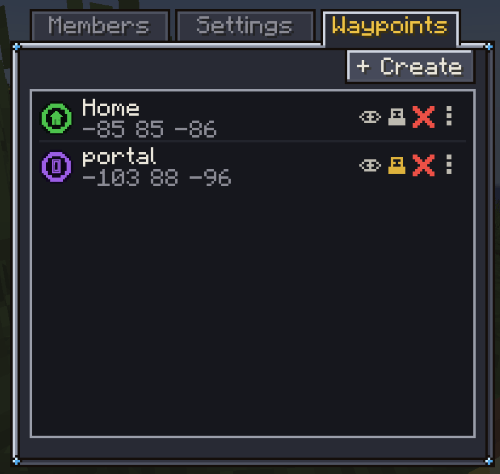
– in party menu, theres a new tab “Waypoints”.
– dying now generates a death waypoint (grey marker)
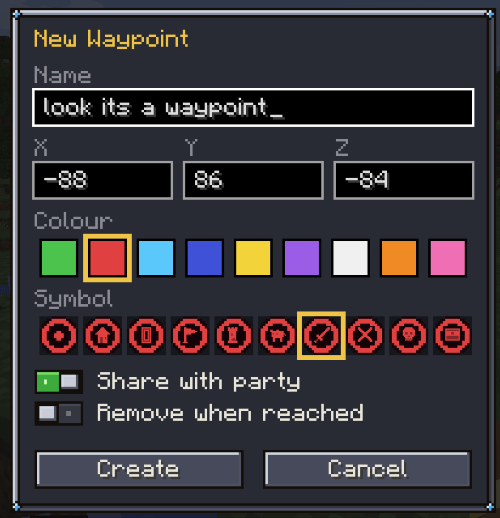
– Creating a waypoint automatically fills the coordinates that you are currently standing on but you can also enter your own cutom coords.
– you can share your waypoint with the rest of the party
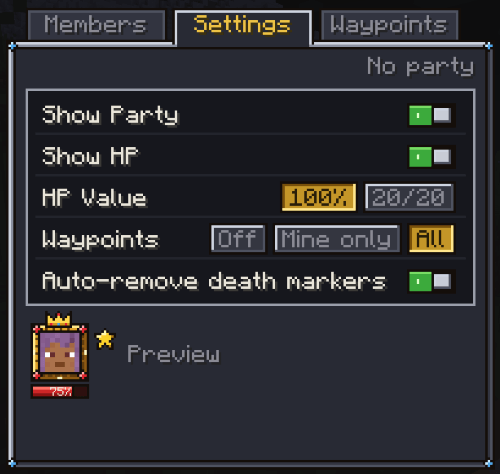
– you can toggle the waypoints visibility off / only yours / all (you can also toggle visibility individually for each waypoint)
– you can set the waypoint to be removed when reached (for treasure maps and the like)
– shared waypoints are paler than yours, so you can tell the difference (hopefully)
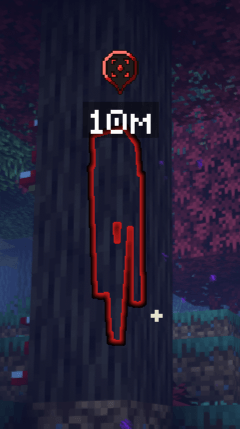
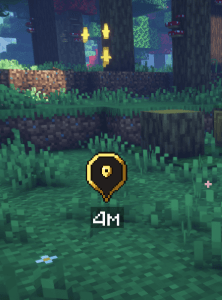
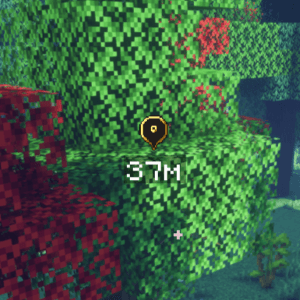
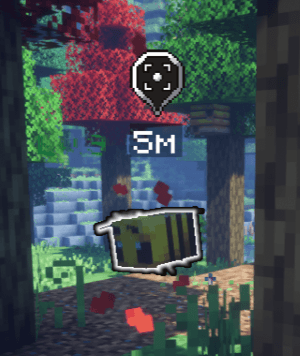
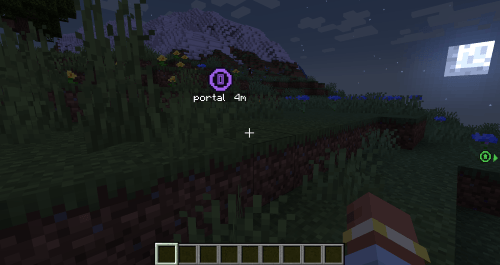
– tracked waypoint also appear the on the sides of the screen thats closest in the direction of the waypoint, so you know which direction to look at (wasnt sure how to explain that so i included a screenshot)
常见问题
Ping My Party 支持哪些 Minecraft 版本?
Ping My Party 支持 Minecraft Java 版 1.20.1–1.21.1,共 2 个版本,可用的加载器:Forge / NeoForge。下载时注意选择和你游戏版本一致的文件。
Ping My Party 怎么安装?
先用 PCL2 或 HMCL 启动器安装对应版本的 Forge / NeoForge,再把下载的 .jar 文件放进游戏目录的 mods 文件夹,重新启动游戏即可。开启了版本隔离的,mods 文件夹在 versions/版本名 下面。
bleaktorium 的其他作品
查看全部 →
DnD Cosmetic Additions
Adds fantasy cosmetics! Forge + Neoforge
Iron Rune Forging
Rune Forging for Iron's Spells (Forge + NeoForge)
Hexhand
Up for a game of Hexhand? (A card game based on gwent)
评论
登录后评论和评分