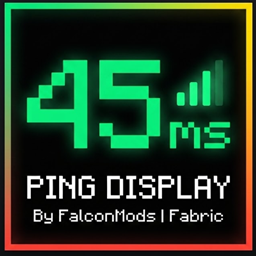
Ping Display (HUD, Tab & Nametags)
A clean, client-side mod that displays your exact latency on the HUD and replaces the vanilla Tab bars with precise numerical ping.
截图


介绍

Ping Display is a lightweight, purely client-side quality-of-life mod that replaces Minecraft’s vague vanilla connection bars with your precise latency in milliseconds. Perfect for competitive multiplayer, PvP, and technical server communities.
✨ Features
-
Real-Time HUD: Displays your exact current ping on your screen with a custom, sleek indicator box.
-
Smooth Color Interpolation: The HUD text changes color dynamically and smoothly based on your connection quality (Green for excellent, Yellow/Orange for stable, Red for lag spikes).
-
Numerical Tab List: Overwrites the default 5-bar green icons in the multiplayer Tab menu with precise numerical millisecond values for every single player.
-
100% Client-Side: Works on any server globally without needing the mod installed on the server side.
🚀 Usage
Simply join any multiplayer server or world, and your ping will instantly show up on your HUD. Press and hold your Tab key to view the exact numerical ping of every online player.
常见问题
Ping Display (HUD, Tab & Nametags) 支持哪些 Minecraft 版本?
Ping Display (HUD, Tab & Nametags) 支持 Minecraft Java 版 1.20.1–1.21.4,共 3 个版本,可用的加载器:Fabric。下载时注意选择和你游戏版本一致的文件。
Ping Display (HUD, Tab & Nametags) 怎么安装?
先用 PCL2 或 HMCL 启动器安装对应版本的 Fabric,再把下载的 .jar 文件放进游戏目录的 mods 文件夹,重新启动游戏即可。开启了版本隔离的,mods 文件夹在 versions/版本名 下面。
FalconMods 的其他作品
查看全部 →
ArmorStats HUD
轻量级 HUD,实时显示盔甲耐久度和状态。

Freelook 360
在第三人称视角下自由旋转360度视角,且不改变行走方向。

Potion HUD Display
一个干净、优雅且完全可自定义的 HUD 覆盖层,用于实时追踪你当前激活的药水效果。

Shulker Box Tooltip
通过干净、多彩的预览提示框,直接从物品栏轻松查看潜影盒和收纳袋的内容。
评论
登录后评论和评分