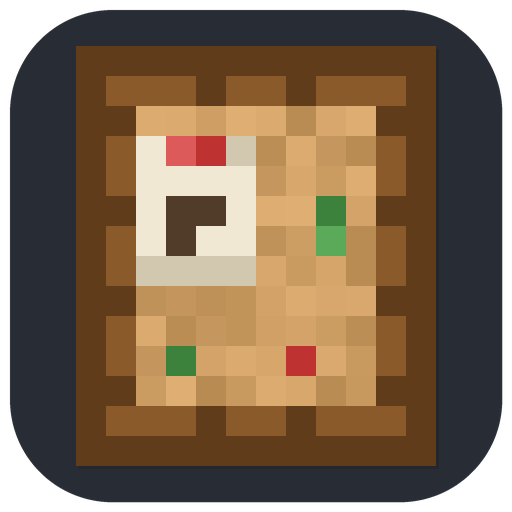
Pinboard, Anytime
Wall-mounted bulletin boards for SMP — leave notes your friends see next time they log in. The ender variant shares one board server-wide.
介绍
Pinboard, Anytime
Pin a note to the wall; whoever comes by next reads it — even if you logged out hours ago.
Voice chat and parties only work when everyone is online at the same time. On most SMP servers people aren’t: time zones differ, schedules differ, someone always logs in to an empty server. This adds wall-mounted bulletin boards for exactly that gap — write a note by the iron farm saying “took 2 stacks, restocked Tuesday”, and the next player who walks past sees it.
Two boards
- Pinboard — per-block, like a chest. Each board you place is its own surface; put one in each base or farm room for local context.
- Ender Pinboard — one shared board for the whole server. Every Ender Pinboard shows the same notes, wherever it’s placed. Use it for announcements, trades, and event plans.
Features
- Two-pane reader: note list on the left, full text on the right, with author and date
- Login alerts — joining the server tells you how many unread Ender Pinboard notes await; opening the board clears the count
- Attach my location — one checkbox stamps your coordinates and dimension onto a note (“diamonds here →”)
- A local board’s front fills up visually as notes are added, and emits a comparator signal scaled to its note count
- Boards mount flat on walls like signs: no collision, and they pop off if the wall is broken
- Delete permissions are configurable — by default anyone can clean up a local board, while Ender Pinboard notes can only be removed by their author or an operator
- Per-player note limit on the shared board keeps one person from flooding it
How to use
- Craft a Pinboard — painting shape: 8 planks around 1 paper.
- Place it on a wall and right-click to read or write notes.
- For the server-wide board, combine a Pinboard with an Eye of Ender (shapeless) to get an Ender Pinboard.
Notes
- Notes persist with the world: local boards store theirs in the block, the ender pool in world data.
- Caps, lengths, delete permissions, and login alerts are configurable in
<world>/serverconfig/pinboard_anytime-server.toml(synced to clients automatically). - Install on the server and on every client. No other mods required.



Paid commissions for videos, streams and servers. Send me your idea: [email protected]

Bugs and questions: comment on the CurseForge page, or DM @kuronami333 on X.
Free to use in any modpack. Source: https://github.com/KURONAMI333/pinboard-anytime
常见问题
Pinboard, Anytime 支持哪些 Minecraft 版本?
Pinboard, Anytime 支持 Minecraft Java 版 1.21.1,可用的加载器:NeoForge。下载时注意选择和你游戏版本一致的文件。
Pinboard, Anytime 怎么安装?
先用 PCL2 或 HMCL 启动器安装对应版本的 NeoForge,再把下载的 .jar 文件放进游戏目录的 mods 文件夹,重新启动游戏即可。开启了版本隔离的,mods 文件夹在 versions/版本名 下面。运行环境:客户端和服务端都要装。
KURONAMI 的其他作品
查看全部 →
Music Disc Maker
Craft playable music discs from YouTube, Spotify, SoundCloud, and other audio links.

Compass to Map: Xaero’s Minimap
Auto-register found structures (Explorer's Compass) and biomes (Nature's Compass) as permanent Xaero's Minimap waypoints. No prompt, no edit screen, the waypoint just appears.

Ping to Map: Xaero’s Minimap
Drop a temporary Xaero's Minimap waypoint the instant a teammate (or you) pings a spot with Ping Wheel. No prompt, no edit screen, auto-expires after 30 seconds.
Ping to Map: Xaero’s Minimap
Drop a temporary Xaero's Minimap waypoint the instant a teammate (or you) pings a spot with Ping Wheel. No prompt, no edit screen, auto-expires after 30 seconds.
评论
登录后评论和评分