
Pin Tooltips 📌
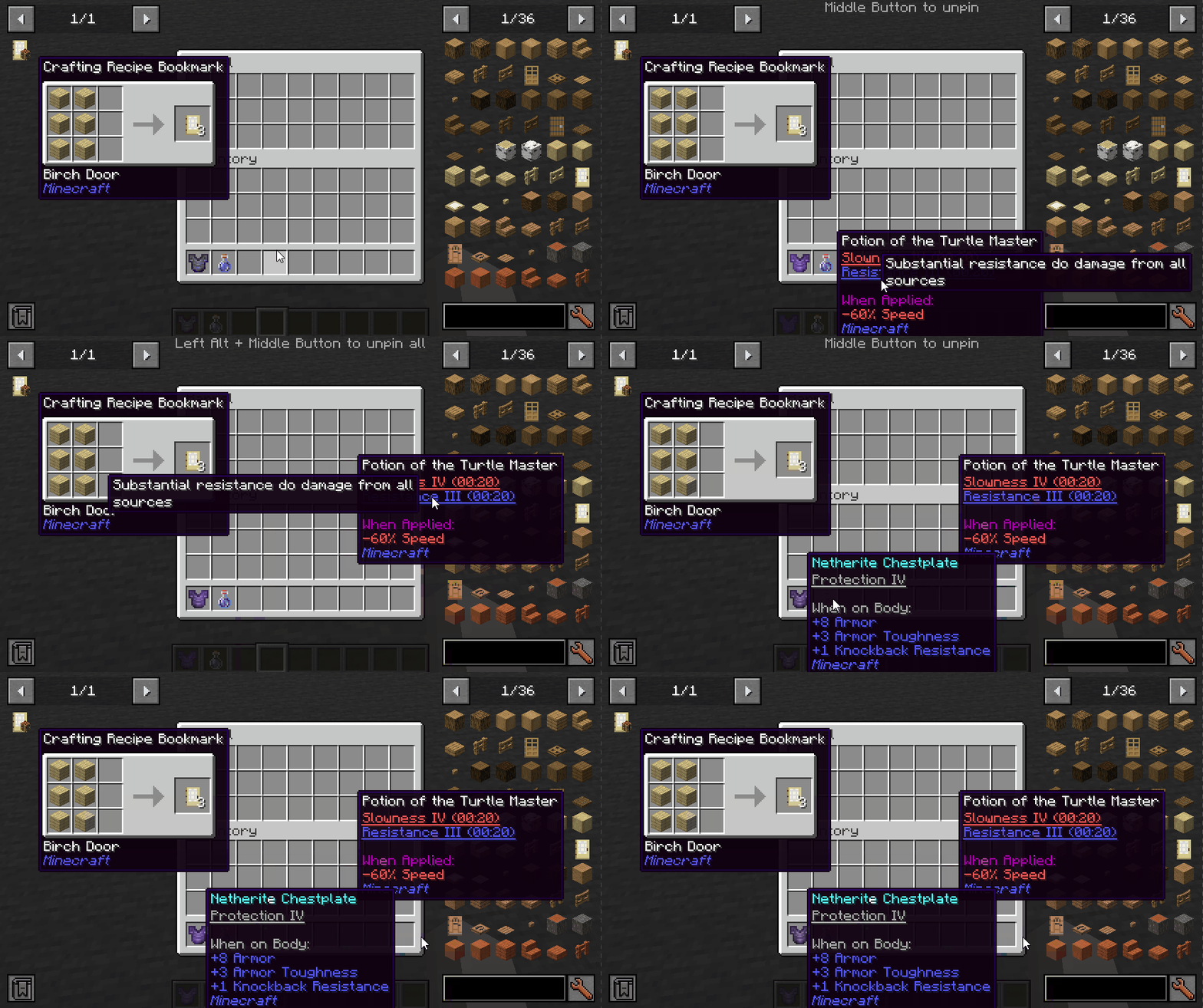
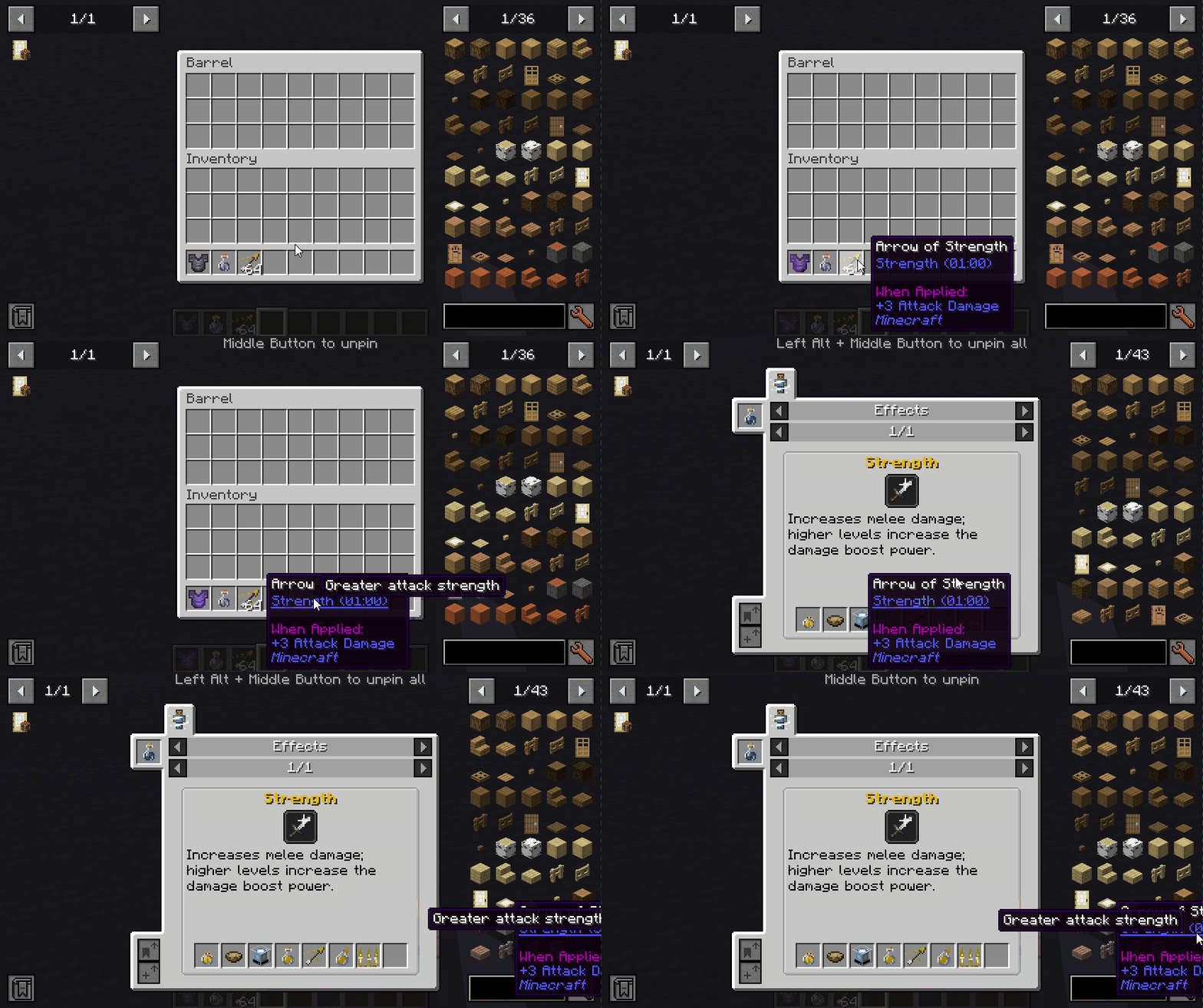
Adds the ability to pin tooltips to the screen and view more information from them such as enchantment and mob effect descriptions.
截图
介绍
Pin Tooltips 📌
This mod adds the ability to pin tooltips to the screen and view more information from them such as enchantment and mob effect descriptions.
By default, when you stay on a tooltip for a while, it will be temporarily pinned until the cursor leaves.
Note: Pinned tooltips do not persist when you leave the game.
Keys (default):
- Left ALT: Pin the current tooltip
- Middle Button: Unpin the tooltip
- Left ALT + Middle Button: Unpin all tooltips
Mod Integration:
When Jade installed, you can see which mod is the enchantment/effect from.
When More Enchantment Info installed, you can click on the enchantment text to open the recipe GUI.
When Just Enough Effect Descriptions (JEED) installed, you can click on the effect text to open the recipe GUI.
When Tinkers Construct installed, you can view the description of the traits on tooltips.
Compatibility
| Mod | Status | Note |
|——————–|————————|——————————————-|
| Equipment Compare | ✔️ Supported | |
| Obscure Tooltips | ✔️ Partially supported | Components are not interactable |
| Legendary Tooltips | ✔️ Partially supported | Title’s interacting position is incorrect |
| Tooltips Reforged | ❌ Not supported | |
| Immersive:Tooltip | ❌ Not supported | |
| Tooltips Reforged | ❌ Not supported | |
| EnhancedTooltips | ❌ Not supported | |
| ModernUI | ❌ Not supported | |

常见问题
Pin Tooltips 📌 支持哪些 Minecraft 版本?
Pin Tooltips 📌 支持 Minecraft Java 版 1.20.1–26.1.2,共 5 个版本,可用的加载器:Fabric / Forge / NeoForge / Quilt。下载时注意选择和你游戏版本一致的文件。
Pin Tooltips 📌 怎么安装?
先用 PCL2 或 HMCL 启动器安装对应版本的 Fabric / Forge / NeoForge / Quilt,再把下载的 .jar 文件放进游戏目录的 mods 文件夹,重新启动游戏即可。开启了版本隔离的,mods 文件夹在 versions/版本名 下面。运行环境:仅客户端。
Snownee 的其他作品
查看全部 →
Jade 🔍
显示你所注视方块的信息。(Hwyla/Waila 的 Minecraft 1.16+ 分支)

Kiwi 🥝 (Neo/Forge)
Minecraft 模组开发库

Jade Addons (Neo/Forge)
Jade 🔍 的 Neo/Forge 额外模组支持

Snow! Real Magic! ⛄ (Neo/Forge)
不是魔法模组。| 雪的重力与堆积 | 积雪方块 | 调整雪的行为
评论
登录后评论和评分