
截图



介绍
中文介绍正在准备中,下面暂时显示原文。
A mod for the game ⛏️ on Minecraft Diamondfire.
Features
- @Help command
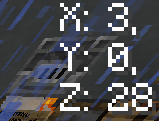
- Relative plot cords from spawn
- Coins covering the hunger bar
- XP Bar can be any supported Boss bar
- @up keybind (bound to R by default)
- Sage Icon
- Overclock icon
- itemlock Icon
- Forge Timer
- Note-taking (bound to N by default)
- Plot ad hider
- Chat Stacking
Configuration
- XP bar
- Depth
- Suit Charge
- Radiation (Default)
- Mod enabler/disabler (Enabled by default)
- Auto /c l (Disabled by default)
- Icon x, y (0, 0) by default
- Enable/disable icons (off by default)
- Keybindings
- @up (default R)
- Notes (Default N)
- Enable / disable plot ads
- Swap forge and coin locations
- Disable Forge rendering
- Disable Coin rendering
Acknowledgements
- Sputt for creating Pickaxe
- Heptor / baltdev for creating the mod before this
- AlignedCookie88 for updating imgui-mc to 1.20.4 (and being a DF player!)
Authors
- @ShowierData9978
- @ArrowAced
- @UP
- @MystWraith (LonesomeInk ingame)
- Forge Timer
- Plot ad hider
常见问题
⛏️ Pickaxe game 支持哪些 Minecraft 版本?
⛏️ Pickaxe game 支持 Minecraft Java 版 1.19.4–1.20.4,共 6 个版本,可用的加载器:Fabric。下载时注意选择和你游戏版本一致的文件。
⛏️ Pickaxe game 怎么安装?
先用 PCL2 或 HMCL 启动器安装对应版本的 Fabric,再把下载的 .jar 文件放进游戏目录的 mods 文件夹,重新启动游戏即可。开启了版本隔离的,mods 文件夹在 versions/版本名 下面。运行环境:仅客户端。
评论
登录后评论和评分