
截图
介绍
Phonos
Broadcast sound throughout your Minecraft World!

Requires Fabric API.
Optionally requires Patchouli to view the guidebook.
Getting Started
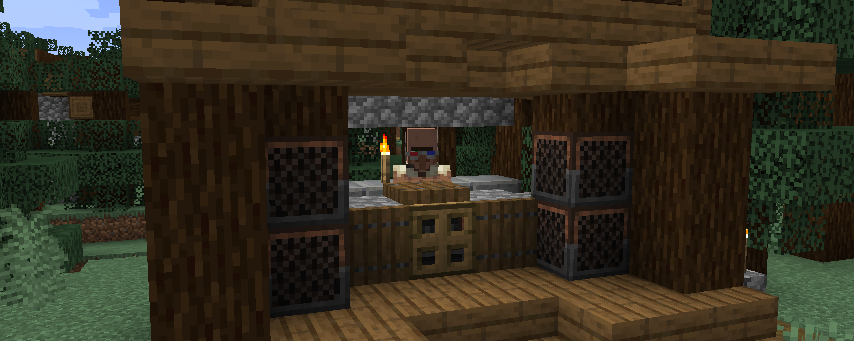
You can obtain the guidebook (only if Patchouli is installed) for the mod by trading with a technician villager (distinguished by its red-and-blue glasses and headset, job site is a Radio Jukebox), or from the creative inventory. The guidebook will explain in detail the functionality behind every feature.
To set up your first sound system:

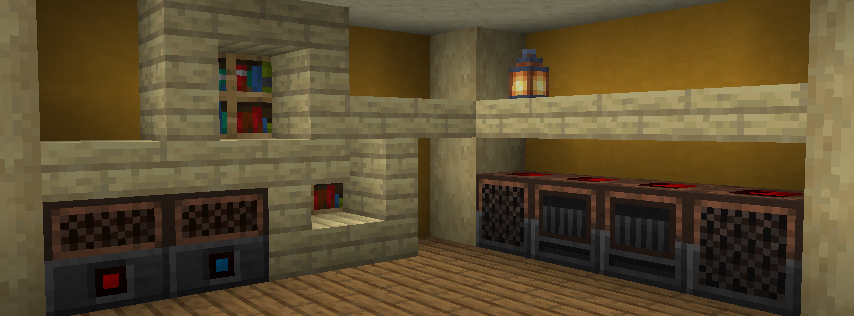
On the left is a Radio Jukebox. This block broadcasts music disc audio to Loudspeakers on the same channel. You can change the channel by interacting with the top of the block.
On the right are a series of Loudspeakers, all tuned to the same channel as the jukebox. They are receiving audio from the Radio Jukebox and playing it. All of the components are tuned to channel 3. There are 20 channels (0–19) to choose from, per dimension.
Some other available components are:
- Radio Note Blocks, which work like normal note blocks, but are able to send their audio to Loudspeakers.
- Channel Tuners, items that can set any radio component to a specific channel.
- Note Block Tuners, items that can copy, adjust, and set the note of any note block or Radio Note Block.
- Boomboxes, which work like Loudspeakers with the added benefit of playing audio when held.
Join the Discord Server for support and more.
常见问题
Phonos 支持哪些 Minecraft 版本?
Phonos 支持 Minecraft Java 版 1.16.3–1.18.2,共 7 个版本,可用的加载器:Fabric / Quilt。下载时注意选择和你游戏版本一致的文件。
Phonos 怎么安装?
先用 PCL2 或 HMCL 启动器安装对应版本的 Fabric / Quilt,再把下载的 .jar 文件放进游戏目录的 mods 文件夹,重新启动游戏即可。开启了版本隔离的,mods 文件夹在 versions/版本名 下面。运行环境:客户端和服务端都要装。
FoundationGames 的其他作品
查看全部 →
Enhanced Block Entities
几乎无妥协地减少方块实体造成的FPS卡顿,并改善其视觉效果

Animatica
实现 OptiFine/MCPatcher 动画材质格式的模组

Automobility
载具模组,添加可自定义且功能齐全的汽车

Sandwichable
A customizable sandwich mod for Minecraft and Fabric. Plus indev and unreleased versions!
评论
登录后评论和评分