
Phonk Edit Mod
Transform your gameplay into viral YouTube Shorts memes with phonk music, visual effects, and beat-synced camera!
截图

介绍
Transform your Minecraft gameplay into viral YouTube Shorts content! 💀🎵
What is this?
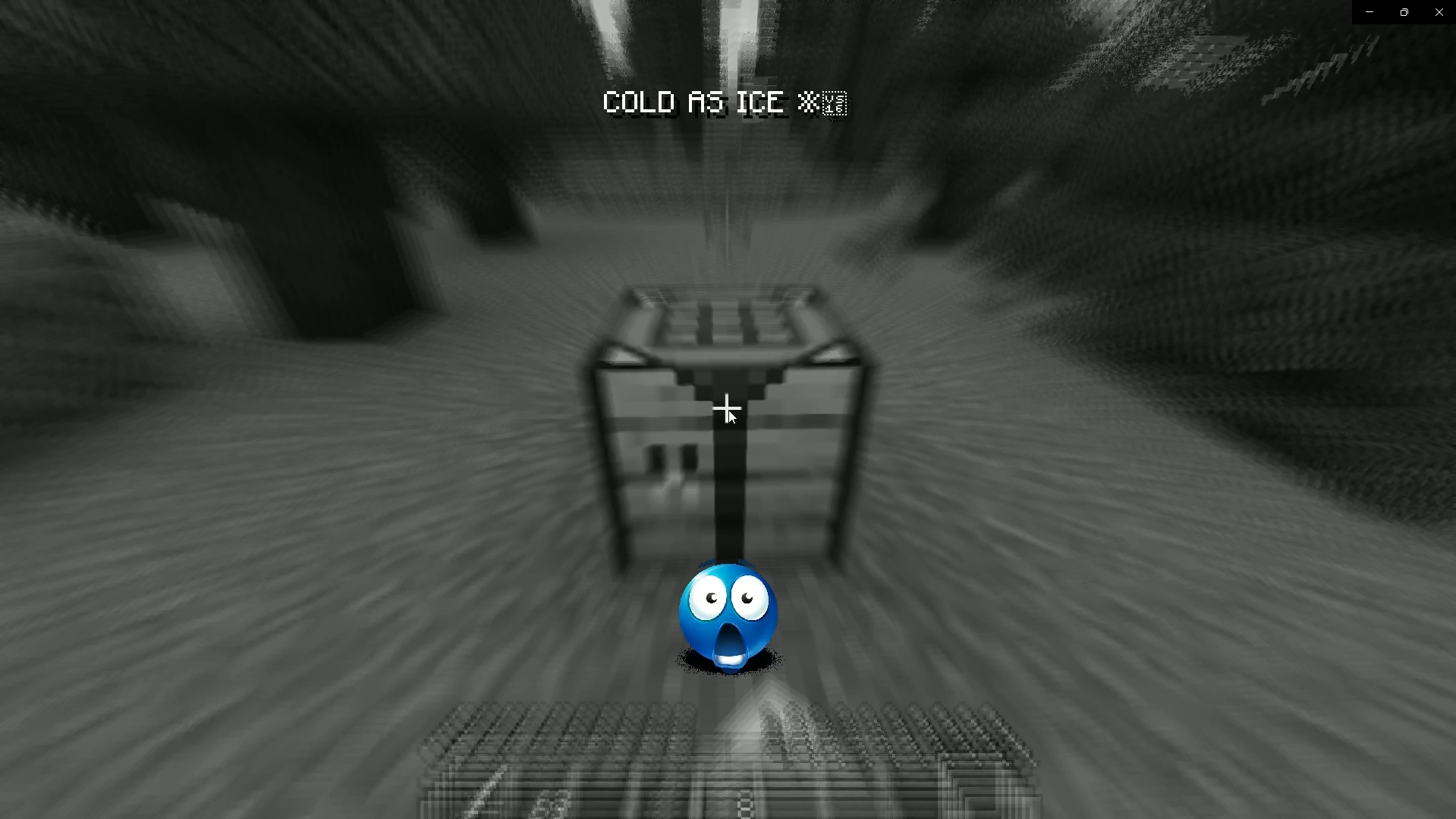
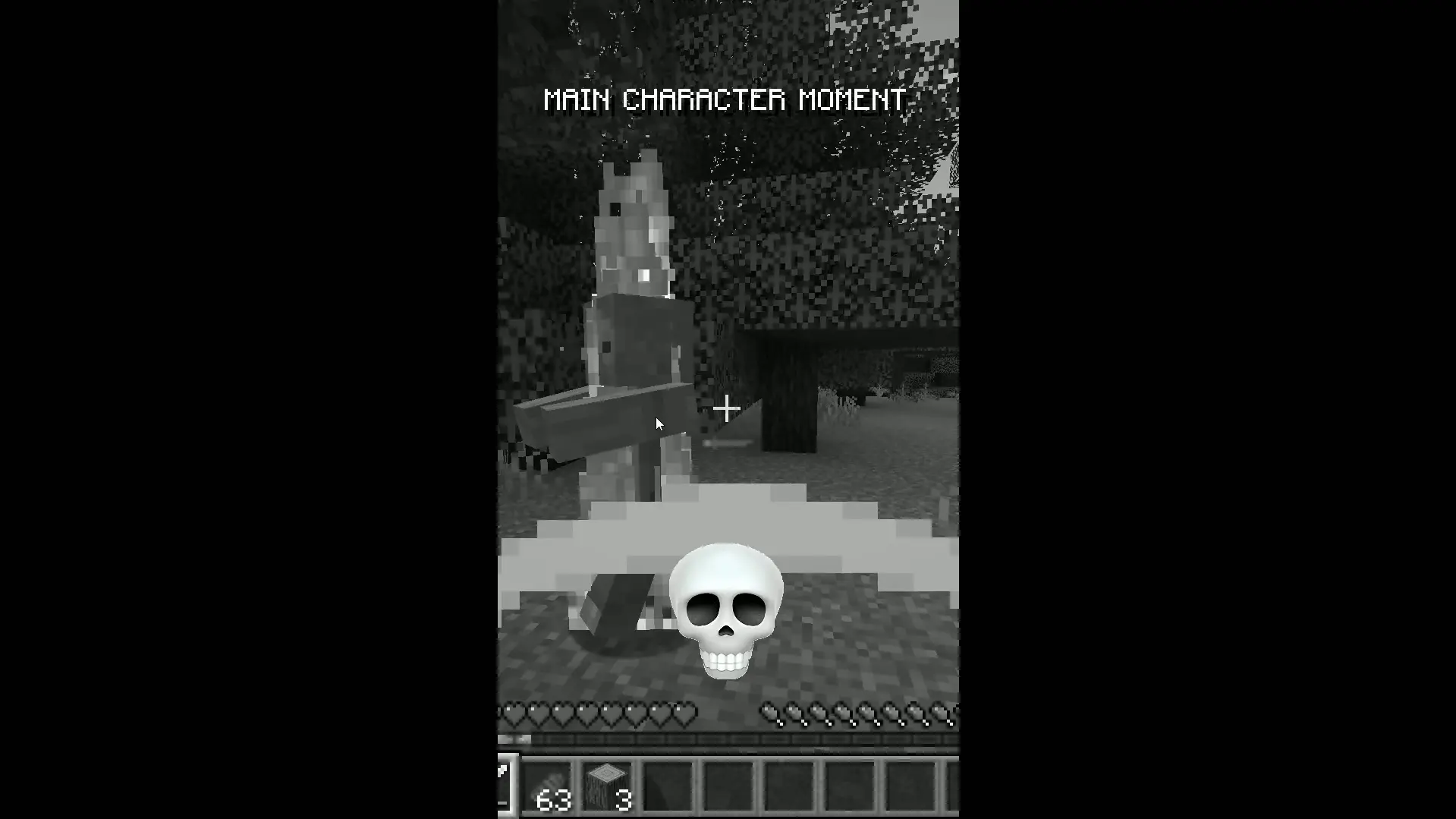
Phonk Edit Mod recreates the legendary “Phonk Edit” meme that’s everywhere on YouTube Shorts and TikTok. You know the one – where the video suddenly pauses, phonk music drops, everything goes black & white, and a skull appears with crazy camera effects? Yeah, THAT one!
Fully Customizable! Press O to open config menu!
Now it happens IN YOUR GAME! 🔥
🎬 See It In Action

✨ Features
🖼️ Custom Resources ✨ NEW!
Custom Images
- Add your own images – Place PNG files in
.minecraft/phonk-edit-mod/custom_images/ - Hot-Reload – Load new images without restarting the game!
- 3 Modes:
- Mod Only: Uses the 10 included skull images
- Mix: Randomly alternates between mod and custom images
- Custom Only: Uses only your custom images
- Easy Access – “Open Images Folder” button in config menu
- Error Detection – Toast notifications for invalid files (non-PNG)
Custom Audio
- Add your own audio – Create a resource pack with custom phonk songs!
- Resource Pack Based – Uses Minecraft’s native sound system (professional approach)
- Auto-Generated Pack: Tutorial resource pack created at
resourcepacks/PhonkEdit-CustomSongs/ - 3 Modes:
- Mod Only: Uses the 9 included phonk tracks
- Mix: Randomly alternates between mod and custom audio
- Custom Only: Uses only your custom audio from resource packs
- Hot-Reload – Press F3+T or click “Reload Custom Files” button
- Error Detection – Toast notifications for invalid audio files (non-OGG)
- Requirements:
- OGG Vorbis format only
- Registered in resource pack’s
sounds.jsonunder"custom/"keys
🎵 Epic Audio System
- 9 Phonk Tracks included (royalty-free)
- Random pitch variation (0.2x – 2.0x speed)
- Beat-synced effects – music drives the visuals!
🎬 Cinematic Effects
- ⚫ Full Grayscale Filter – Everything goes B&W (including HUD!)
- 💥 Radial Blur – Screen distorts with each beat
- 🔍 Dynamic Zoom – Camera pulses (1.0x → 1.3x)
- 📳 Camera Shake – Violent screen tremor
- 📱 Mobile Format – Black bars on sides (TikTok style)
- 💀 10 Skull Overlays – Random colorful skulls
- 📝 Meme Text – “SIGMA GRINDSET”, “COLD AS ICE”, etc.
⚡ Smart Triggers
The effect activates automatically when you:
- ⚔️ Attack an entity (mobs, players)
- ⛏️ Break a block
- 🔧 Interact with blocks (place, open chests, use doors, etc.)
- 🍖 Use items (eat, drink, bow, potions, etc.)
- 💔 Take damage
- ⏰ Or just wait (random timer: 30-60s)
⚙️ Fully Customizable
Press O to open config menu:
- Timer intervals (5-180 seconds)
- Effect duration (1-3 seconds)
- Trigger chance (0-100%)
- Pitch range (0.2x – 2.0x)
- Icon size (16-128px)
- Music volume (0-100%)
- Effect intensities (zoom/blur/shake: 0.5x-2.0x)
- Image Mode (Mod Only / Mix / Custom Only) ✨ NEW!
- Audio Mode (Mod Only / Mix / Custom Only) ✨ NEW!
- Toggle each trigger ON/OFF
- Quick Access Buttons:
- Open custom images folder
- Open custom audio folder (resource pack)
- Reload custom files without restarting
🎯 How It Works
Beat Synchronization
The mod calculates BPM from the music pitch:
- High pitch (2.0x) = Fast beats, rapid pulses
- Normal pitch (1.0x) = Medium pace
- Low pitch (0.2x) = Slow, heavy beats
Each beat triggers a BOOM effect:
- Zoom pulses in/out
- Blur radiates from center
- Shake intensifies
- Perfect sync with music! 🎶
Final Chaos (Last 10%)
The last 10% of the effect goes CRAZY:
- Shake becomes VIOLENT
- Effects stack and intensify
- Maximum chaos before it ends!
📦 Requirements
REQUIRED:
- Minecraft 1.21
- Fabric Loader 0.17.3+
- Fabric API 0.102.0+
- Java 21
INCOMPATIBLE WITH:
- OptiFine (use Sodium instead)
- Forge (this is Fabric-only)
🎮 Usage
Automatic Mode
Just play! The mod triggers automatically.
Manual Config
- Press O key
- Adjust settings
- Save (automatic)
Config Location
.minecraft/config/phonk-edit-mod.json
🎨 Technical Details
Performance
- Lightweight (no performance impact)
- GPU shaders (requires decent graphics)
- Tested on mid-range hardware
Multiplayer
- Client-side only (works on servers!)
- Only you see the effect
- No server installation needed
Shaders
Uses Satin API for post-processing:
- Grayscale shader (full-screen B&W)
- Radial blur shader (beat-synced)
- Optimized GLSL code
📋 Changelog
Version 1.1.0 (Current)
Custom Resources Update ✨
- ✅ Added custom image support (PNG files)
- ✅ Added custom audio support via resource packs (OGG Vorbis)
- ✅ Auto-generated tutorial resource pack
- ✅ Resource pack auto-activation system
- ✅ Hot-reload functionality (F3+T or button in config)
- ✅ Toast notifications for loaded resources
- ✅ Error detection for invalid files (non-PNG/non-OGG)
- ✅ Image Mode selector (Mod Only / Mix / Custom Only)
- ✅ Audio Mode selector (Mod Only / Mix / Custom Only)
- ✅ “Open Images Folder” button in config
- ✅ “Open Audio Folder” button in config (opens resource pack)
- ✅ Achievement-style toast notifications
- ✅ Configurable effect intensities
Initial Release Features
- 9 built-in phonk tracks
- 10 skull overlay images
- Beat-synchronized effects (zoom, blur, shake)
- Grayscale filter
- Mobile format black bars
- Meme text overlays
- Smart trigger system
- Fully configurable (Press O)
- Client-side only (works on servers)
🚀 Planned Features
Next Update
- 🎯 Minecraft 1.21.10 Support – Port mod to latest version
Future Ideas
- Custom meme text support
- More built-in phonk tracks
- Effect presets (Chill / Normal / Extreme)
- Custom trigger keybind
- Replay system (record and replay effects)
🤝 Support
- Issues: GitHub Issues
- Source Code: GitHub
📜 Credits
- Satin API by Ladysnake – Shader library
- Fabric Team – Modding framework
- You! – For downloading ❤️
“SIGMA GRINDSET” 💀
Made with ❤️ by luigi
🔖 Tags
meme phonk edit youtube-shorts tiktok visual-effects shaders client-side configurable fabric
常见问题
Phonk Edit Mod 支持哪些 Minecraft 版本?
Phonk Edit Mod 支持 Minecraft Java 版 1.21–1.21.1,共 2 个版本,可用的加载器:Fabric。下载时注意选择和你游戏版本一致的文件。
Phonk Edit Mod 怎么安装?
先用 PCL2 或 HMCL 启动器安装对应版本的 Fabric,再把下载的 .jar 文件放进游戏目录的 mods 文件夹,重新启动游戏即可。开启了版本隔离的,mods 文件夹在 versions/版本名 下面。运行环境:仅客户端。
评论
登录后评论和评分