
philter
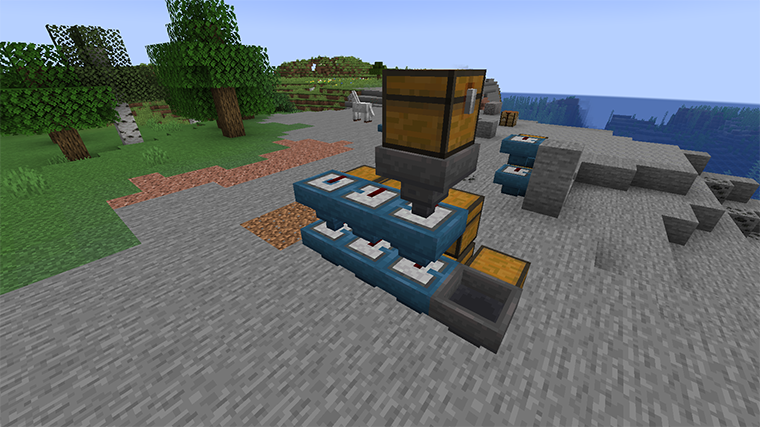
The Philter mod gives you a filter super-hopper that works with vanilla Minecraft or any mod. Any kind of items can be diverted into a different output container, using multiple ways to set up what's filtered!
截图

介绍
The Philter mod gives you a filter super-hopper that works with vanilla Minecraft or any mod.
Any kind of items can be diverted into a different
output container. Otherwise, it just passes them along like any other hopper.
Here’s what it looks like in action:
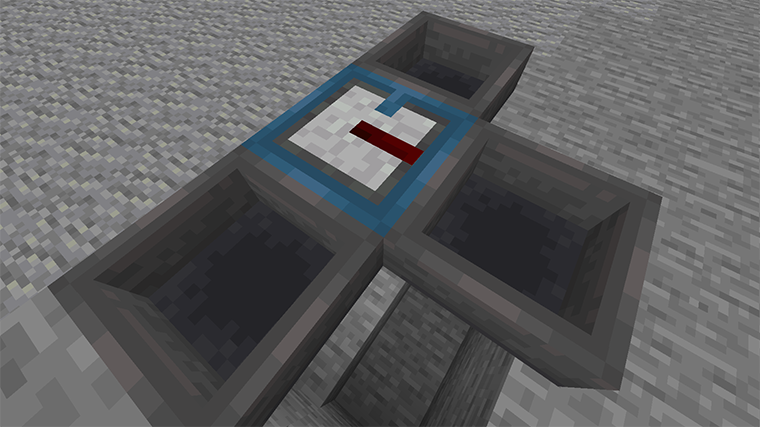
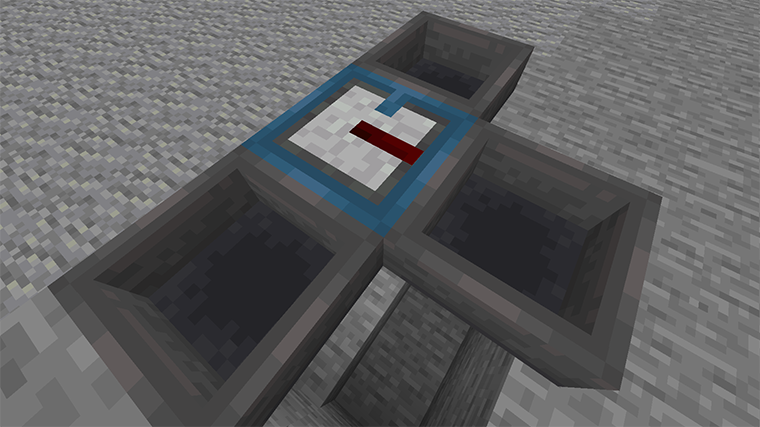
Overall the filter is a steel-blue hopper, and it has a redstone insert that does the
filtering. The blue
tab on the filter’s top shows where normal items are directed. The redstone stripe flashes
when an item
is instead filtered to the hopper on the right.
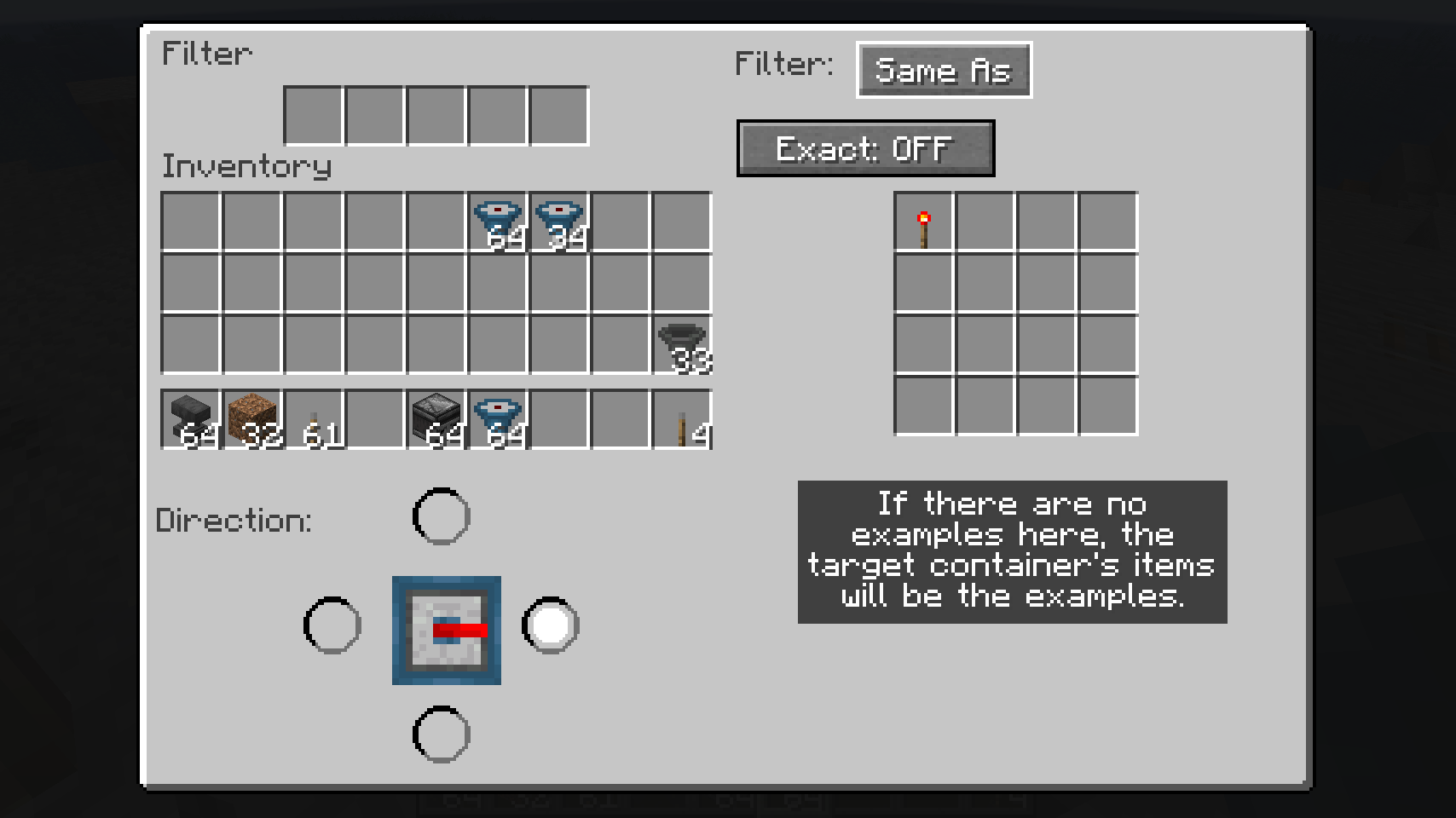
You can set up the filter using its UI:
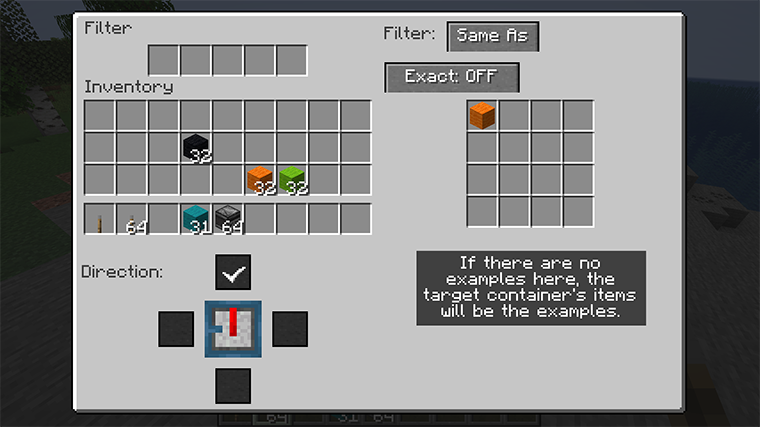
The area in the upper left is the basic hopper UI, and works just the same. On the right is
the filter
configuration. Here it is in “Same As” mode, which means it will only put items into the
filter that match examples. These examples can be set by putting objects in the filter itself.
Or the items already in the object container can be used as the examples instead.
So if the filter has planks of every type, or if it has nothing and the target container has them,
then planks will be diverted, and other items will continue onward.
The “Exact” button is off, so modifications will be ignored. If the examples included iron
chestplate, this would allow
damaged or enchanted iron chestplates to also be put in the target. If “Exact” were on, only
chestplate that had
the same damage and enchantment would be diverted.
The other primary mode is “Match”, where you specify tags and regular expressions to tell the
filter what to do:
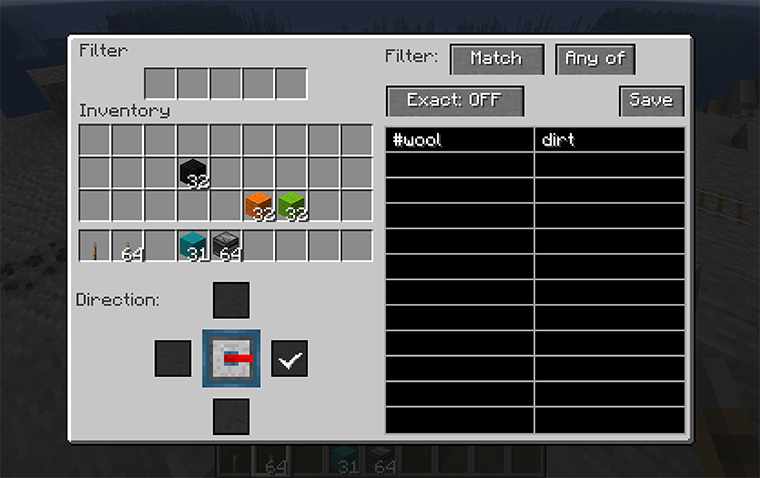
Here we’ve told the filter to match blocks that are covered by the tag “#wool” (all kinds of
wool) plus anything
that has “dirt” in the name. “Any of” can be switched to “All of”, which would mean the item
would have to both
match “#wool” and have “dirt” in the name (which nothing does, so …).
In “Match” mode, “Exact” means that NBT value will be included when string matching. So you
could match any item
that was enchanted with the pattern “.Enchantments.” because that string appears in the NBT
of enchanted items.
tags will probably be helpful.
As for regular expressions, there are many tutorials on the web. Generally, text matches the
same text except for special symbols.
The most important are:
.matches any single character, so “d.rt” matches both “dirt” and“dart”.
means “zero or more repetitions”, so “.” means “zero or more of anycharacters”.
^matches the start of the text, so you could say “anything whose namestarts with blue” with the pattern “^blue.*”, which would not match light blue things.
$matches the end of the text.
The filter finds a match anywhere in the string unless you anchor it to the start and/or end of
the text. It also ignores
the case of the text, so “enchantments” would match both “enchantments” and “Enchantments”.
Finally, the mode “None” just turns off the filtering entirely.
The third part of the UI, the part below your inventory, allows you to change the direction of
the filter. Like
a hopper, a filter can point in any direction but up, but also it cannot point in the same
direction as the regular
hopper output. When you place a filter, the filtered output is defined by how you’re pointing,
but you can change
it afterwards using this part of the UI.
常见问题
philter 支持哪些 Minecraft 版本?
philter 支持 Minecraft Java 版 1.19–26.1,共 9 个版本,可用的加载器:Fabric。下载时注意选择和你游戏版本一致的文件。
philter 怎么安装?
先用 PCL2 或 HMCL 启动器安装对应版本的 Fabric,再把下载的 .jar 文件放进游戏目录的 mods 文件夹,重新启动游戏即可。开启了版本隔离的,mods 文件夹在 versions/版本名 下面。运行环境:客户端和服务端都要装。
kcrca 的其他作品
查看全部 →
Clean
Clean gives you a low-noise, easy to use vision of the world, with block boundaries clearly defined so it is easy to build things

Creamy
Creamy gives you a low-noise, smooth vision of the world, with few block boundaries, keeping an ultra-low-noise environment with fewer interruptions

Confluent
Confluent is the connected texture pack version of [Clean]({{projects.clean.url}})

Call Out
Call Out helps you see which textures are missing in your pack.
评论
登录后评论和评分