
截图
介绍
PGP-Chat
Download on GitHub and verify the signature!

PGP-Chat encrypts chat messages with PGP.\
Advisories
You must have GUI Pinentry for password protected PGP keys.
When you have No Chat Reports installed decryption doesn’t\
work in singleplayer, but still works in multiplayer.
Usage
Requirement: GPG must be installed, with the keys of anyone you want to send encrypted messages to, imported.
Sending encrypted messages:
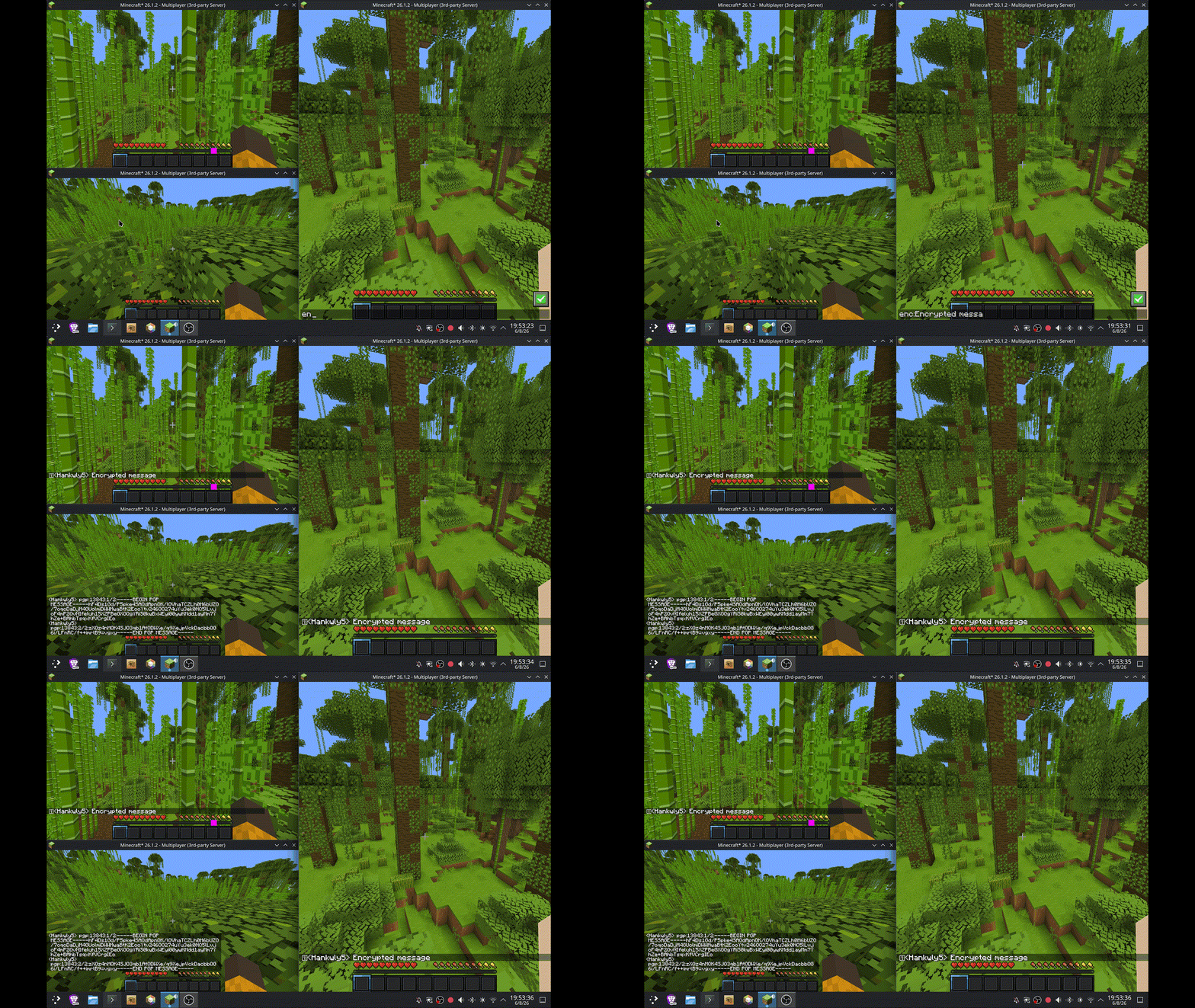
Prefix any chat message with enc: to encrypt it before sending:
enc:Hello, this is an encrypted message.Configuration
The config file is available, from your instance’s root folder, at config/PGP-Chat/config.txt
Unconfigured, it looks like this:
# The fingerprint, email, or key id of your message's recipient's pgp key (must be in gpg keyring), you can add more recipient: lines to add more recipients
recipient:
# The path to gpg, you probably don't need to put anything here if your gpg is at a standard path
gpg-path:
To send an encrypted message you have to put recipient key info in the config and a player wanting to send an
encrypted message to you must do the same.
Dependencies
Fabric API\
GPG
License
This mod is available under the GPL-3.0 license. Feel free to learn from it and incorporate it in your own projects.
常见问题
PGP-Chat 支持哪些 Minecraft 版本?
PGP-Chat 支持 Minecraft Java 版 26.1–26.2,共 4 个版本,可用的加载器:Fabric。下载时注意选择和你游戏版本一致的文件。
PGP-Chat 怎么安装?
先用 PCL2 或 HMCL 启动器安装对应版本的 Fabric,再把下载的 .jar 文件放进游戏目录的 mods 文件夹,重新启动游戏即可。开启了版本隔离的,mods 文件夹在 versions/版本名 下面。运行环境:仅客户端。
评论
登录后评论和评分