
Performance Overlay
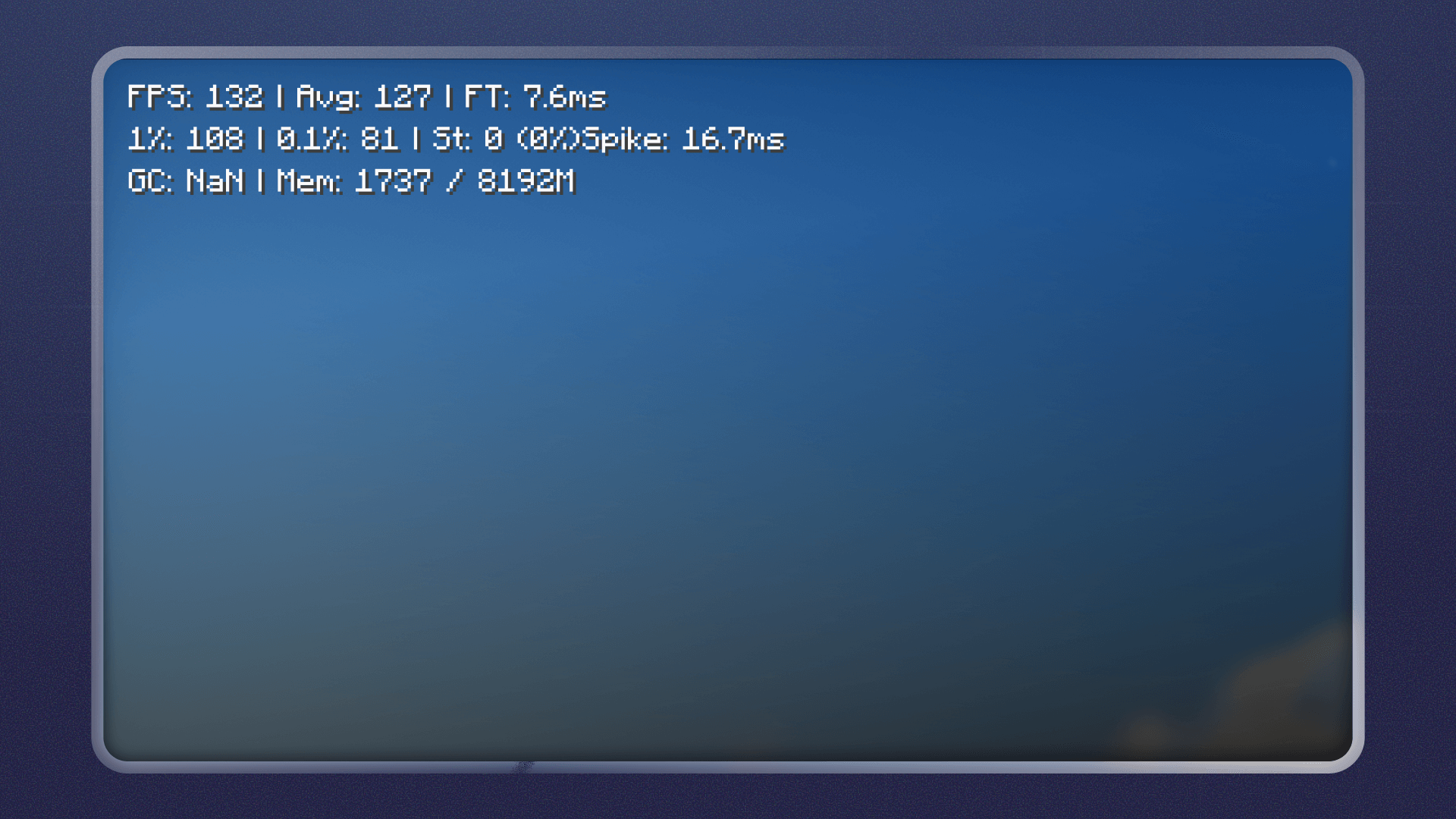
Lightweight performance overlay and benchmark tool. Real-time FPS & frametime metrics: average FPS, 1% / 0.1% lows, stutters, worst spikes, plus GC and memory stats.
截图


介绍
FPS, Frametime & Benchmarking
Performance Overlay is a lightweight, client-side mod that shows what actually matters for smooth gameplay — not just average FPS.
It focuses on 1% / 0.1% lows, frametime stability, stutters, and frame spikes, helping you understand why Minecraft feels smooth or laggy.
📊 Performance Metrics

The overlay updates in real time and displays:
- FPS (average)
- 1% low FPS
- 0.1% low FPS
- Frametime
- Stutter count
- Worst frame spike
- GC pauses
- Memory usage
All metrics are designed for real performance analysis, not vanity numbers.
⌨️ Key Bindings
All features are accessible instantly via key binds:
- F7 — Toggle performance overlay
- F8 — Cycle overlay layout
- F9 — Reset performance statistics
- F10 — Start / stop benchmark
Key bindings can be changed in Minecraft → Controls.
🧩 Customisation

- Multiple overlay layouts
- Different screen positions
- Minimal and non-intrusive design
- Instant toggling without menus
🧪 Benchmark Mode

Run objective benchmarks and get detailed CSV results, including:
- Per-frame FPS and frametime data
- Average FPS, 1% / 0.1% lows
- Worst stutters and frame spikes
- Run metadata for comparison
📁 Files are saved to:
.minecraft/config/performanceoverlay/benchmarks/
CSV files can be opened in Excel, Google Sheets, or any analysis tool as well as AI chats.
🎯 Use Cases
- Diagnosing stutters and micro-freezes
- Comparing shaders, mods, modpacks, or settings
- Measuring real smoothness instead of “feels smoother”
- Benchmarking performance changes reliably
ℹ️ Notes
- Client-side only
- Lightweight and low overhead
- No gameplay or logic changes
🔁 Redistribution
You are free to:
- Use this mod in modpacks (public or private)
- Include it in custom client setups
- Fork or modify the code for your own needs
If you re-upload this mod (modified or unmodified), please:
- Credit Performance Overlay as the original project
- Link back to this Modrinth page
- Use a different name and icon for modified versions
License
MIT License
常见问题
Performance Overlay 支持哪些 Minecraft 版本?
Performance Overlay 支持 Minecraft Java 版 1.21–26.2,共 16 个版本,可用的加载器:Fabric。下载时注意选择和你游戏版本一致的文件。
Performance Overlay 怎么安装?
先用 PCL2 或 HMCL 启动器安装对应版本的 Fabric,再把下载的 .jar 文件放进游戏目录的 mods 文件夹,重新启动游戏即可。开启了版本隔离的,mods 文件夹在 versions/版本名 下面。运行环境:仅客户端。
评论
登录后评论和评分