
Perf Boost
Perf Boost is a Fabric mod for Minecraft 1.21.10 that adds a toggleable performance HUD (FPS, RAM, CPU, ping, etc.) and an optional performance mode.
截图

介绍
What this mod does
Perf Boost adds a stats HUD in the top-right (toggle with P) showing FPS, frame time, RAM usage, entity and chunk counts, ping in multiplayer, and CPU usage/temperature when available. It also adds performance mode (toggle with O): when enabled, the mod temporarily lowers your graphics settings to improve FPS, and restores them when you turn it off.
What performance mode changes
When you turn performance mode on, the mod temporarily applies:
- Graphics → Fast | Particles → Minimal (and caps active particles at 2,000) | Render distance → 8 chunks | Simulation distance → 6 chunks | Entity distance scaling → 0.5 | Ambient occlusion → off | Entity shadows → off | Biome blend → 0
When you turn it off, your previous settings are restored. Nothing is written to your options file; it only affects the current session.
Why use it
- See FPS and system stats at a glance without leaving the game.
- Get a quick FPS boost in busy areas (e.g. lots of entities or particles) by pressing O; turn it off when you leave.
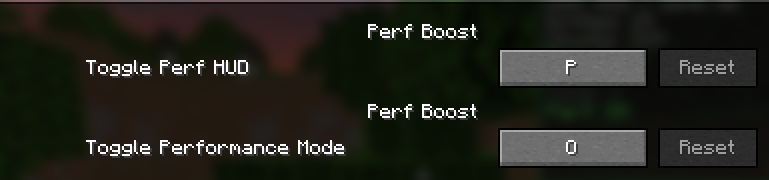
- Keybinds (P and O by default) are rebindable under Perf Boost in Options → Controls.
Performance HUD (press P to toggle)

Keybinds in Settings

常见问题
Perf Boost 支持哪些 Minecraft 版本?
Perf Boost 支持 Minecraft Java 版 1.21.10,可用的加载器:Fabric。下载时注意选择和你游戏版本一致的文件。
Perf Boost 怎么安装?
先用 PCL2 或 HMCL 启动器安装对应版本的 Fabric,再把下载的 .jar 文件放进游戏目录的 mods 文件夹,重新启动游戏即可。开启了版本隔离的,mods 文件夹在 versions/版本名 下面。运行环境:仅客户端。

评论
登录后评论和评分