
截图
介绍
中文介绍正在准备中,下面暂时显示原文。
Pearls+ (Fabric 1.21.11)
Overview
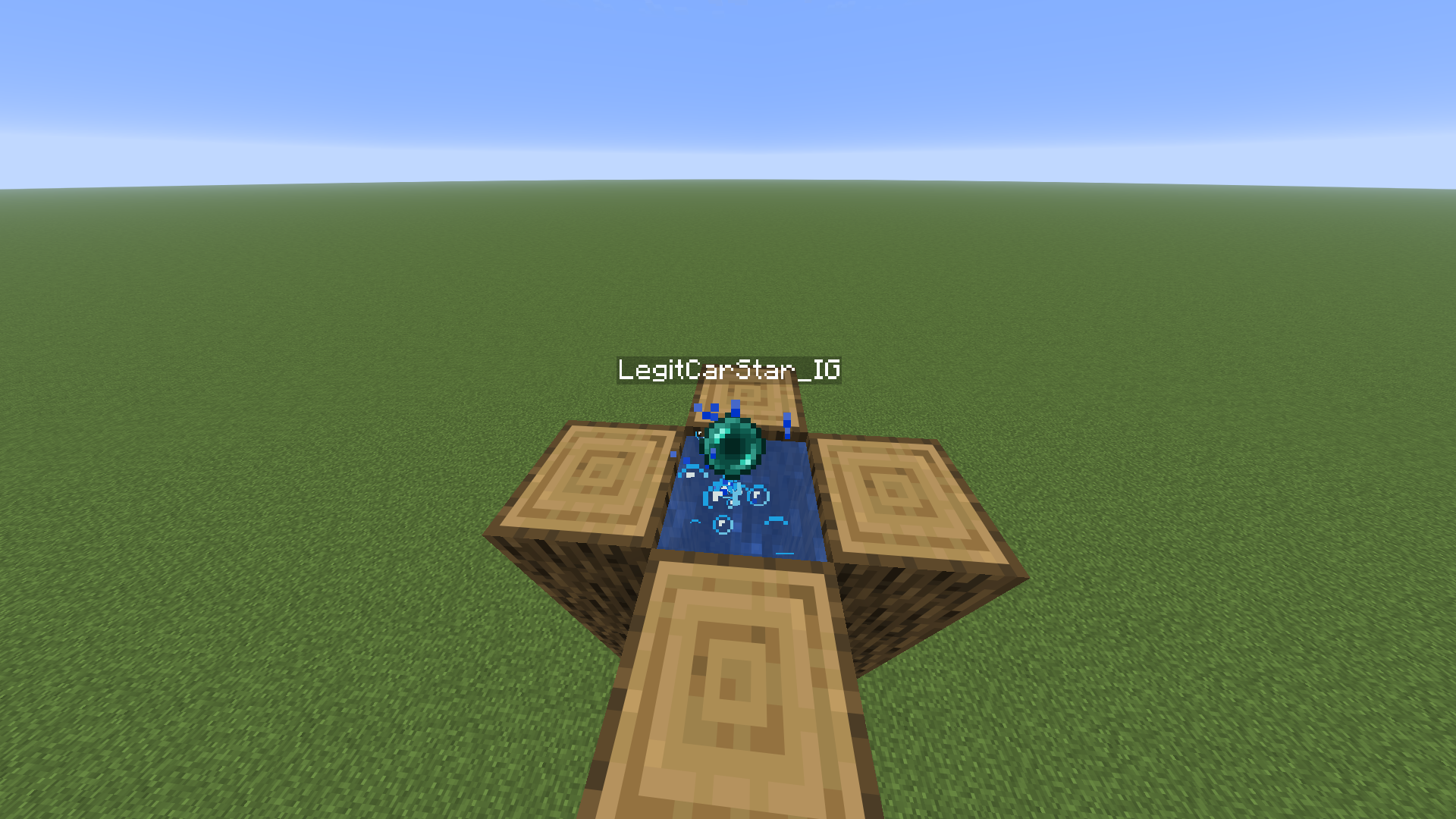
Pearls+ is a lightweight Fabric mod for Minecraft 1.21.11 that enhances the Ender Pearl experience by displaying the thrower’s name (as a nametag) when an Ender Pearl is launched. This mod is client-side only, meaning it works in single-player and multiplayer without requiring server-side installation.
Features
1. Thrower Nametag
- A floating nametag appears above the Ender Pearl, displaying the username of the player who threw it.
- Useful in multiplayer to identify who is launching pearls (in combat/stasis chamber).
- The thrower’s name is cached the moment it’s first resolved, so the nametag survives the owner briefly dropping out of tracking range or relogging – it won’t disappear
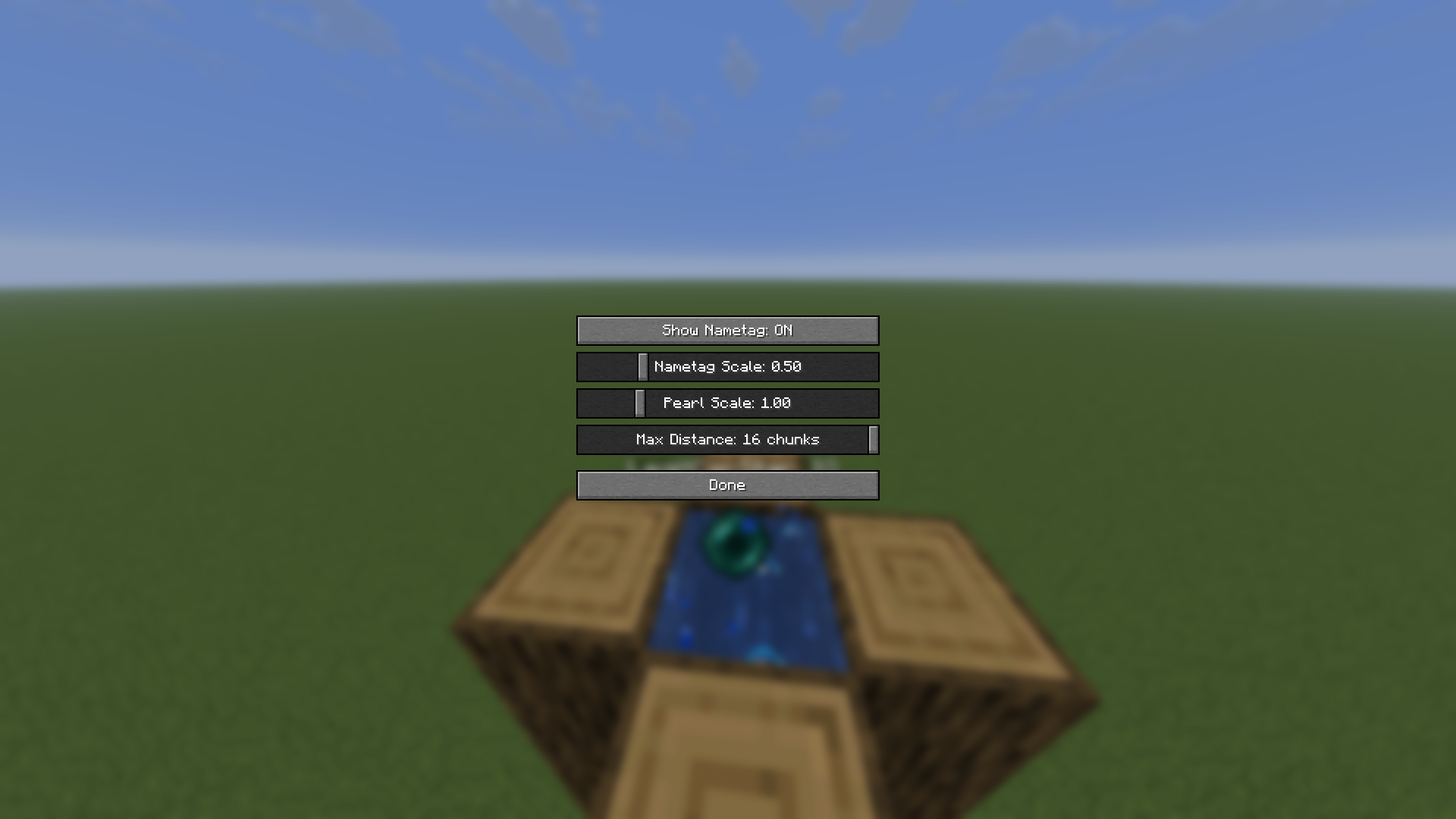
2. Mod Menu Configuration
- If Mod Menu is installed, Pearls+ adds a config screen with:
- Show Nametag – toggle the nametag on/off.
- Nametag Scale – adjust how large the nametag renders.
- Max Distance – control how far away the nametag stays visible.
Requirements
- Minecraft Version: 1.21.11
- Java: 21+
- Fabric Loader: ≥0.19.0
- Fabric API: Fabric API latest release for 1.21.11
- Mod Menu:Mod Menu required only for the in-game config screen
Installation
- Download the latest
.jarfile from https://modrinth.com/mod/pearl-plus - Place it in your
mods/folder (located in your Minecraft directory). - Launch the game using the Fabric profile.
📜 License
This mod is released under the MIT License. Feel free to modify or redistribute it, but credit is appreciated!
Screenshots
- Nametag Display:

- Nametag Display:

Enhance your Ender Pearl game with Pearls+!
常见问题
Pearls-Plus 支持哪些 Minecraft 版本?
Pearls-Plus 支持 Minecraft Java 版 1.21.11,可用的加载器:Fabric。下载时注意选择和你游戏版本一致的文件。
Pearls-Plus 怎么安装?
先用 PCL2 或 HMCL 启动器安装对应版本的 Fabric,再把下载的 .jar 文件放进游戏目录的 mods 文件夹,重新启动游戏即可。开启了版本隔离的,mods 文件夹在 versions/版本名 下面。运行环境:仅客户端。
评论
登录后评论和评分