
Peaceful Miner
作者:liltrip
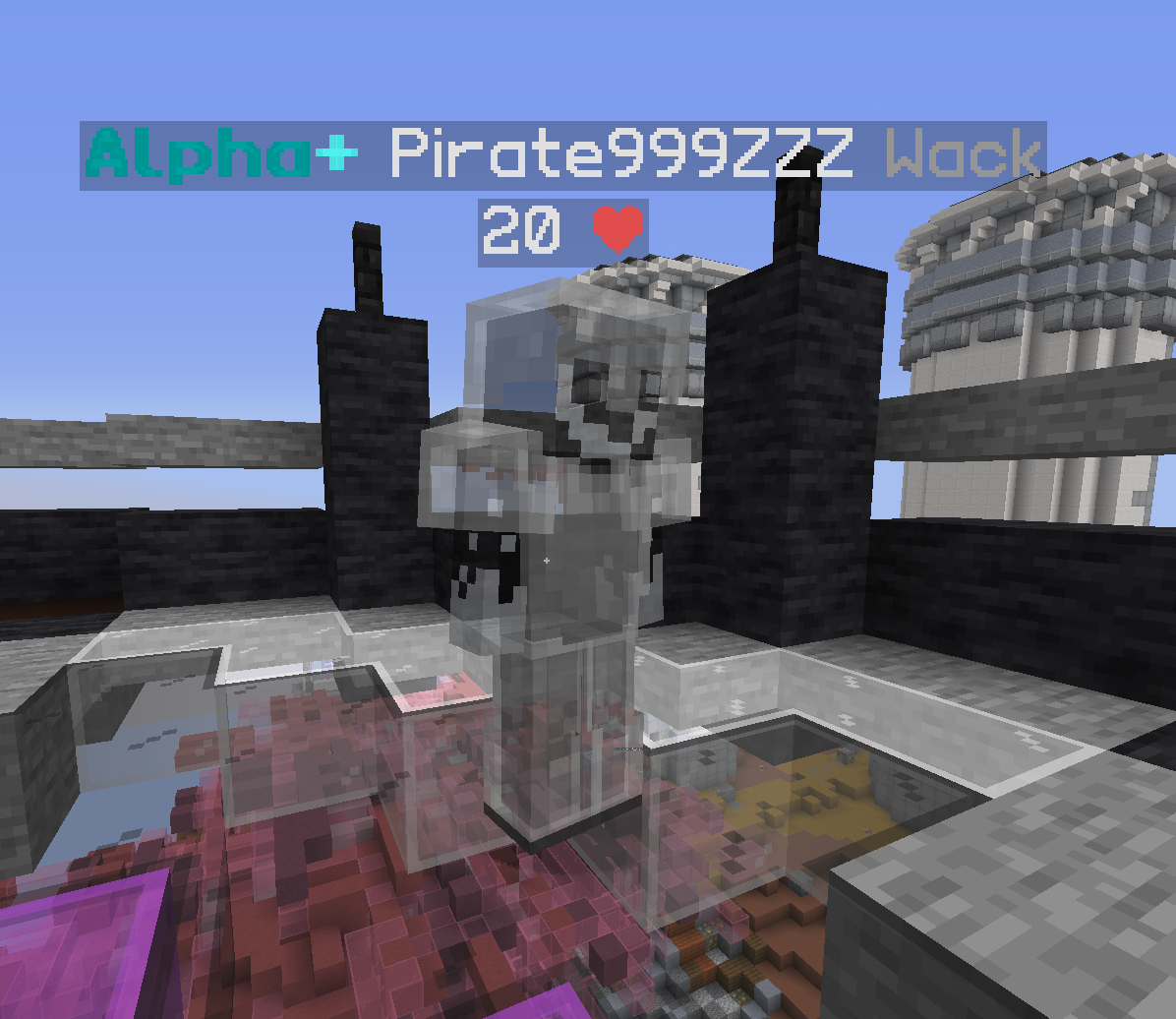
Adds the legacy peaceful mining mod from cosmic client into new fabric versions This mod also implements the ability to right click whilst mining & a satchel hud. Req. Fabric Loader 1.18.4
截图

介绍
中文介绍正在准备中,下面暂时显示原文。
Peaceful Miner
A utility mod for Minecraft (Fabric) designed to enhance the mining experience with useful HUD indicators and protection features.
Features
General Mining Utilities
- Mine-Through Entities: Allows you to mine blocks through entities (like other players) within a configurable range.
- Player Opacity: Adjust the transparency of other players while mining to improve visibility in crowded areas.
Satchel HUD
A customizable on-screen display that tracks your satchels in real time.
- Auto-Grouping: Automatically combines multiple satchels of the same type into a single line.
- Dynamic Coloring: HUD text transitions from Green (0%) to Red (100%) based on how full your satchel is.
- Customizable Appearance:
- Toggle dynamic colors on/off.
- Manually select “Empty” and “Full” colors from a palette of 12 options.
- Transparent black background with a solid black border for better readability.
- Live Positioning & Scaling:
- Use
/peacefulminer satchel positionto drag and drop the HUD anywhere on your screen. - Scale the HUD size (0.1x to 5.0x) using the Mouse Wheel or Arrow Keys while in the position screen.
Drop Protection
- Accidental Drop Prevention: Stops you from dropping Pickaxes or Satchels.
- Full Coverage: Works both from the hotbar (Q) and while managing your inventory (clicking outside or using throw keys).
- Feedback: Plays a sound and sends a chat message when a drop is blocked.
- Togglable: Can be enabled or disabled in the config menu.
Commands
/peacefulminer– Show help menu./pm– Shortcut for/peacefulminer./peacefulminer debug– Show NBT info of the item in hand./peacefulminer satchel toggle– Quickly show/hide the HUD./peacefulminer satchel position– Open the GUI to move and resize the HUD./peacefulminer satchel size <value>– Manually set the HUD scale (0.1 – 5.0)./peacefulminer satchel debug– List all detected satchels and their stats in chat.
Configuration
Access settings via Mod Menu or by clicking the mod’s configuration button.
- General Settings: Player Opacity, Mine-Through Range, Drop Protection Toggle.
- HUD Settings: Toggle, Dynamic Colors, Color Selection, Position/Scale adjustment.
Requirements
- Fabric Loader
- Fabric API
- Mod Menu (Recommended for config access)
~~~~
常见问题
Peaceful Miner 支持哪些 Minecraft 版本?
Peaceful Miner 支持 Minecraft Java 版 1.21.8–1.21.11,共 4 个版本,可用的加载器:Fabric。下载时注意选择和你游戏版本一致的文件。
Peaceful Miner 怎么安装?
先用 PCL2 或 HMCL 启动器安装对应版本的 Fabric,再把下载的 .jar 文件放进游戏目录的 mods 文件夹,重新启动游戏即可。开启了版本隔离的,mods 文件夹在 versions/版本名 下面。运行环境:仅客户端。
评论
登录后评论和评分