
截图
介绍
“PiscesCup Easy” Mod
Description
The mod provides an easy way to manage the white list in Minecraft.
The mod can be used in Server side and Client side.
But I recommend using the mod on the Server side.
Otherwise, after restarting the client, any newly added data will overwrite the original data.
You can use the name of the player to add or remove them from the white list, op list.
It provides some new commands to manage the players in the Minecraft Server:
- Belows are the commands for
whitelist: /pc_easy whitelist add <targets>: Add thetargetsto the white list./pc_easy whitelist remove <targets>: Remove thetargetsfrom the white list.
- Belows are the commands for
op: /pc_easy op add <targets>: Add thetargetsto the op list./pc_easy op remove <targets>: Remove thetargetsfrom the op list.
- Belows are the commands for
ban: /pc_easy ban_name add <targets>: Add thetargetsto the ban list./pc_easy ban_name remove <targets>: Remove thetargetsfrom the ban list.
- Belows are the
settingcommands for the mod: /pc_easy setting lang: Change or get the language of the mod./pc_easy setting lang get: Get the language of the mod./pc_easy setting lang set <lang>: Set the language of the mod.
Usages
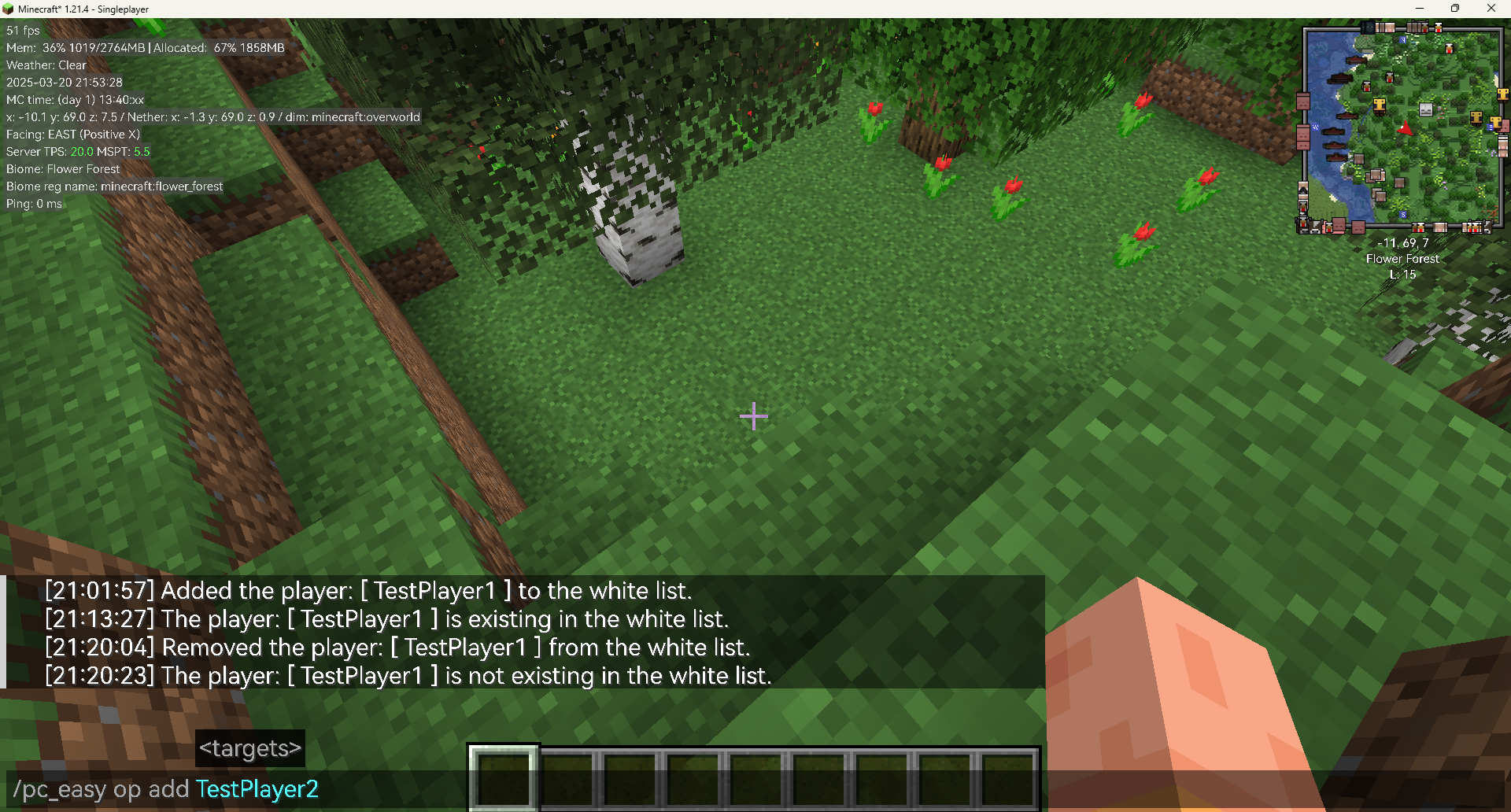
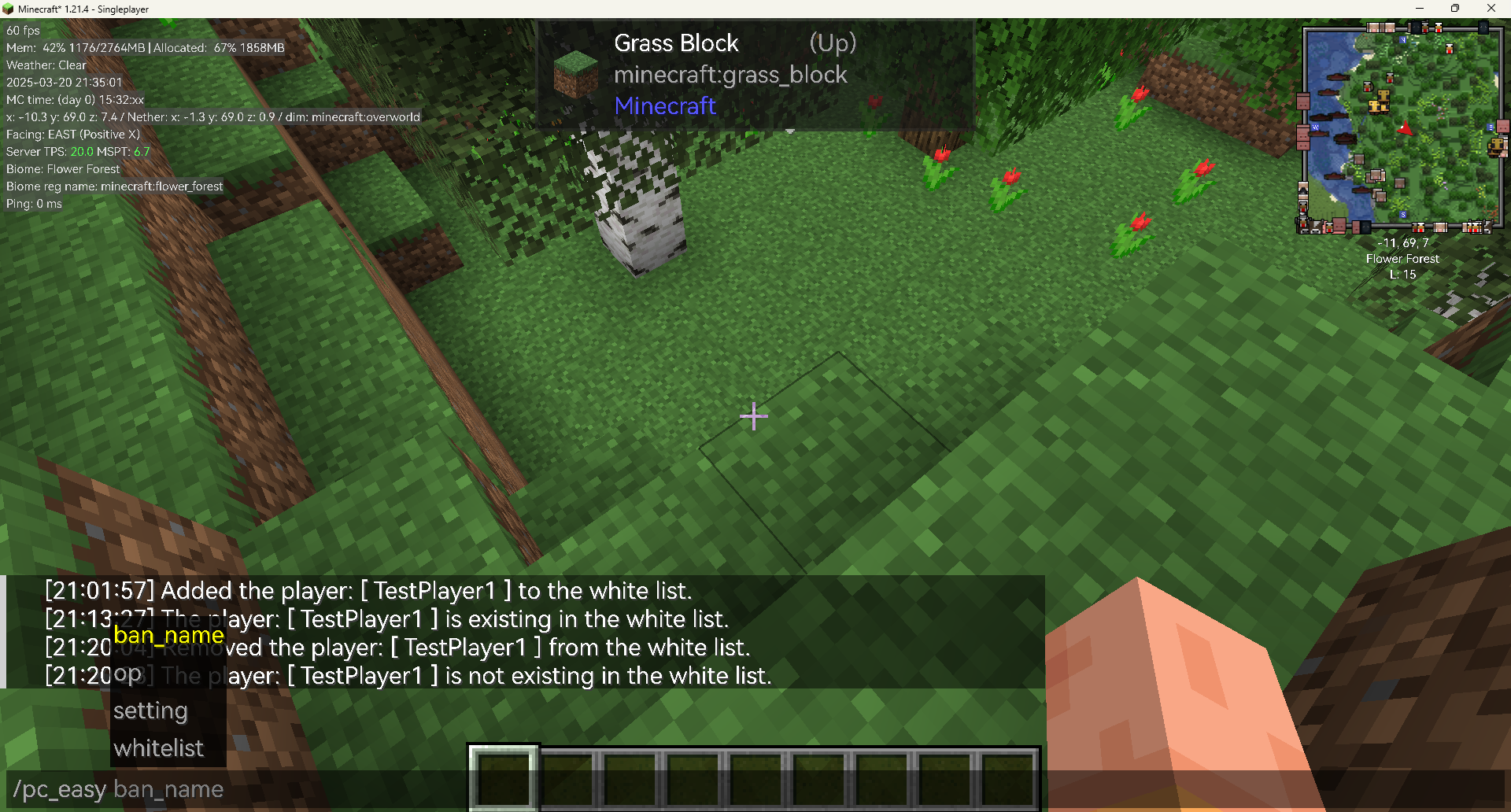
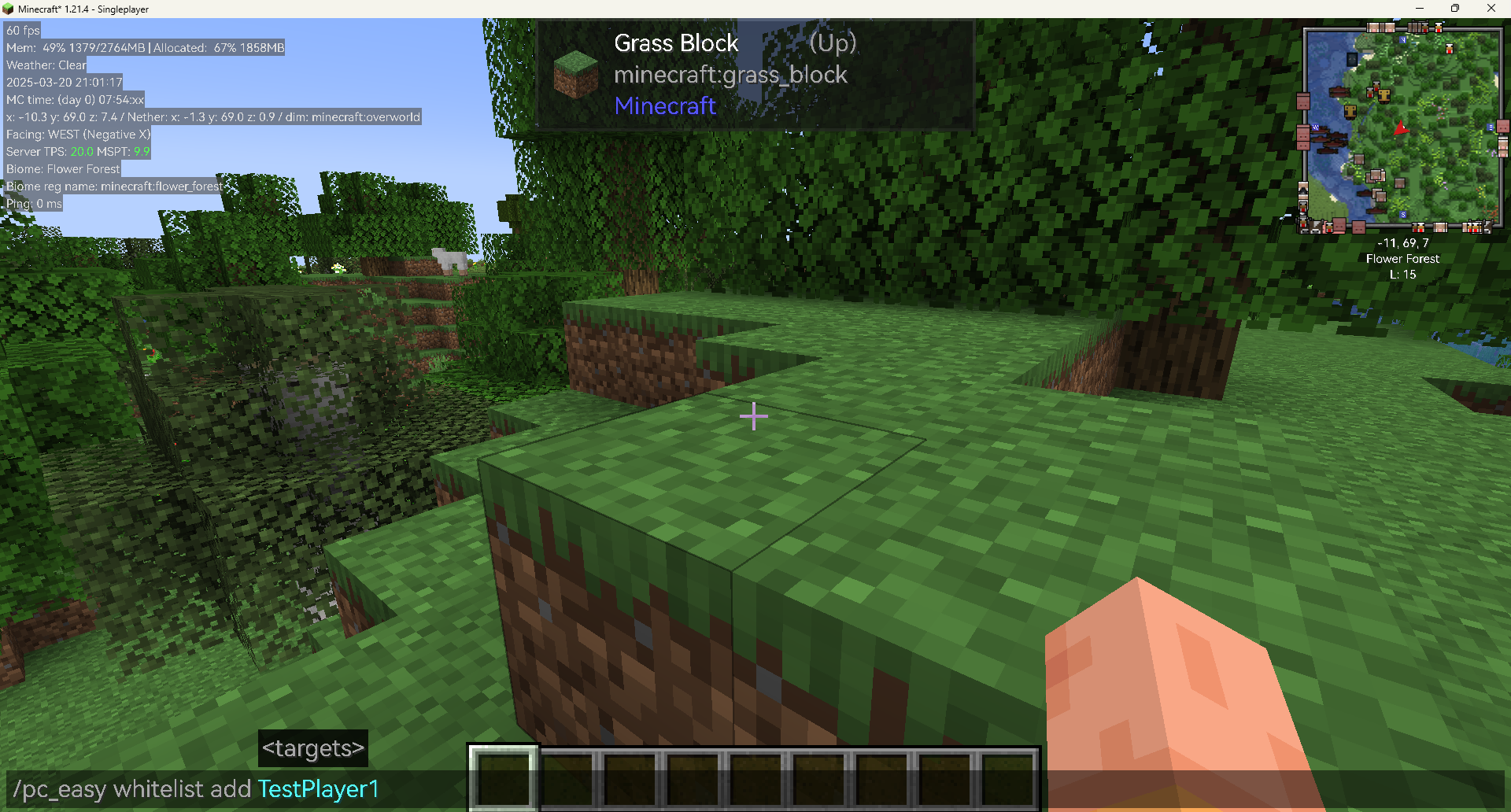
You can use the command in the below figure:
Whitelist usages:
Add
The command in the figure is /pc_easy whitelist add TestPlayer1

If the Player is added successfully, the server will send a message: Added the player: [Player] to the white list. in the chat box:

If the Player is already in the white list, the server will send a message: The player: [ Player ] is existing in the white list. in the chat box:

Remove
The command in the figure is /pc_easy whitelist remove TestPlayer1

If the Player is removed successfully, the server will send a message: Removed the player: [ Player ] from the op list. in the chat box:

If the Player is not in the white list, the server will send a message: The player: [ Player ] is not existing in the op list. in the chat box:

Op Usages and Ban Usages:
The usages of the op and ban are similar as the whitelist.
But in Ban command, you should use ban_name to replace whitelist.
Summary
Belows are the example usages of the commands in the mod:
/pc_easy whitelist add TestPlayer
/pc_easy whitelist remove TestPlayer
/pc_easy op add TestPlayer
/pc_easy op remove TestPlayer
/pc_easy ban_name add TestPlayer
/pc_easy ban_name remove TestPlayer
/pc_easy setting lang get
/pc_easy setting lang set en_us
/pc_easy setting lang set zh_cn
常见问题
PC Easy Server Manage 支持哪些 Minecraft 版本?
PC Easy Server Manage 支持 Minecraft Java 版 1.20.1–26.2,共 14 个版本,可用的加载器:Fabric。下载时注意选择和你游戏版本一致的文件。
PC Easy Server Manage 怎么安装?
先用 PCL2 或 HMCL 启动器安装对应版本的 Fabric,再把下载的 .jar 文件放进游戏目录的 mods 文件夹,重新启动游戏即可。开启了版本隔离的,mods 文件夹在 versions/版本名 下面。运行环境:客户端和服务端都要装。


评论
登录后评论和评分