
Paxi Plus
An addon for Paxi, porting 1.21+ feature for loading packs from any folder and supporting built-in packs!
截图


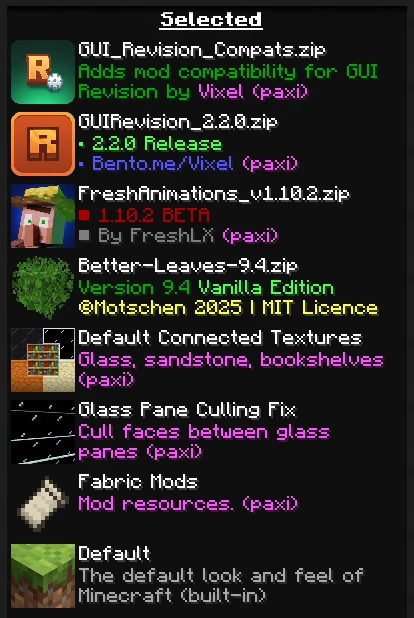
介绍


This is an addon for Paxi, serving six purposes:
- Backporting the 1.21+ Paxi feature for loading packs from any folder (See #33)
- Fixes a issue where developers are unable to get monetized due to Modrinth not recognizing the Paxi folder. If you use the resourcepacks folder it will embed them properly now.
- Making it possible to use Paxi for built-in resourcepacks and datapacks added by mods (See #27)
- Restricting Paxi from auto-loading packs in
config -> paxi -> resourcepacksanddatapacksif they’re not listed inresourcepack_load_order.jsonordatapacks_load_order.jsonfor datapacks. - Letting Paxi generate datapack folder and JSON file on the start-up instead of after world generation
- Removes the unnecessary arrows on the packs that are loaded with Paxi to avoid confusion for modpack users
- Adding a
--user--flag which let’s you define where the user packs should go, can be helpful if you want the normally loaded packs to go above Paxi ones or anywhere you want
#
How to use?
Unlike how old load order works, now you can specify directories in your instance’s folder.
Also, for using the built-in pack support, you need the ID of the pack. You can either check the mod’s source code, try to guess it, or use the Resource Pack Overrides mod and hold D on the resourcepack screen to see the IDs of all packs.
Paxi Load Order JSON Example:

In Game:

It is NOT required to load fabric and other built-in packs with Paxi, it’s there as an optional feature.
常见问题
Paxi Plus 支持哪些 Minecraft 版本?
Paxi Plus 支持 Minecraft Java 版 1.20.1,可用的加载器:Fabric。下载时注意选择和你游戏版本一致的文件。
Paxi Plus 怎么安装?
先用 PCL2 或 HMCL 启动器安装对应版本的 Fabric,再把下载的 .jar 文件放进游戏目录的 mods 文件夹,重新启动游戏即可。开启了版本隔离的,mods 文件夹在 versions/版本名 下面。运行环境:客户端 / 服务端。


评论
登录后评论和评分