
截图
介绍
中文介绍正在准备中,下面暂时显示原文。
Particle Disabler
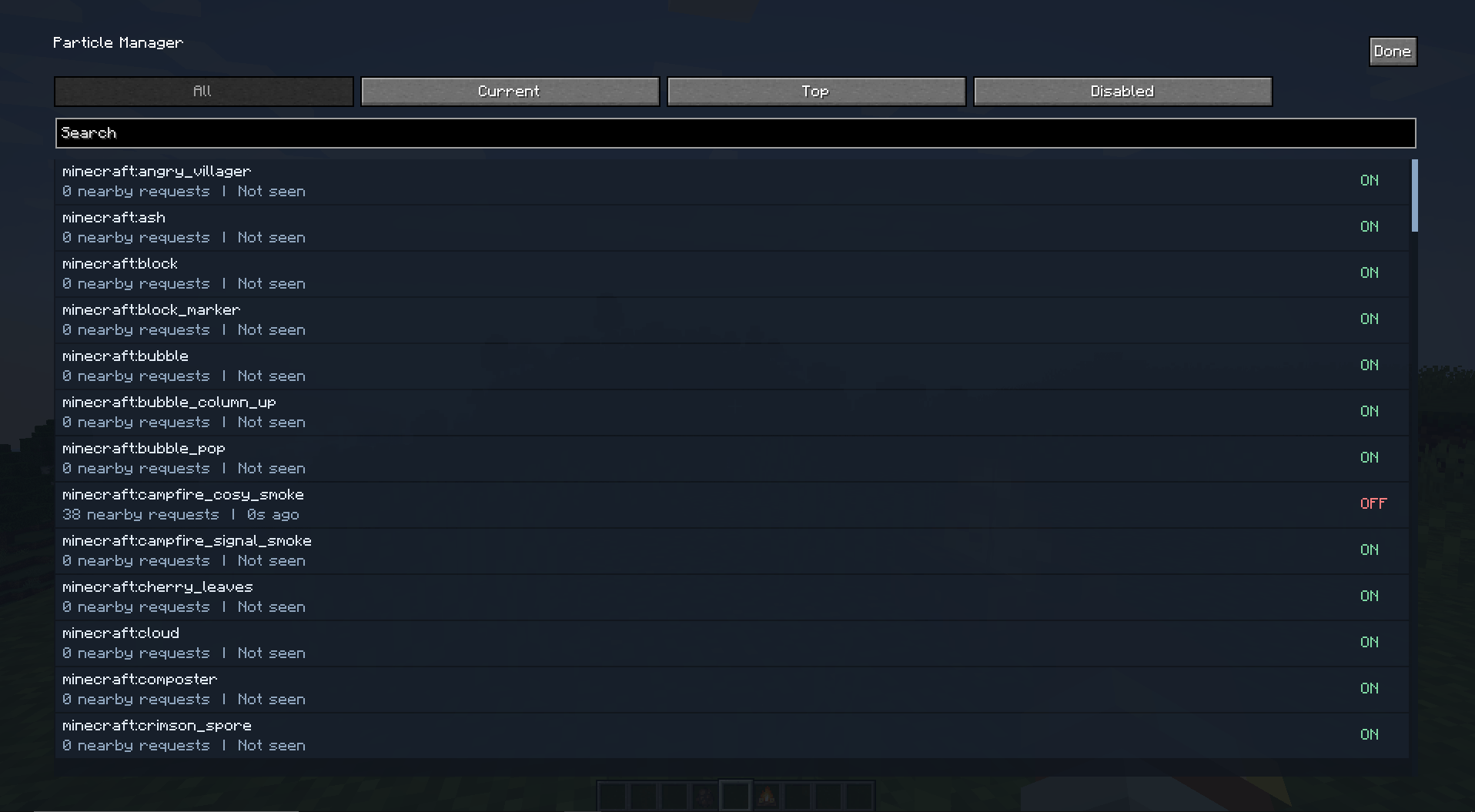
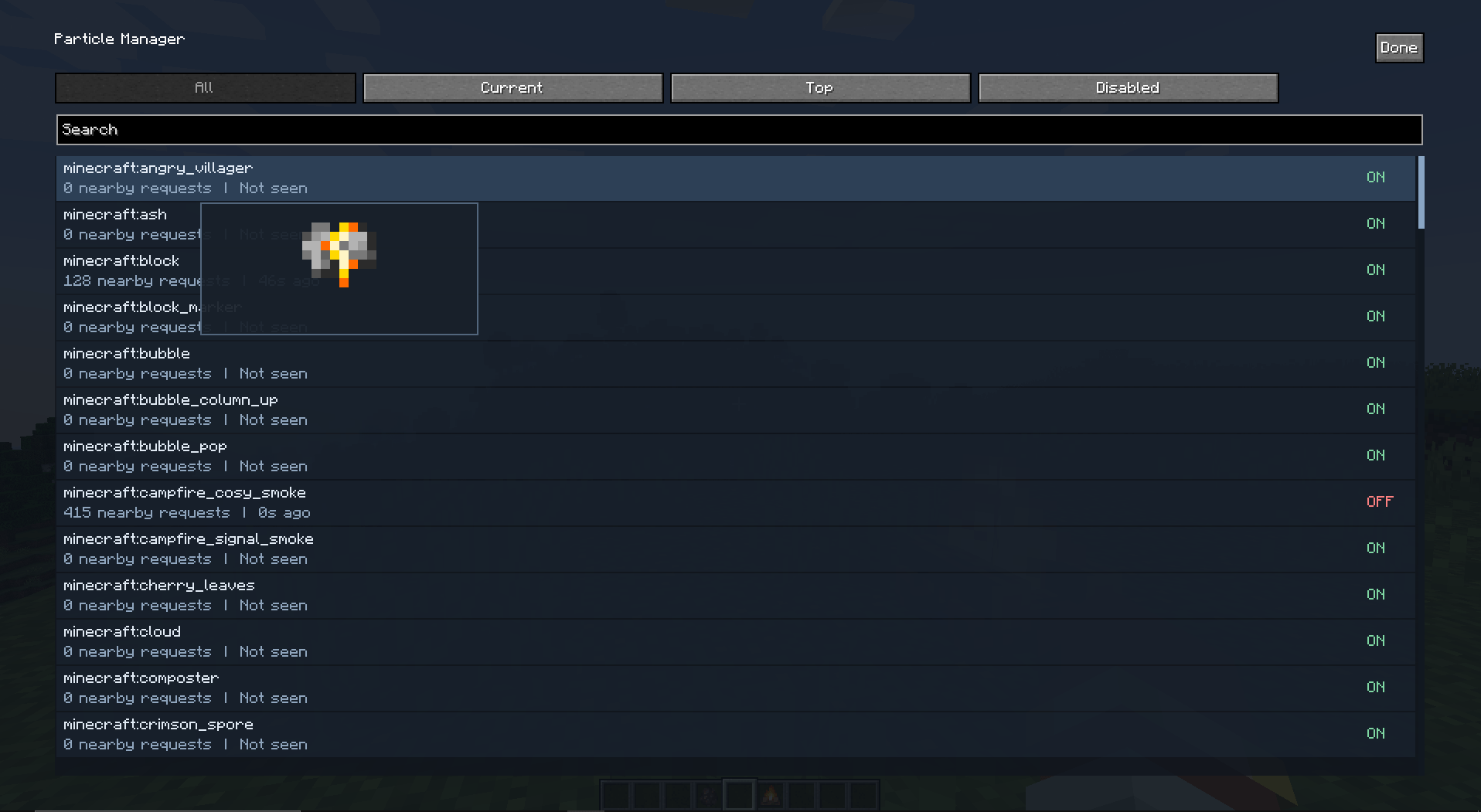
Particle Disabler is a client-side mod that lets you browse, preview, and disable particle types through a simple in-game menu.
Features
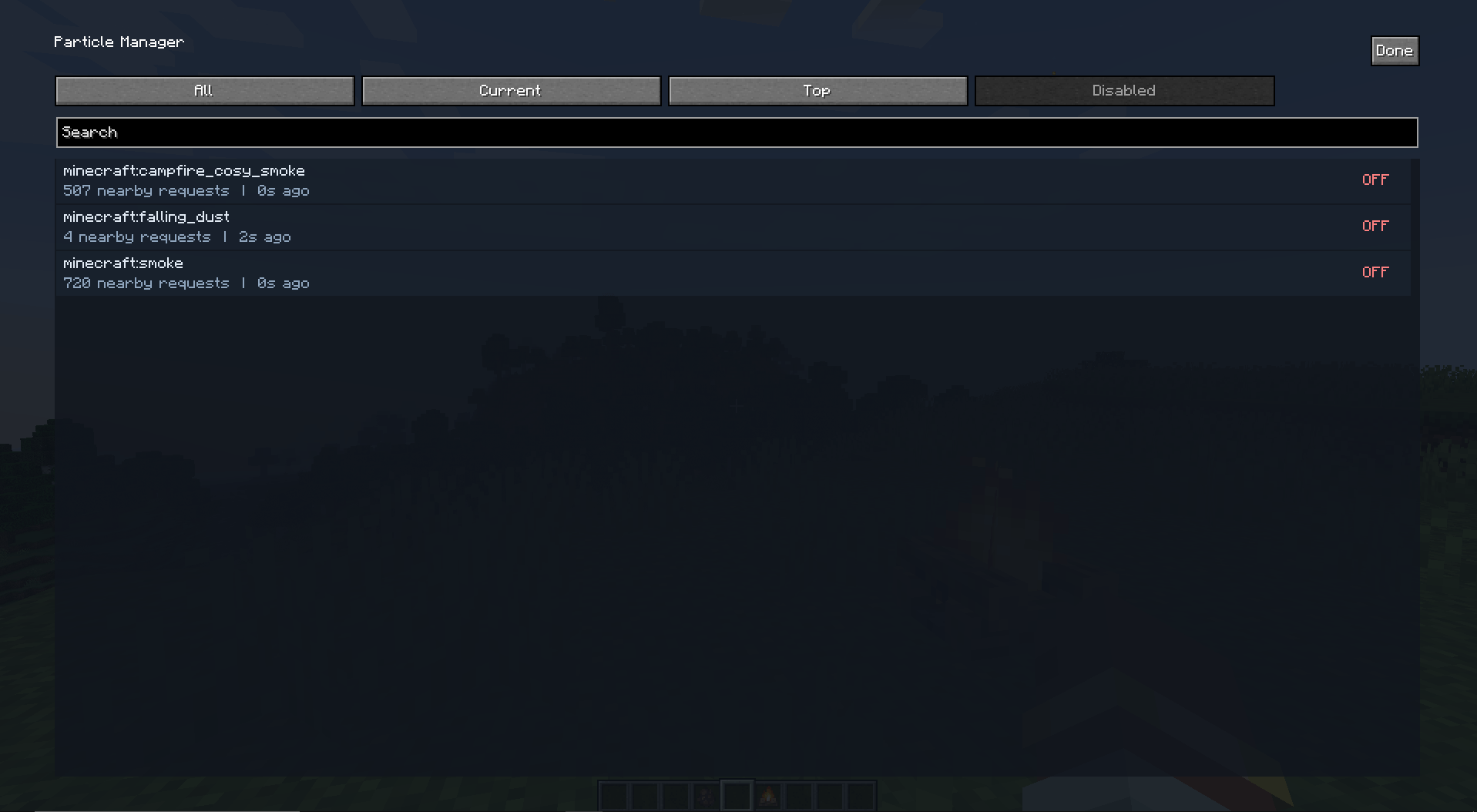
- Browse particles in the All, Current, Top, and Disabled tabs.
- Search particles by registry ID or mod namespace.
- Track the most active particle types during your current session.
- Click a particle to disable it and remove existing particles of that type.
- Hover over a particle entry to preview it.
Controls
- Press
Pin-game to open the Particle Manager.
常见问题
Particle Disabler 支持哪些 Minecraft 版本?
Particle Disabler 支持 Minecraft Java 版 1.21.1,可用的加载器:NeoForge。下载时注意选择和你游戏版本一致的文件。
Particle Disabler 怎么安装?
先用 PCL2 或 HMCL 启动器安装对应版本的 NeoForge,再把下载的 .jar 文件放进游戏目录的 mods 文件夹,重新启动游戏即可。开启了版本隔离的,mods 文件夹在 versions/版本名 下面。
Duox29 的其他作品
查看全部 →
Stardew Fishing Auto
by Duox29
星露谷钓鱼自动化模组。
1.3万
1 个月前
Modrinth · CurseForge
Stardew Fishing Auto
by Duox29
自动化钓鱼模组,支持《星露谷物语》钓鱼玩法。
5,834
1 个月前
Modrinth

Starcatcher Auto
by Duox29
自动为你游玩Starcatcher的小游戏。
2,818
1 个月前
Modrinth · CurseForge

Tide Autofish
by Duox29
Auto play minigame for Tide 2.
2,088
3 个月前
Modrinth · CurseForge
评论
登录后评论和评分