
Panini Vision
Replaces the default perspective projection with a Panini Projection in Minecraft
截图
介绍
About
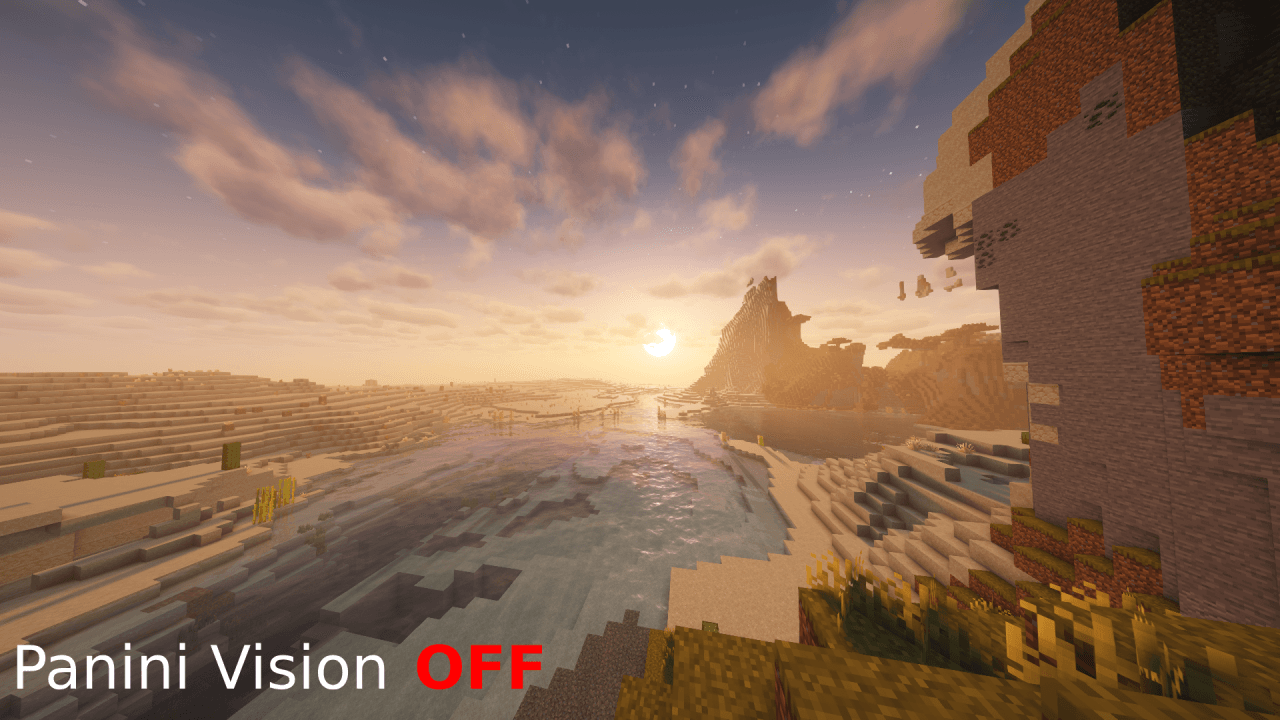
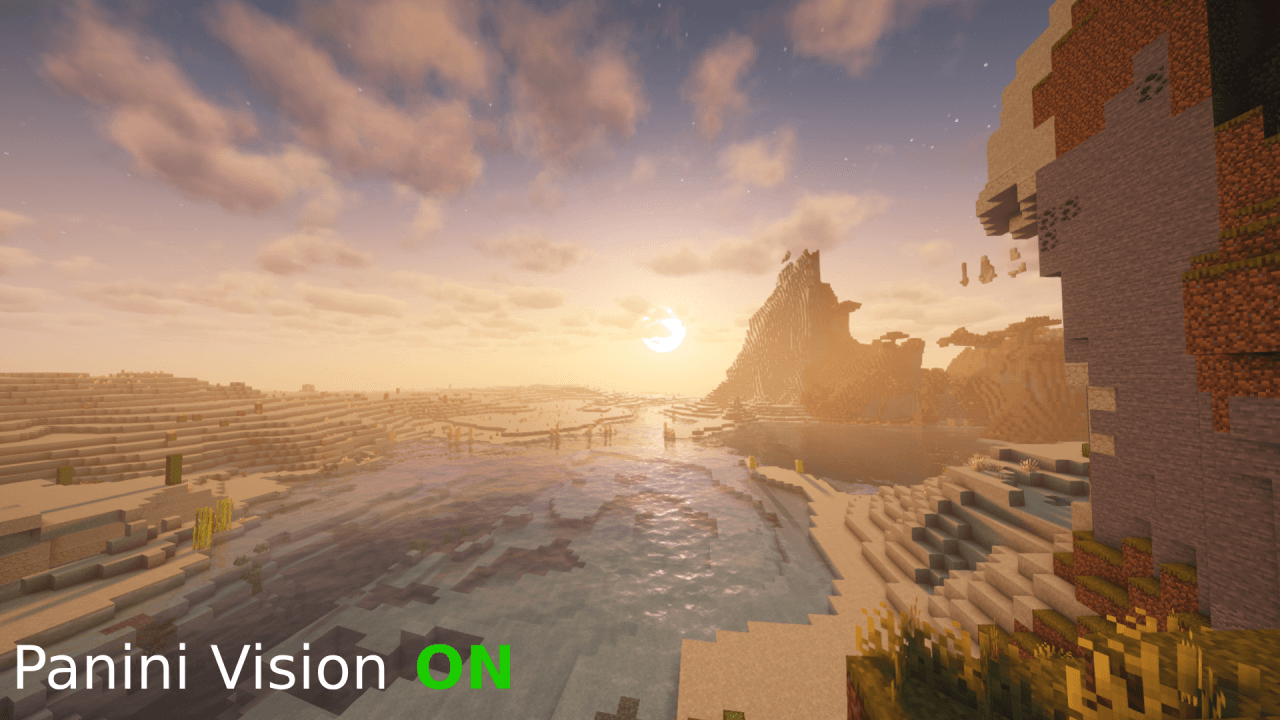
This mod replaces Minecraft’s standard camera projection with Panini Projection, helping reduce the “fisheye” effect and image stretching near the edges of the screen when using a high field of view.
Panini Projection preserves the feeling of a wide FOV while producing a more natural-looking image. Vertical lines remain less distorted, and objects near the edges of the screen appear closer to their normal shape. The effect is especially noticeable in first-person gameplay, with high FOV settings, and on ultrawide monitors.
Features
- Replaces Minecraft’s standard camera projection with Panini Projection.
- Reduces the “fisheye” effect and edge distortion.
- Supports third-party shaders.
- Works with compatible shader packs used in your Minecraft setup.
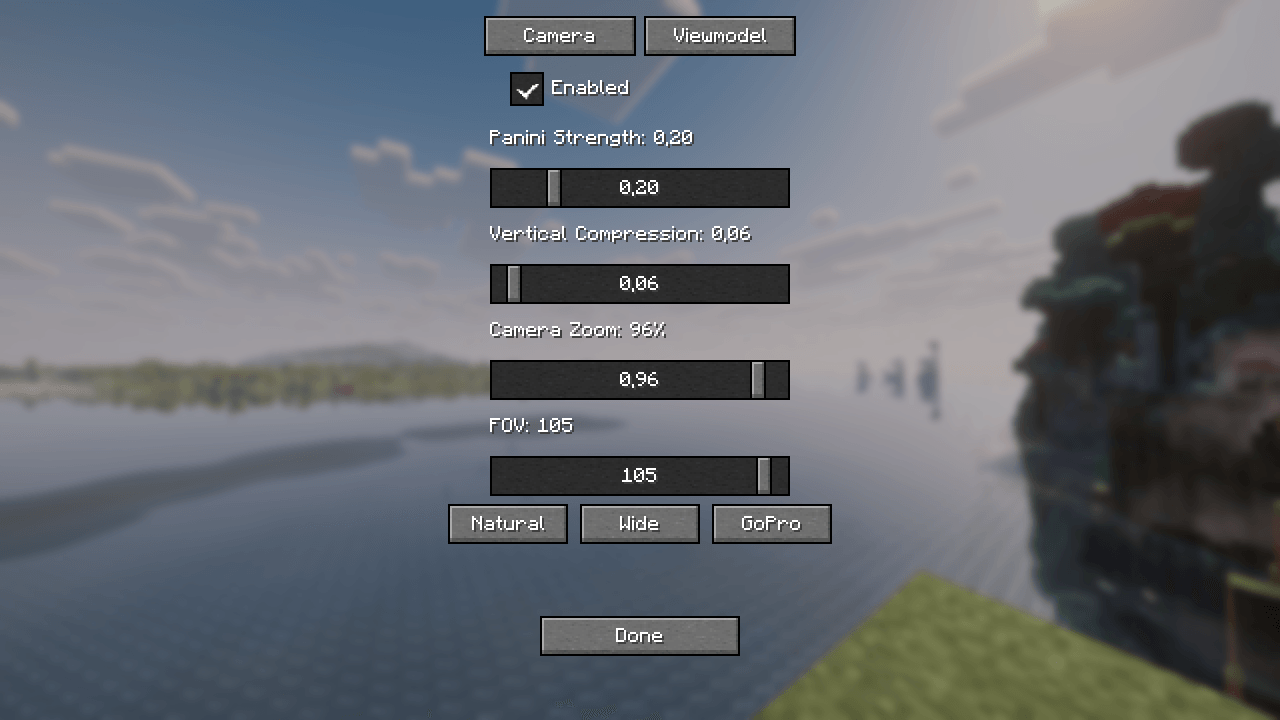
- Allows you to adjust the strength of the projection effect.
Suitable for ultrawide monitors and players who prefer a high FOV. - Optionally, you can change the size of the hand and its position.
Who Is This Mod For?
This mod is intended for players who enjoy using a high FOV but dislike the strong distortion around the edges of the screen. It may also be useful for ultrawide monitor users and players who use third-party shaders but want a more comfortable and natural-looking perspective in Minecraft.
Notes
By default, the hotkey for configuring the mod is assigned to the left arrow key, but you can change this in the control settings.
During development, I studied the Panini Projection implementation in Sodium Extra to better understand possible approaches to integrating this technology. The Sodium Extra code was not copied or directly reused – the mod was implemented independently with a focus on compatibility with third-party shaders.
This mod was created with the assistance of AI and the Universal Modder library. It is an independent project and is not affiliated with the developers of Sodium or Sodium Extra.
常见问题
Panini Vision 支持哪些 Minecraft 版本?
Panini Vision 支持 Minecraft Java 版 26.3,可用的加载器:Fabric。下载时注意选择和你游戏版本一致的文件。
Panini Vision 怎么安装?
先用 PCL2 或 HMCL 启动器安装对应版本的 Fabric,再把下载的 .jar 文件放进游戏目录的 mods 文件夹,重新启动游戏即可。开启了版本隔离的,mods 文件夹在 versions/版本名 下面。
评论
登录后评论和评分