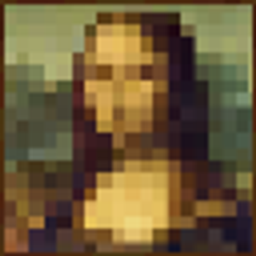
截图


介绍
Bring real painting into Minecraft.
Create paintings of any size using expandable canvases, different brush types, and realistic paint mixing.
Features
Expandable Canvases
- Craft canvases starting at 1×1.
- Combine them to create canvases of any size.
- Merge painted canvases without losing your artwork.
Three Brush Types
Each brush paints with a different stroke size:
- Filbert Brush — 1×1 pixels for fine details.
- Flat Brush — 3×3 pixels for general painting.
- Roller Brush — 5×2 pixels for quickly covering large areas.
Color Cans
- Place paint cans anywhere in the world.
- Fill them using an egg.
- Add dyes to create colored paint.
Realistic Color Mixing
Mix dyes together just like real paint.
For example:
- Red + Green → Brown
Experiment with different combinations to create the exact colors you need.
Whether you’re making pixel art, decorating your house, or creating giant murals, Paint gives you the tools to turn Minecraft into your own art studio.
常见问题
Paint Your Painting 支持哪些 Minecraft 版本?
Paint Your Painting 支持 Minecraft Java 版 1.21.11,可用的加载器:Fabric。下载时注意选择和你游戏版本一致的文件。
Paint Your Painting 怎么安装?
先用 PCL2 或 HMCL 启动器安装对应版本的 Fabric,再把下载的 .jar 文件放进游戏目录的 mods 文件夹,重新启动游戏即可。开启了版本隔离的,mods 文件夹在 versions/版本名 下面。
oybekk_sad 的其他作品
查看全部 →
BetterPot
更好的花盆

DefaultZombies
New Zombies

Leave Me Alone
When you are AFK and take damage or a creeper appears nearby, you will be kicked
Display Information
A small client-friendly Fabric mod that shows you what is inside a block just by looking at it. No clicking, no opening, just point your crosshair and read the tooltip.
评论
登录后评论和评分