截图
介绍
Pack Gate
A simple modpack update alerter mod for Forge.
Introduction
Pack Gate was born out of the need for a simple modpack version checker that didn’t have all kinds of fancy bells and whistles.
A simple mod that just does one thing: Checks for modpack updates.
This is NOT a server mod, it is client-sided only! It WILL crash servers.
How does it work?
Pack Gate works by calling out to a remotely-hosted file the modpack author created and compares the version in that file with the version specified in Pack Gate’s config file.
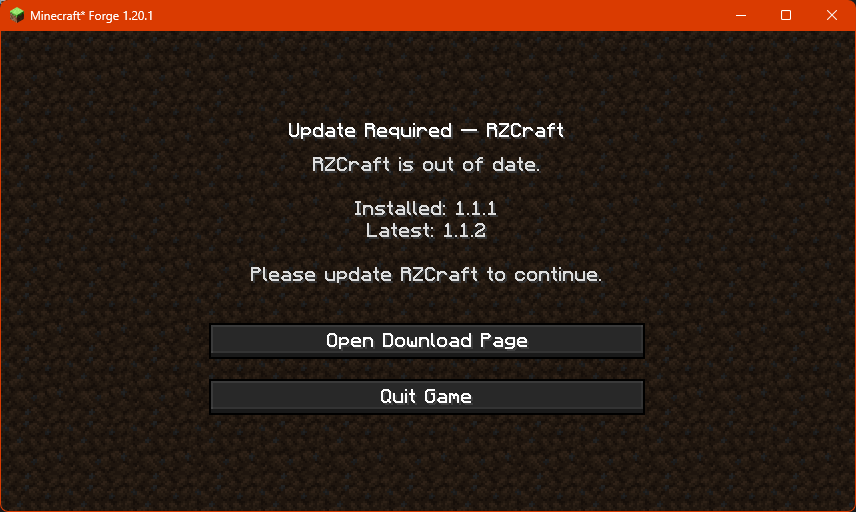
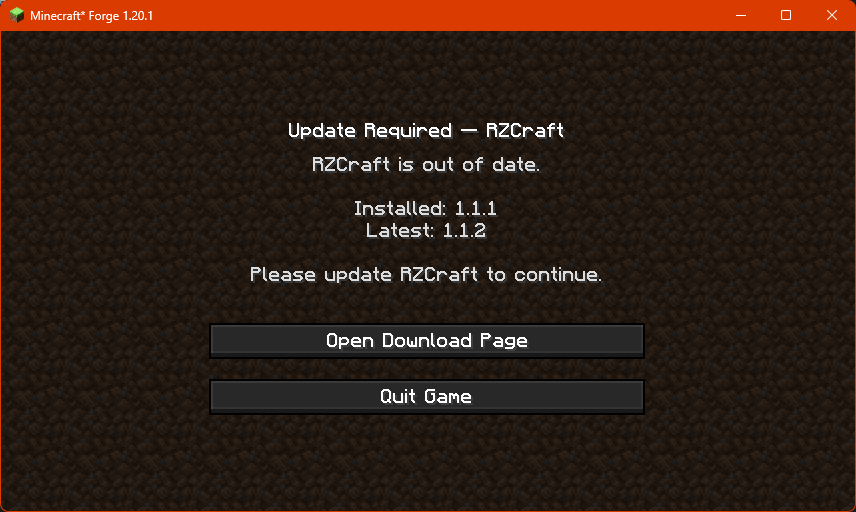
If Pack Gate finds that the remote version is higher than what’s been provided in the config, it’ll block access to the game and
present the user with this screen:
Configuring Pack Gate
In order to use Pack Gate for your own modpack, you will need to make changes to the mod’s config file.
Pack Gate’s config is located at config/packgate-client.toml.
What you’ll see when you first open the config.
#PackGate client config. Leave fields empty to use built-in fallbacks.
[general]
	modpackName = ""
	modpackVersion = ""
	remoteURL = ""
	downloadURL = ""
	#Use 'auto' to detect; or force 'json' or 'text'.
	format = "auto"
Definitions
| Variable | Input | Required | Information |
|——————|———-|———-|———————————————————————————————————————————————————————————————————————————————————————————————————————————–|
| modpackName | String | ✅ | The friendly name of your modpack. Example: Create+ |
| modpackVersion | String | ✅ | The current version of your modpack. |
| remoteURL | String | ✅ | The web address for your version file. |
| downloadURL | String | ✅ | The web address where users can download the latest version of your modpack. |
| format | String | ✅ | Tells Pack Gate how to interpret your remote version file. auto is the default, it lets the mod interpret your remote file as plain text (txt) or as a JSON file. text forces Pack Gate to only interpret your remote file as a plain text file. json forces Pack Gate to only interpret your remote file as a JSON file. |
About the remote version file
In order to utilize Pack Gate with your modpack, you will need to have the ability to host a text file or JSON file online.
Example plain text file:
1.0.0Example JSON file:
{
  "latest": "1.0.1",
  "downloadURL": "https://github.com/RavenholmZombie/RZCraft-Modpack/releases/latest"
}
It is important that wherever you host your remote version file has the ability to provide you with a direct URL.
This means that file sharing platforms like MediaFire or MEGA won’t work.
A working URL would end with the file and its extension, for example:
https://example.com/my_awesome_modpack_version.txt
Platforms like Google Drive and Dropbox can work, but you have to modify the URLs they provide in order to
get access to the direct, raw file.
If you can’t host a file remotely on your own, consider sites like PasteBin or even GitHub.
As long as the URL points to the raw text or JSON, Pack Gate will accept it.
A working PasteBin URL like https://pastebin.com/raw/sNBDt7u5 would work.
常见问题
Pack Gate 支持哪些 Minecraft 版本?
Pack Gate 支持 Minecraft Java 版 1.20.1,可用的加载器:Forge。下载时注意选择和你游戏版本一致的文件。
Pack Gate 怎么安装?
先用 PCL2 或 HMCL 启动器安装对应版本的 Forge,再把下载的 .jar 文件放进游戏目录的 mods 文件夹,重新启动游戏即可。开启了版本隔离的,mods 文件夹在 versions/版本名 下面。运行环境:仅客户端。

评论
登录后评论和评分