
截图

介绍
PacketDebug — A lightweight in-game network traffic analyzer for Minecraft.
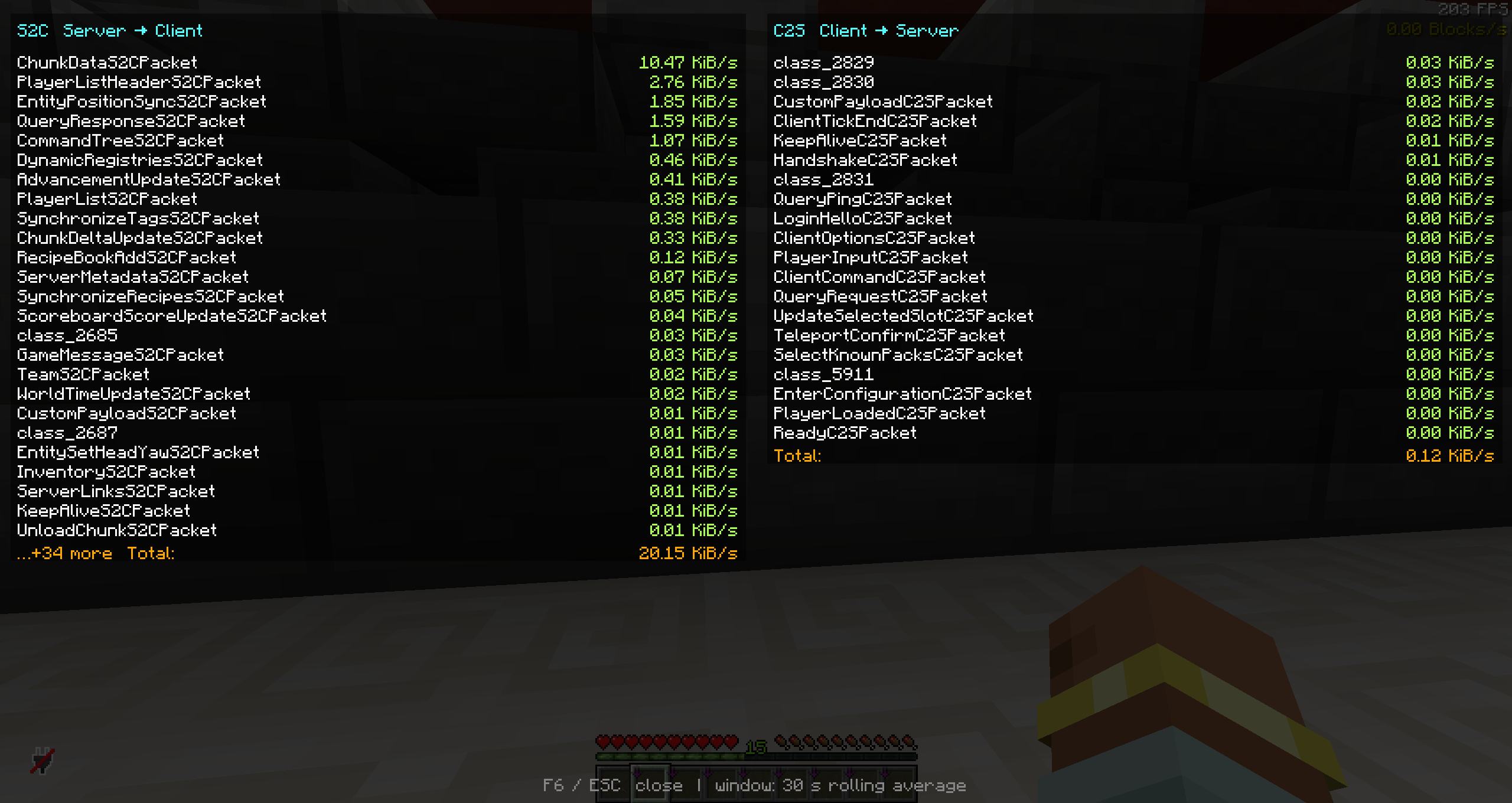
Press F6 to open a real-time GUI showing packet traffic statistics for the last 30 seconds. Packets are sorted by KiB/s and separated into S2C (Server → Client) and C2S (Client → Server) views, making it easy to identify which packet types consume the most bandwidth.
Perfect for debugging high-traffic issues, optimizing mod configurations, or just satisfying your curiosity about Minecraft’s network protocol.
PacketDebug — 轻量级的 Minecraft 网络流量分析工具。
按 F6 打开实时 GUI,显示过去 30 秒内各数据包类型的流量统计。按 KiB/s 从大到小排序,分为 S2C(服务端→客户端) 和 C2S(客户端→服务端) 两栏显示,一目了然找出哪些数据包最占带宽。
适合排查高流量问题、优化模组配置,或单纯满足对 Minecraft 网络协议的好奇心。
常见问题
PacketDebug 支持哪些 Minecraft 版本?
PacketDebug 支持 Minecraft Java 版 1.21.6,可用的加载器:Fabric。下载时注意选择和你游戏版本一致的文件。
PacketDebug 怎么安装?
先用 PCL2 或 HMCL 启动器安装对应版本的 Fabric,再把下载的 .jar 文件放进游戏目录的 mods 文件夹,重新启动游戏即可。开启了版本隔离的,mods 文件夹在 versions/版本名 下面。运行环境:仅客户端。
评论
登录后评论和评分