
Overtune
Overtune is a clean in-game music player for Minecraft. Browse, play, queue, and organize Minecraft’s soundtrack without leaving the game.
截图
介绍
_Overtune_
A polished in-game music player for Minecraft.
It gives you full control over the game’s soundtrack with a clean, dark, Spotify-inspired interface built directly into Minecraft.
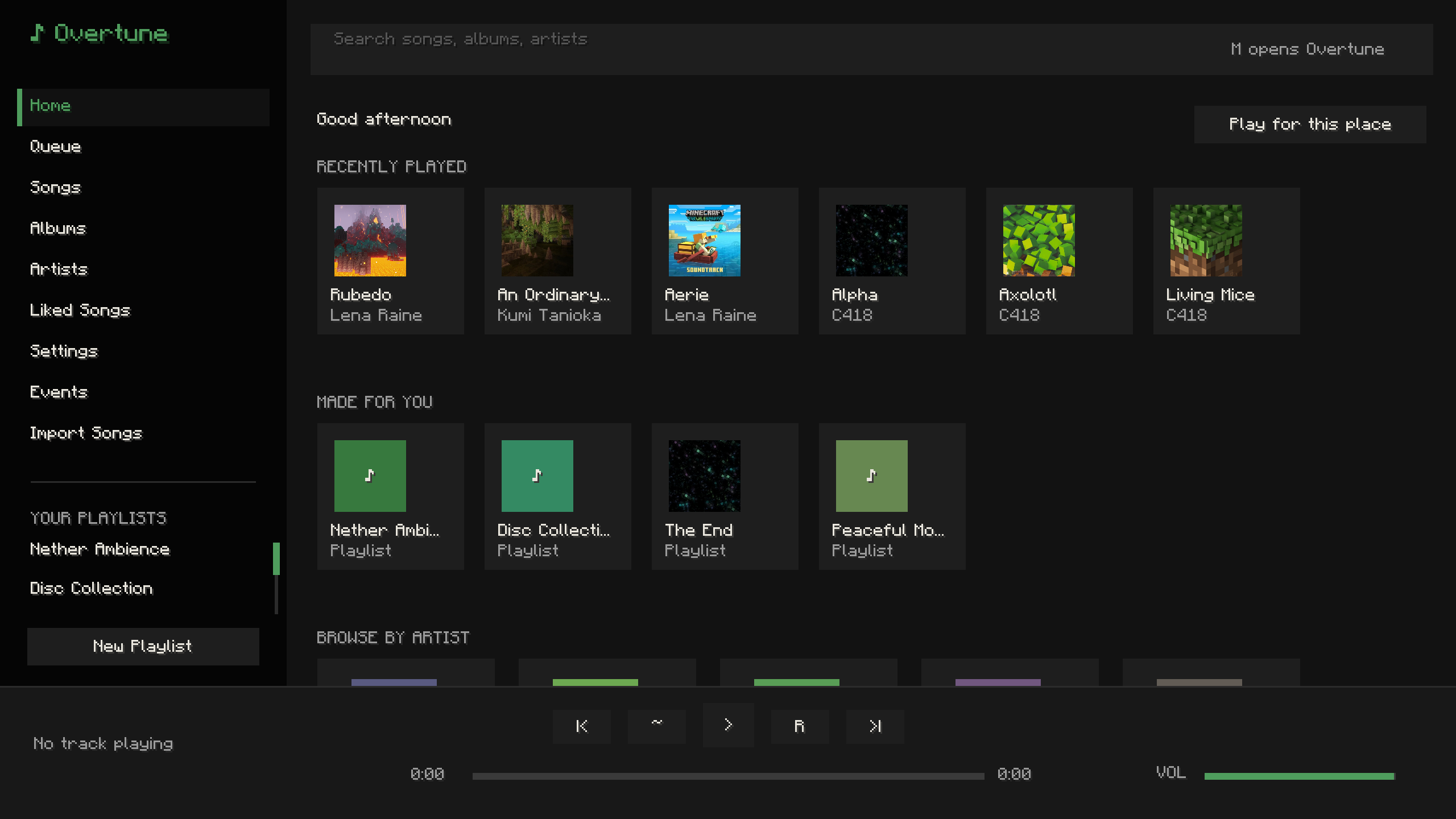
Browse every built-in Minecraft music track by song, album, artist, playlist, or queue. Play tracks on demand, pause, skip, shuffle, repeat, adjust volume, like songs, and build your own playlists without leaving the game.
_Overtune_ also supports imported songs. Drop your own audio files into the import folder, convert them in-game when needed, and add them to your library alongside Minecraft’s original music.
Features:
- Full in-game music player that looks like that one green platform
- Built-in Minecraft soundtrack library
- Songs, albums, artists, liked songs, playlists, and queue
- Import custom songs
- MP3, FLAC, WAV, M4A, AAC, Ogg Opus, and Ogg FLAC conversion support
- Ogg Vorbis direct playback
- Custom playlists with saved local config
- Now-playing toast notifications
- Independent music player volume
- Shuffle, repeat, pause, skip, and seek controls
- Event-based music for moments like rain, danger, boss fights, first Nether entry, first Elytra flight, credits, and more
- Custom song assignments for each event
- Vanilla music suppression so tracks do not overlap
- Keybind support
- Clean dark UI designed to feel natural inside Minecraft
_Overtune_ turns Minecraft’s music into something you can actually control, customize, and experience on your own terms.
Got any ideas? Message @DdiceW on DC.
常见问题
Overtune 支持哪些 Minecraft 版本?
Overtune 支持 Minecraft Java 版 26.1.2,可用的加载器:Fabric。下载时注意选择和你游戏版本一致的文件。
Overtune 怎么安装?
先用 PCL2 或 HMCL 启动器安装对应版本的 Fabric,再把下载的 .jar 文件放进游戏目录的 mods 文件夹,重新启动游戏即可。开启了版本隔离的,mods 文件夹在 versions/版本名 下面。运行环境:仅客户端。
评论
登录后评论和评分