
Overloaded Bar
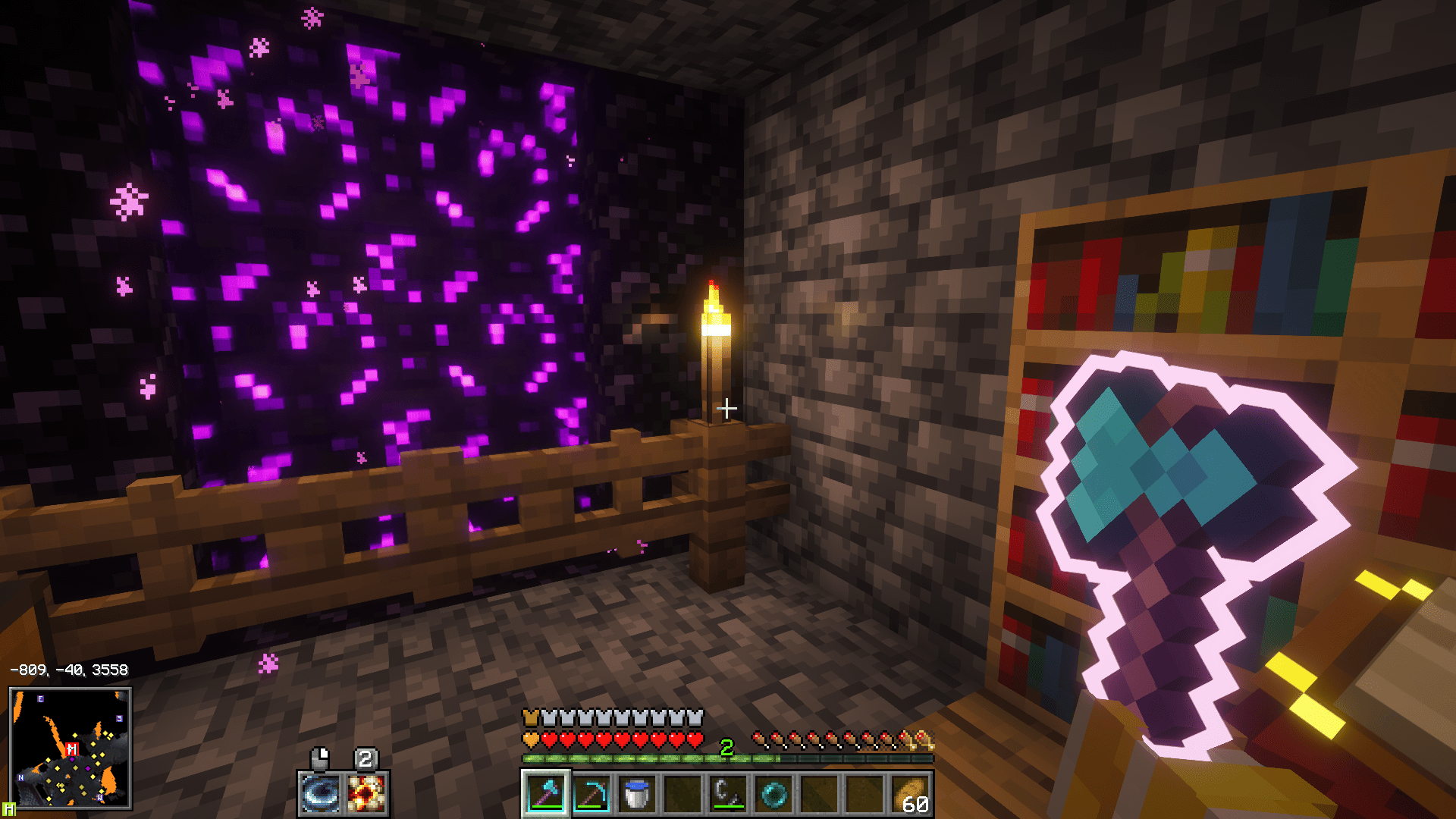
Shows health and armor above 20 points as colored layers on a single bar instead of extra rows.
截图
介绍
Overloaded Bars keeps your HUD clean when your health or armor gets high. Instead of stacking extra rows of hearts, everything above 20 points is drawn as a colored layer on top of a single bar.
Features
– Health: every additional 20 health points appears as a colored layer of hearts over the first row.
– Armor: every additional 20 armor points appears as a colored layer over the vanilla armor icons.
– Vanilla look: normal, hardcore, poisoned, withered, frozen and absorption hearts keep their original textures.
– No overlapping: health, absorption and armor are positioned together, so the bars always line up.
– Client-side only: install it on your client, no server needed.
Good to know
– In vanilla, the armor value is capped at 30, so you will only see a second armor layer when a mod or datapack raises that limit.
– Mods that also change the health or armor bar may conflict with this one.
Requirements
– Minecraft 26.3
– Fabric Loader 0.19.5 or newer
– Fabric API
– Java 25
Credits
Inspired by the original Overloaded Armor Bar mod. This is an independent implementation with its own code and textures.
License
MIT
常见问题
Overloaded Bar 支持哪些 Minecraft 版本?
Overloaded Bar 支持 Minecraft Java 版 26.3,可用的加载器:Fabric。下载时注意选择和你游戏版本一致的文件。
Overloaded Bar 怎么安装?
先用 PCL2 或 HMCL 启动器安装对应版本的 Fabric,再把下载的 .jar 文件放进游戏目录的 mods 文件夹,重新启动游戏即可。开启了版本隔离的,mods 文件夹在 versions/版本名 下面。
评论
登录后评论和评分