Ore Vein Tweaker
Control the large iron and copper ore veins: turn each type off, make veins bigger or smaller, richer or poorer, or rebuild them from any block - even another mod's ore. One config file, no datapack.
介绍
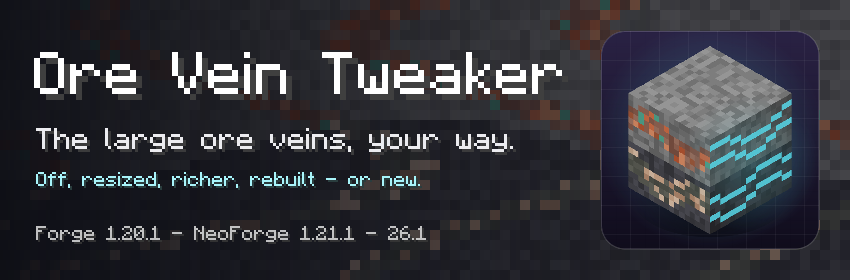
Deep underground, Minecraft hides large ore veins: long ribbons of copper in granite and of iron in
tuff, studded with raw ore blocks. Ore Vein Tweaker lets you decide what they look like.

- 🚫 Turn them off – iron, copper, or both
- 📏 Resize them – bigger and more common, or smaller and rarer
- 💎 Richer or poorer – more ore and raw blocks, or fewer
- 🧱 Rebuild them from any block of any mod – zinc veins for Create, gold veins…
- ✨ Add new veins – up to three new kinds, at the heights you choose
One config file. No datapack. Server-side only: players don’t need it.
Works with terrain mods like Terralith and Tectonic.

- Put the mod on your server – or in your mods folder for singleplayer.
- Launch once, then open
config/oreveintweaker-common.toml. - Change a value, save, and explore new chunks. No restart needed.
⚠️ Chunks that are already generated never change. Best on a new world, or as a modpack default.

The file has a section per vein: [copper], [iron], and [extra_1] to [extra_3] for new veins
(off by default). Every option is explained inside the file.
| Option | Default | Effect |
|---|---|---|
enabled |
true |
false removes the vein |
size |
1.0 |
Vein volume: 2 = twice, 0.5 = half |
ore_amount |
1.0 |
Ore vs filler: 2 = twice the ore |
raw_block_amount |
1.0 |
Raw blocks: 5 = five times as many |
ore, raw_block, filler |
vanilla | Any block, from any mod |
min_y, max_y |
per slot | New veins only: their height |

Four complete setups, one per kind of modpack. Put each line in the matching section of
config/oreveintweaker-common.toml, in place of the same key; anything you do not paste stays as it is.
⚔️ Expert pack – rare veins, each one a jackpot
[copper]
    size = 0.5              # half as many copper veins...
    ore_amount = 2.0        # ...with twice the ore inside
    raw_block_amount = 3.0  # and three times the raw blocks
[iron]
    size = 0.4
    ore_amount = 2.5
    raw_block_amount = 3.0
⚙️ Create pack – zinc gets its own veins
# Copper and iron stay vanilla. Zinc veins run in calcite, through the copper heights.
[extra_1]
    enabled = true
    size = 0.8                          # a bit rarer than copper
    ore = "create:zinc_ore"
    raw_block = "create:raw_zinc_block"
    filler = "minecraft:calcite"
    min_y = 0
    max_y = 70
💰 Gold rush – the deep is gold and redstone
# The iron veins become gold veins, a little poorer since gold is precious...
[iron]
    ore = "minecraft:deepslate_gold_ore"
    raw_block = "minecraft:raw_gold_block"
    ore_amount = 0.6
# ...and redstone veins in calcite join them (the slot's own defaults, Y -60 to -20).
[extra_3]
    enabled = true
🏛️ Builder pack – huge stone bands, no free ore
# The veins stay as wide decorative ribbons of granite, tuff and dripstone.
[copper]
    size = 2.5
    ore_amount = 0.0
[iron]
    size = 2.5
    ore_amount = 0.0
[extra_2]
    enabled = true
    size = 2.0
    ore_amount = 0.0
    filler = "minecraft:dripstone_block"
Shorter recipes, every option in detail and how precise the numbers are:
the full guide.

- My existing world? Only newly generated chunks change.
- Do players need the mod? Not on a server. In singleplayer, yes.
- Normal iron and copper ore? Untouched – only the large veins.
- Other dimensions? Large veins only generate in the Overworld.
- Dynamic Ore Veins? It replaces the same generator: use one or the other.
- Modpacks? Yes, no need to ask. Credit appreciated, never required.

| Minecraft | Loader | Java |
|---|---|---|
| 1.20.1 | Forge 47.2+ | 17 |
| 1.21.1 | NeoForge 21.1.252+ | 21 |
| 26.1.2 | NeoForge 26.1.2.112+ | 25 |
常见问题
Ore Vein Tweaker 支持哪些 Minecraft 版本?
Ore Vein Tweaker 支持 Minecraft Java 版 1.20–26.1.2,共 6 个版本,可用的加载器:Forge / NeoForge。下载时注意选择和你游戏版本一致的文件。
Ore Vein Tweaker 怎么安装?
先用 PCL2 或 HMCL 启动器安装对应版本的 Forge / NeoForge,再把下载的 .jar 文件放进游戏目录的 mods 文件夹,重新启动游戏即可。开启了版本隔离的,mods 文件夹在 versions/版本名 下面。
DrimoZ 的其他作品
查看全部 →
Immaterial Drawers – A Functional Storage Addon
Functional Storage drawers for what isn't an item or a fluid: Energy (2 billion FE), Mekanism chemicals and Ars Nouveau Source. Same upgrades, same Storage Controller, framed variants for all.

PunchThemAll
Punch different blocks to obtain the ressources you need !
Factor’I/O
Factorio's inserters, transport belts and assembling machines, in Minecraft. Seven inserters, three belt tiers with ramps, three tiers of crafters, modules, and the Factorio component chain to build them.

Material Nexus – Ore Unifier and more
One copper ingot, not five. Unify duplicate ingots, ores and dusts in your modpack: pick the one to keep from an in-game screen, and tags, recipes and items follow. No scripts, full preview before anything changes.
评论
登录后评论和评分