截图


介绍
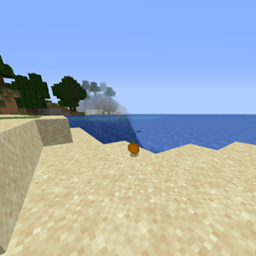
This mod adds oranges to minecraft 1.15.2 using forge,
HOW TO INSTALL:
1. Download Forge 1.15.2 from the website
2. Install forge client side for 1.15.2
3. Run Minecraft once and quit the game immediately
4. In your search on your desktop (Not Browser) type %appdata%
5. Go to your .minecraft folder
6. Open your mods folder, if you do not see this create a folder inside .minecraft called mods
7. Drag Orange Mod in
8. Open up Minecraft
9. Done!
If you are having issues, try installing java at java.com and reinstall the mod and follow steps 4 and up.
If you continue having issues or have any questions I will be most available on discord at SELIM#4444
常见问题
Oranges Mod 支持哪些 Minecraft 版本?
Oranges Mod 支持 Minecraft Java 版 1.14.4–1.16.5,共 3 个版本,可用的加载器:Forge。下载时注意选择和你游戏版本一致的文件。
Oranges Mod 怎么安装?
先用 PCL2 或 HMCL 启动器安装对应版本的 Forge,再把下载的 .jar 文件放进游戏目录的 mods 文件夹,重新启动游戏即可。开启了版本隔离的,mods 文件夹在 versions/版本名 下面。
评论
登录后评论和评分