
Optimized Play
this it a optimizing help you have good fps and you can use metalmod for mac and sodium,iris,phosphor,...
介绍
⚡ **Optimized Play** is a client-side performance enhancement mod for Minecraft Java Edition (Fabric), designed to increase FPS, reduce latency, and improve game stability on lower-end or older systems.
—
### 🚀 Key Features:
– ✅ Improves FPS significantly by streamlining rendering and removing unnecessary effects.
– ✅ Reduces input delay and rendering overhead.
– ✅ Fully compatible with other performance mods such as Sodium, Lithium, and Starlight.
– ✅ Clean vanilla gameplay – no feature changes or added mechanics.
– ✅ Easy configuration support via Mod Menu (optional).
—
### 🍎 Special Note for macOS Users:
Since Apple deprecated OpenGL, many users experience poor performance or rendering issues on newer macOS versions.
👉 If you’re on macOS, it’s **strongly recommended** to use metalmine mod instead of OpenGL for maximum performance and compatibility.
> You can search for **metalmine** on curseforge.
—
### 🧠 Who is this mod for?
– Java Edition players who want smoother gameplay without changing Minecraft’s core behavior.
– macOS or Linux users needing better rendering performance.
– Low-end PC users looking to play modern Minecraft more reliably.
—
🔧 **Requirements**:
– A supported version of Minecraft (1.20+)
– Fabric Loader
– Fabric API (if required by your configuration)
🧱 Note: This mod is **Fabric-only** and will not work with Forge.
And you can help my repo with https://github.com/akirasumeragi699-design/optimifabricmod
常见问题
Optimized Play 支持哪些 Minecraft 版本?
Optimized Play 支持 Minecraft Java 版 1.20–1.21.8,共 16 个版本,可用的加载器:Fabric / Quilt。下载时注意选择和你游戏版本一致的文件。
Optimized Play 怎么安装?
先用 PCL2 或 HMCL 启动器安装对应版本的 Fabric / Quilt,再把下载的 .jar 文件放进游戏目录的 mods 文件夹,重新启动游戏即可。开启了版本隔离的,mods 文件夹在 versions/版本名 下面。
bobbydeveloper 的其他作品
查看全部 →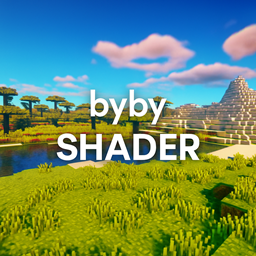
bybyshader
Lightweight shader adding vibrant colors, soft bloom, subtle chromatic aberration, and gentle film grain. Optimized for smooth performance while enhancing Minecraft’s beauty.

fsrmine
FSR is AMD’s upscaling tech boosting FPS. Mods bring FSR to Minecraft, letting players get smoother visuals on more GPUs.
msf
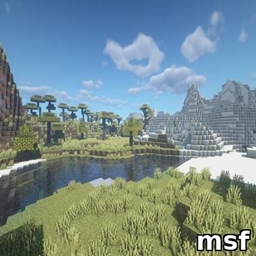
Lightweight Minecraft shader creating a smooth blue iris glow with subtle pulsing, prettier and more performance-friendly than BSL.

beauderful
Lightweight Minecraft shader creating a smooth blue iris glow with subtle pulsing, prettier and more performance-friendly than BSL.
评论
登录后评论和评分