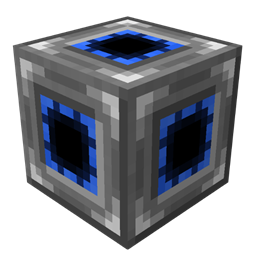
介绍
Do you have a huge base with enormous amount of machines, which look beautiful and drop your FPS at the same time? Even if you stay on another floor and CAN’T see them? Or this is some kind of laggy block, which has heavy impact on FPS, it is still very useful but you do NOT want to see it at all? Well, now you can fix these issues!
Opti-Cube hides all tiles and special blocks in certain region if you are further than a certain distance from the region. Such hiding is only visual, all hidden blocks still exist and work.
3 Initial steps on how to play with Opti-Cubes:
1. Place Opti-Cube next to the region you want to hide.
<Sneak + Right-Click> on it with Opti-Wrench to start region editing.
<Sneak + Right-Click> again to cancel the editing.

2. Click with Opti-Wrench on the block which you want to be the first corner of the region.
Click with Opti-Wrench on the block which will be the second corner.

3. Scroll mouse wheel with Opti-Wrench in hand looking at Opti-Cube to change activation distance

Extra:
– By default Opti-Cube activation distance is 16.
– If the distance is set to 0, the player will see nothing in the region, until he enters it.
– If the distance is set to X, the player will never see the content of the region.
常见问题
OptiCubes 支持哪些 Minecraft 版本?
OptiCubes 支持 Minecraft Java 版 1.7.10–1.12.2,共 2 个版本,可用的加载器:Forge。下载时注意选择和你游戏版本一致的文件。
OptiCubes 怎么安装?
先用 PCL2 或 HMCL 启动器安装对应版本的 Forge,再把下载的 .jar 文件放进游戏目录的 mods 文件夹,重新启动游戏即可。开启了版本隔离的,mods 文件夹在 versions/版本名 下面。
Time_Conqueror 的其他作品
查看全部 →
Loot Games
游玩小游戏,赢取战利品!

Time Core
为 Bedrock 动画添加加载支持,可实时生成模型和方块状态,还有更多功能!
Overchanter
Just vanish the bounds of enchantments!
SpongeMixins
In short, a mod written by "TimeConqueror" Mod that improves and fixes Thaumcraft NEI Plugin
评论
登录后评论和评分