
截图
介绍
REWRITE FOR 1.8.9: OAReborn
OpenAutomation deals with two things, adding automatable features to other mods, and doing other sorts of Automation. “Automate all the things.”
Youtube video from me:
Modules of OA:
OC:
We have one feature still that’s in the OC module. The Power Out-Converter. This block converts OC energy, to RF, sending it out to wherever you wish.
There is also a feature from the lasers in the OC module. The Computer Data Laser
It has one method:
component.laser.sendDataLaser(sides., message)
When received it sends a signal with the signature:
“laser_message”, address_of_component_received_on, message
It can be sent into any component in the network /except/ the actual computer block.
TConstruct:
Lasers:
Now featuring, Visibility! If you have Computronics installed, the lasers are VISIBLE, whoa, you can’t even get this anywhere else.
There are 2 types of lasers:
Energy Laser Emitter – Send RF power into any side of the block, and it’ll emit a laser out the other side!
Energy Laser Emitter (Energisable) – Allows energy in the laser to be energised once every 100 pulses. (5 seconds)
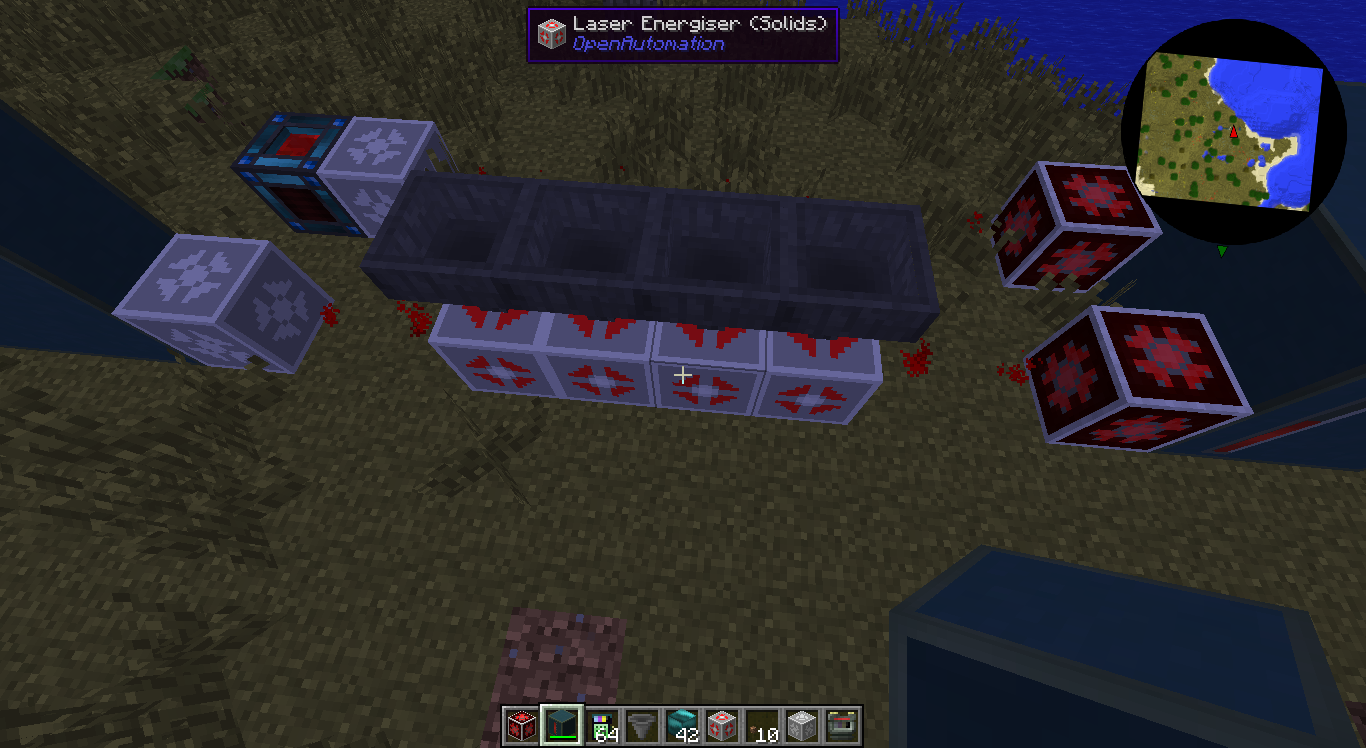
Laser Energiser (Solids) – Energises energisable lasers that pass through it. Requires items to be piped into it.
Human Laser Emitter – Requires RF Power. Right click on any side of the block, it emits a laser out the other side and teleports you all the way to the receptor on the other end! Sends a ping every 5 seconds out every direction, this can be turned off by shift-right clicking.
Mirror (Laser) – Right click to set the two sides that it’ll reflect lasers. It reflects at a right angle.
Double Mirror (Laser) – Right click to set the input side, and rotate what two output sides there are.
Laser Receptor – When it receives any lasers, it will output the things that were transferred out the opposite side.
Requires Awesome Sauce Core.
The latest version is available on drone.io: here
Or download the stable version from CurseForge.
常见问题
OpenAutomation 支持哪些 Minecraft 版本?
OpenAutomation 支持 Minecraft Java 版 1.7.10,可用的加载器:Forge。下载时注意选择和你游戏版本一致的文件。
OpenAutomation 怎么安装?
先用 PCL2 或 HMCL 启动器安装对应版本的 Forge,再把下载的 .jar 文件放进游戏目录的 mods 文件夹,重新启动游戏即可。开启了版本隔离的,mods 文件夹在 versions/版本名 下面。


评论
登录后评论和评分