截图
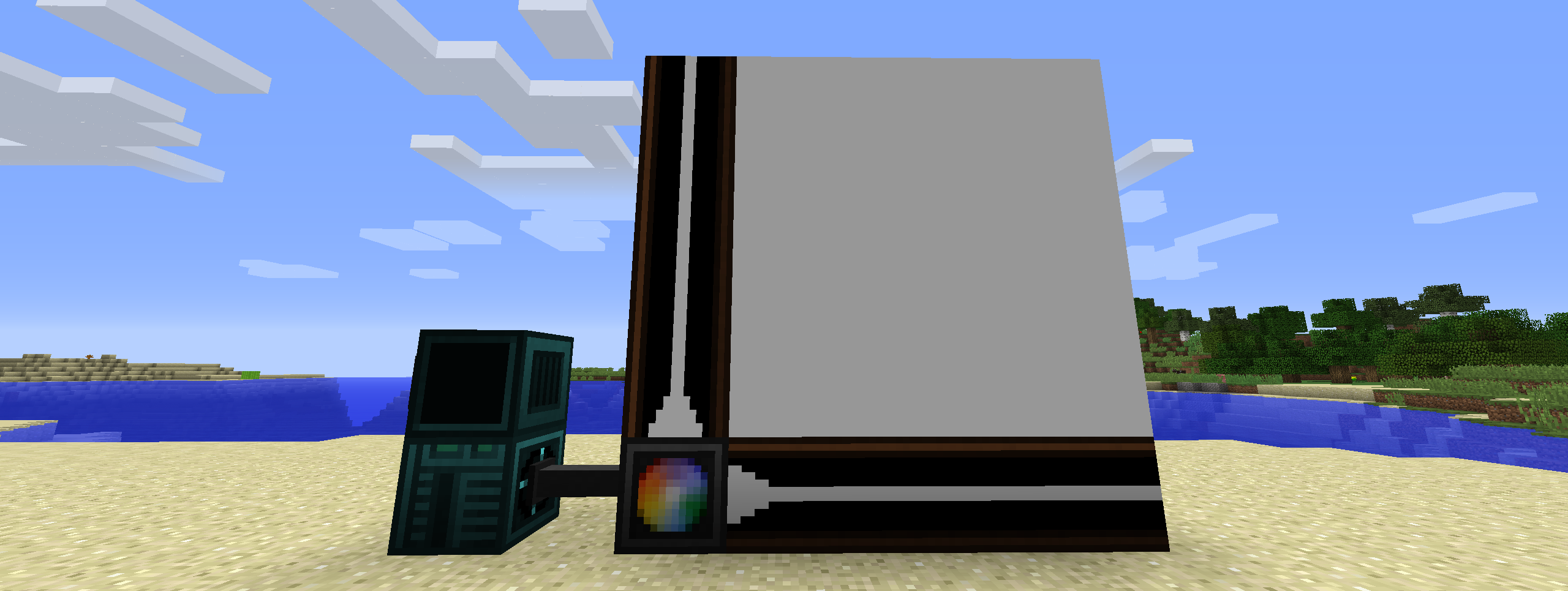
介绍
Open Lights Controller

Requires Open Computers and Open Lights
Setup
- Drop the mod in the mods folder
Blocks
- Open Lights Controller (4 block range)
- Open Lights Controller (8 block range)
- Open Lights Controller (16 block range)
- Open Lights Controller Border
Usage
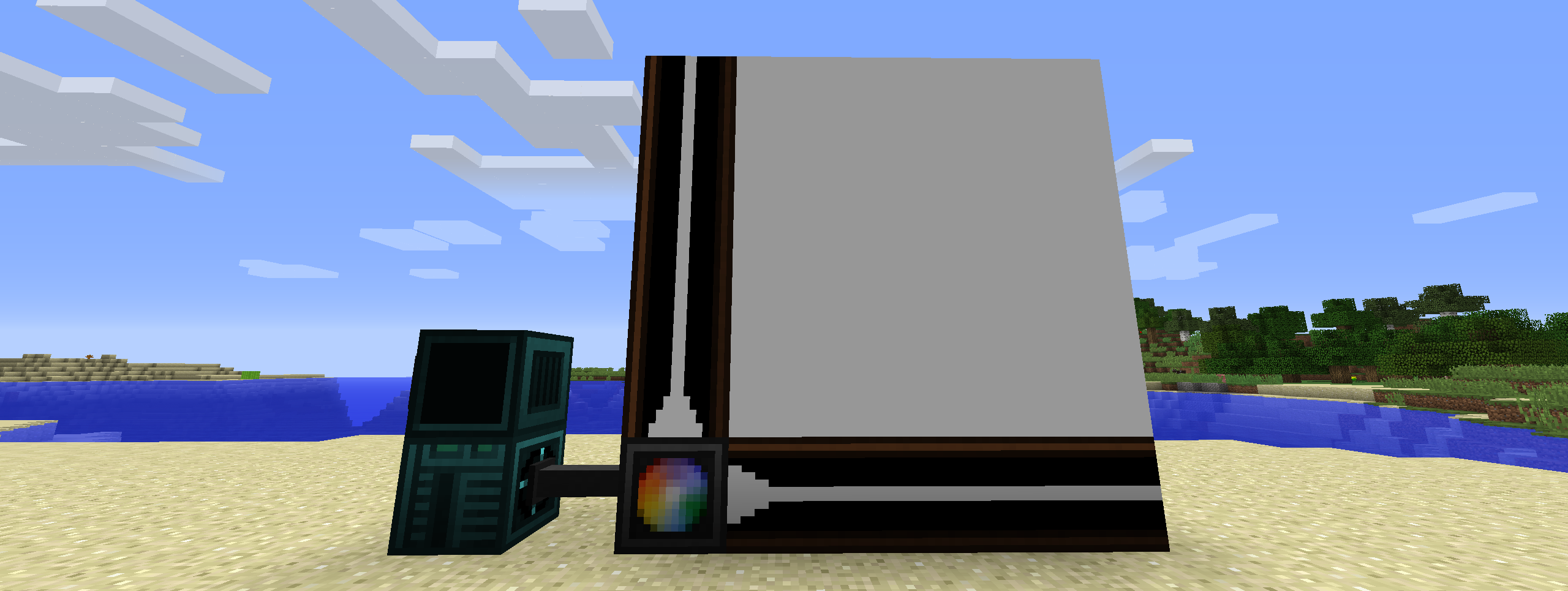
-- Require component and event
component = require("component")
event = require("event")

-- Get the attached Open Lights Controller component
lc = component.openlightscontroller

-- The letters define which axis the coordinates are for
-- The value on that axis increases as it follows the border blocks away from the controller
lc.calibrate("ZY")
w,h = lc.getSize()

-- The whole grid of lights is filled with yellow and set to brightness 15
lc.fillColor(0xffff00)
lc.fillBrightness(15)

-- The light at (1,1) is set to black
lc.setColor(0x000000,1,1)

-- The lights in the area defined by (2,2) and (w,h)  are set to red
lc.fillColor(0xff0000,2,2,w,h)

-- The changes are applied to the lights
lc.apply()

-- Wait until the interrupt event
event.pull('interrupt')

-- The whole grid of lights is filled with black
lc.fillColor(0x000000)

-- The changes are applied to the lights
lc.apply()
LUA API
[x:number]means these arguments are optional{x:number}means that the arguments are repeatable, or the return value is an array
| Method | Description |
| ———————————————————————————————— | ————————————————————————————————————————————————————————————————————————————————- |
| function apply():string; | Applies the current cached lighting data to the lights. |
| function isCalibrated():bool; | Checks if the light controller is calibrated. |
| function calibrate(direction:string):string; | Calibrate light controller. |
| function getBorderAxes():string, string; | Get border axes. |
| function getBorderDirections():string, string; | Get active border directions. |
| function getSize():number, number; | Get size of light grid. |
| function setColor(color:number, {x:number, y:number}):string; | Set the light color as an RGB value. Returns the new color as an RGB hex string. Use tonumber(value, 16) to convert return value to a usable numeric value. The controller caches this until apply() is called. |
| function fillColor(color:number, [x1:number, y1:number, x2:number, y2:number]):string; | Fills a specific region or the whole grid to a specific RGB value. Returns the new color as an RGB hex string. Use tonumber(value, 16) to convert return value to a usable numeric value. The controller caches this until apply() is called. |
| function setBrightness(brightness:number, {x:number, y:number}):number; | Set the brightness of the light. Returns the new brightness. The controller caches this until apply() is called. |
| function fillBrightness(brightness:number, [x1:number, y1:number, x2:number, y2:number]):number; | Fills a specific region or the whole grid to a specific brightness. Returns the new brightness. The controller caches this until apply() is called. |
| function getColor({x:number, y:number}):{string}; | Get the light color as an RGB hex string. Use tonumber(value, 16) to convert return value to a usable numeric value. The controller returns the current color use getCachedColor() to get the currently cached color. |
| function getBrightness({x:number, y:number}):{number}; | Get brightness of the light. The controller returns the current brightness use getCachedBrightness() to get the currently cached brightness. |
| function getCachedColor({x:number, y:number}):{string}; | Get the light color as an RGB hex string. Use tonumber(value, 16) to convert return value to a usable numeric value. Use getColor() to get the current color of the light. |
| function getCachedBrightness({x:number, y:number}):{number}; | Get brightness of the light. Use getBrightness() to get the current brightness of the light. |
| function getMaximumBorderSize():number; | Get the maximum border size. This changes depending on the tier of the light controller. |
Discord
- https://discord.gg/usbmdrJ
Download
常见问题
Open Lights Controller 支持哪些 Minecraft 版本?
Open Lights Controller 支持 Minecraft Java 版 1.12.2,可用的加载器:Forge。下载时注意选择和你游戏版本一致的文件。
Open Lights Controller 怎么安装?
先用 PCL2 或 HMCL 启动器安装对应版本的 Forge,再把下载的 .jar 文件放进游戏目录的 mods 文件夹,重新启动游戏即可。开启了版本隔离的,mods 文件夹在 versions/版本名 下面。运行环境:客户端和服务端都要装。
mrmelon54 的其他作品
查看全部 →
Draggable Lists
可拖拽的资源包、数据包、服务器和地图

Clock HUD
Display a clock on client side
Armored Elytra
Shows the chestplate and elytra at the same when using the Armored Elytra datapack (by Vanilla Tweaks)
Melon Wireless Redstone
Adds wireless redstone transmitter and receiver
评论
登录后评论和评分