
截图

介绍
OmniBind
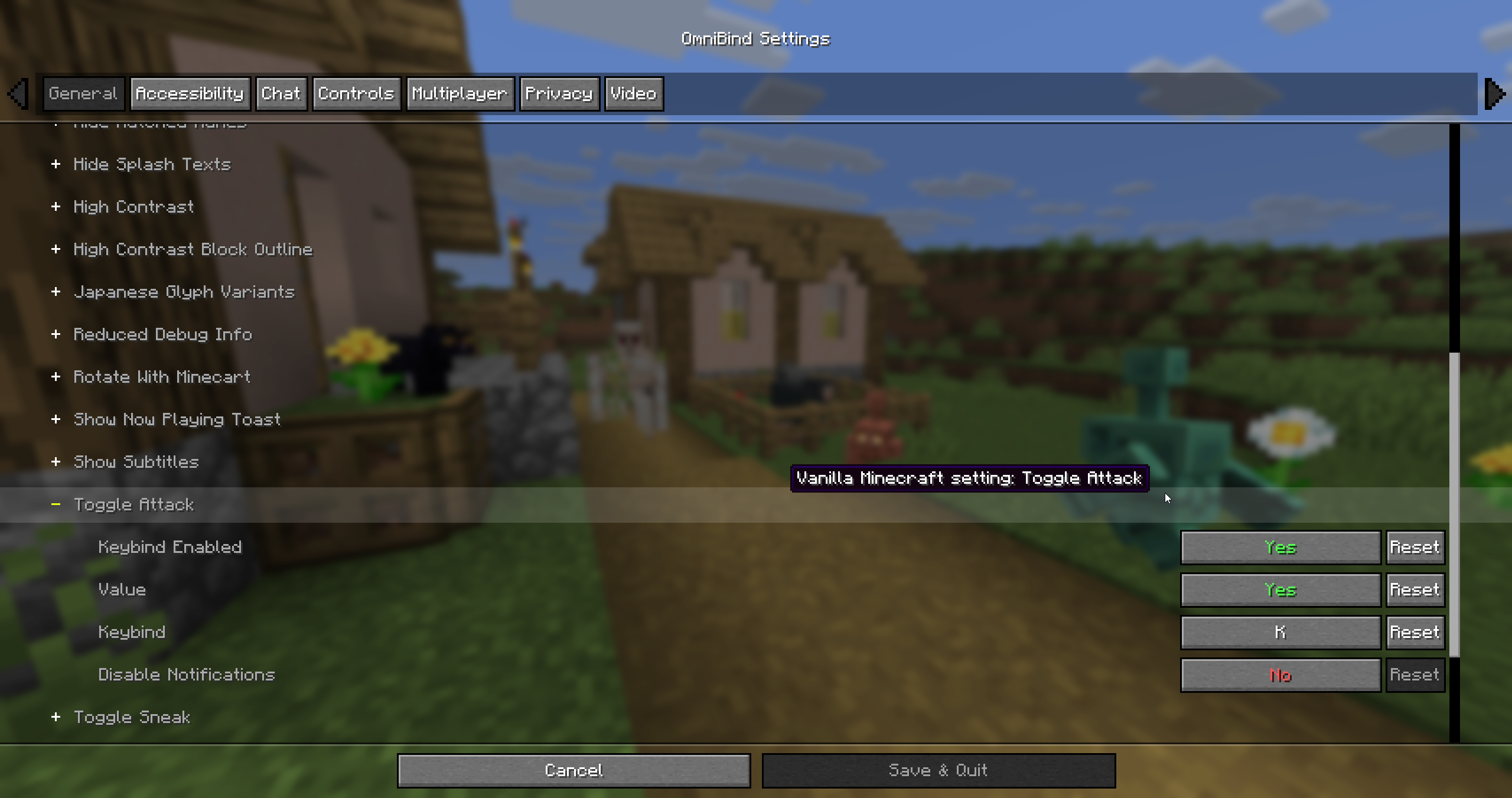
Bind any Minecraft setting to a key, so you can change it without opening the options menu.
What you can bind
Everything on the video, music and sounds, chat, controls, accessibility, skin and online screens. OmniBind reads the options straight from the game, so ones added in later Minecraft versions show up too.
It also covers a few things that aren’t on those screens: hiding the HUD, the cinematic camera, the camera perspective, advanced tooltips, pausing on lost focus and hiding the server address.
How binds work
On/off settings get one key that toggles them. Settings with a list of values, like clouds or particles, get a key for the next value and one for the previous.
Sliders get an increase key and a decrease key. FOV, render distance and other whole-number sliders move one value per press, and the rest move 5% of the slider. You can change the step for each setting, and holding the key keeps it going.
Keys can use Ctrl, Alt and Shift, and mouse buttons work too. Binds only fire in game, not while a menu or chat is open, and vanilla still gets the key press, so a bind can share a key with something else. Changes save to options.txt the same as if you’d used the menu.
Notifications
When a bind changes a setting, the new value shows above the hotbar, for example “FOV: 90”. You can switch that to a toast, use both, or turn it off for single settings.
Config
Open it with the Open OmniBind key, which is unbound until you set it in Controls, or through ModMenu. Binds are saved to config/omnibind.json.
Supported versions
| Minecraft | Loader |
|—|—|
| 1.21.10, 1.21.11, 26.1.2, 26.2, 26.3 | Fabric |
Needs Fabric API, Fabric Language Kotlin and Cloth Config. ModMenu is optional.
Bugs and suggestions go on GitHub.

常见问题
OmniBind 支持哪些 Minecraft 版本?
OmniBind 支持 Minecraft Java 版 1.21.10–26.3,共 5 个版本,可用的加载器:Fabric。下载时注意选择和你游戏版本一致的文件。
OmniBind 怎么安装?
先用 PCL2 或 HMCL 启动器安装对应版本的 Fabric,再把下载的 .jar 文件放进游戏目录的 mods 文件夹,重新启动游戏即可。开启了版本隔离的,mods 文件夹在 versions/版本名 下面。
Hexeption 的其他作品
查看全部 →
Minis
添加迷你玩家生物

Apec
A Gui improvment mod for Hypixel Skyblock

Light Block – Fabric
Implements the Light Block from Bedrock into Fabric

ColouredBundles
Adds Dye-able bundles.
评论
登录后评论和评分