
OfflineSkins
Offline Skins allows you to use custom Minecraft skins completely offline. Place a PNG file named after your username inside the config/offlineskins/ folder
截图
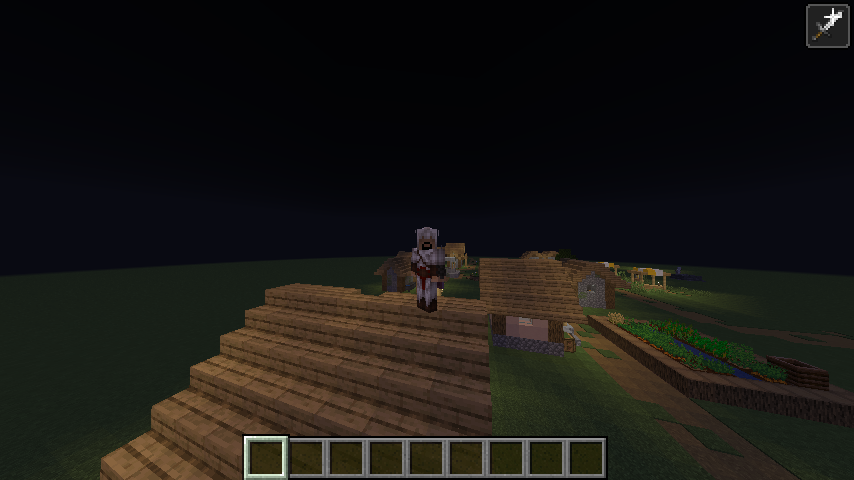
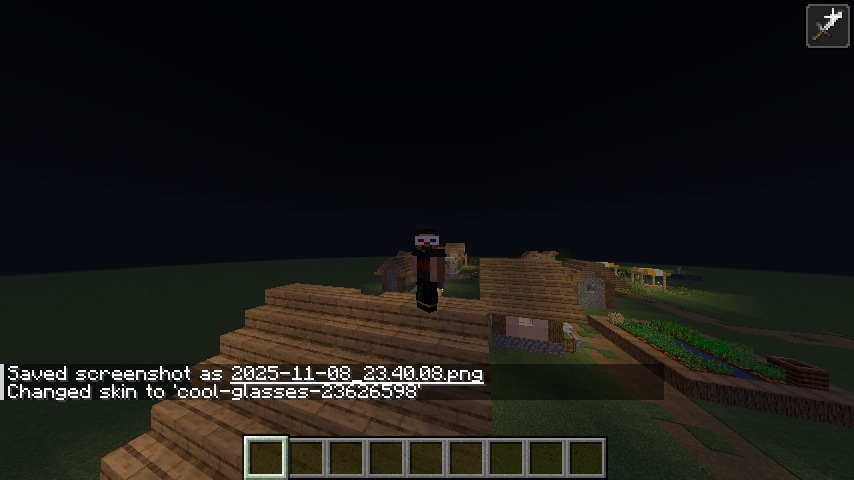
介绍
🧍♂️ Offline Skins
🎨 Use Custom Skins — Even Without Internet!
Offline Skins is a lightweight Fabric mod that lets you use local PNG skin files as your player skin — completely offline.
No Mojang API, no authentication — just your own skins loaded straight from your game directory.
💡 Features
✅ Offline Support: Apply custom skins without an internet connection.
🖼️ Local Skin Folder: Place PNG files inside
.minecraft/config/offlineskins/
(the same directory where your mods folder is).
Each file should be named after your username or any name you select with a command.
🧩 Command Controls:
/offlineskins list — Shows all available skin files.
/offlineskins change — Instantly switch to a chosen skin.
/offlineskins default — Reset to the default model.
⚙️ Auto Loading: Automatically loads your selected skin when you start the game or join a world.
💾 Persistent Settings: Remembers your chosen skin and model in a simple config.json.
🧠 How It Works
The mod replaces the local player’s texture source to load skins from your config/offlineskins/ folder.
OfflineSkinsClient
Initializes the mod, ensures the skin folder and config exist, and registers commands.
OfflineSkinsCommands
Provides simple commands for managing your offline skins.
SkinStorage
Loads and caches PNG skins, registers them as textures, and defaults to Steve/Alex if none are set.
ConfigManager
Saves selectedSkinName and defaultModel preferences to config.json.
AbstractClientPlayerEntitySkinMixin
Overrides the local player’s texture lookup to use offline skins safely.
📁 Folder Layout
.minecraft/
├── mods/
├── config/
│ └── offlineskins/
│ ├── steve.png
│ ├── alex.png
│ ├── yourname.png
│ └── config.json
🧱 Technical Details
Client-only Fabric mod
Entry point defined in fabric.mod.json
Uses Fabric Client Command API v2
Mixin config: mixins.offline_skins.json
No dependencies — simple drop-in functionality
🧍 Example
Want your custom skin offline?
Drop your_skin_name.png into config/offlineskins/ and run:
/offlineskins change your_skin_name
Your offline skin will instantly appear in-game — no internet required! 🎮
常见问题
OfflineSkins 支持哪些 Minecraft 版本?
OfflineSkins 支持 Minecraft Java 版 1.21.6–26.3,共 11 个版本,可用的加载器:Fabric。下载时注意选择和你游戏版本一致的文件。
OfflineSkins 怎么安装?
先用 PCL2 或 HMCL 启动器安装对应版本的 Fabric,再把下载的 .jar 文件放进游戏目录的 mods 文件夹,重新启动游戏即可。开启了版本隔离的,mods 文件夹在 versions/版本名 下面。运行环境:仅客户端。
hindustani_gamer_fardin 的其他作品
查看全部 →
Shulker-In-Shulker
Shulker in Shulker lets you store shulker boxes inside other shulker boxes, making inventory management simpler and more flexible. No more clutter—pack smarter and carry more, all while keeping the vanilla feel intact.

Trial Chamber Time Remover
Removes cooldowns from Trial & Ominous Vaults, allowing unlimited vault usage with trial keys. Works on both client and server with no configuration needed.

CustomMusic+
Play your own music and playlists in Minecraft — no resource packs, no setup. Each instance, your own soundtrack.

In Game Calculator
Adds a /calculator command to Minecraft for quick in-game math. Supports basic operations, parentheses, crafting math, coordinate conversions, hopper timers, geometry, time conversions, and random number generation — perfect for builders, redstone engineer
评论
登录后评论和评分