
OC Random Block Placement
Place blocks from your inventory at random or with your own custom probabilities.
截图
介绍
Random Block Placement
Place blocks from your inventory at random or with your own custom probabilities.
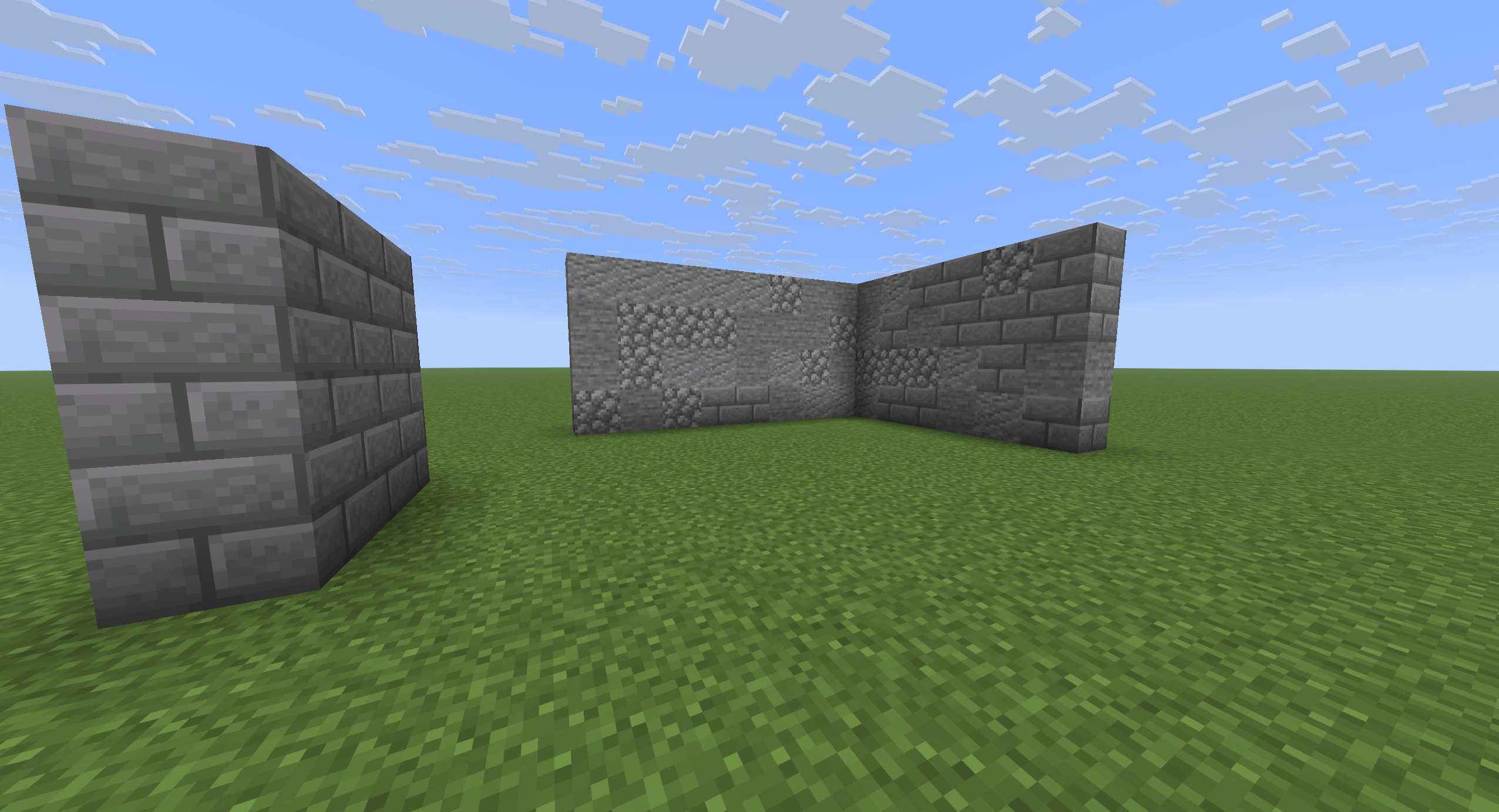
Whether you’re building organic structures, adding variation to walls, or creating randomized patterns, this mod lets you control exactly how often each selected block is placed.
Random Block Placement is a client-side mod, meaning it works on any server without requiring installation on the server or any special permissions. It can be used in both Survival and Creative mode.
Demo
Features
- 🎲 Random block placement
- ⚖️ Custom weight/probability for every block
- 🎒 Works directly with blocks in your inventory
- 💻 Simple in-game configuration menu
- ⚡ Toggle the mod on or off instantly
- 🌐 Client-side only — no server installation required
- ⛏️ Works in both Survival and Creative mode
How to Use
1. Open the selection menu
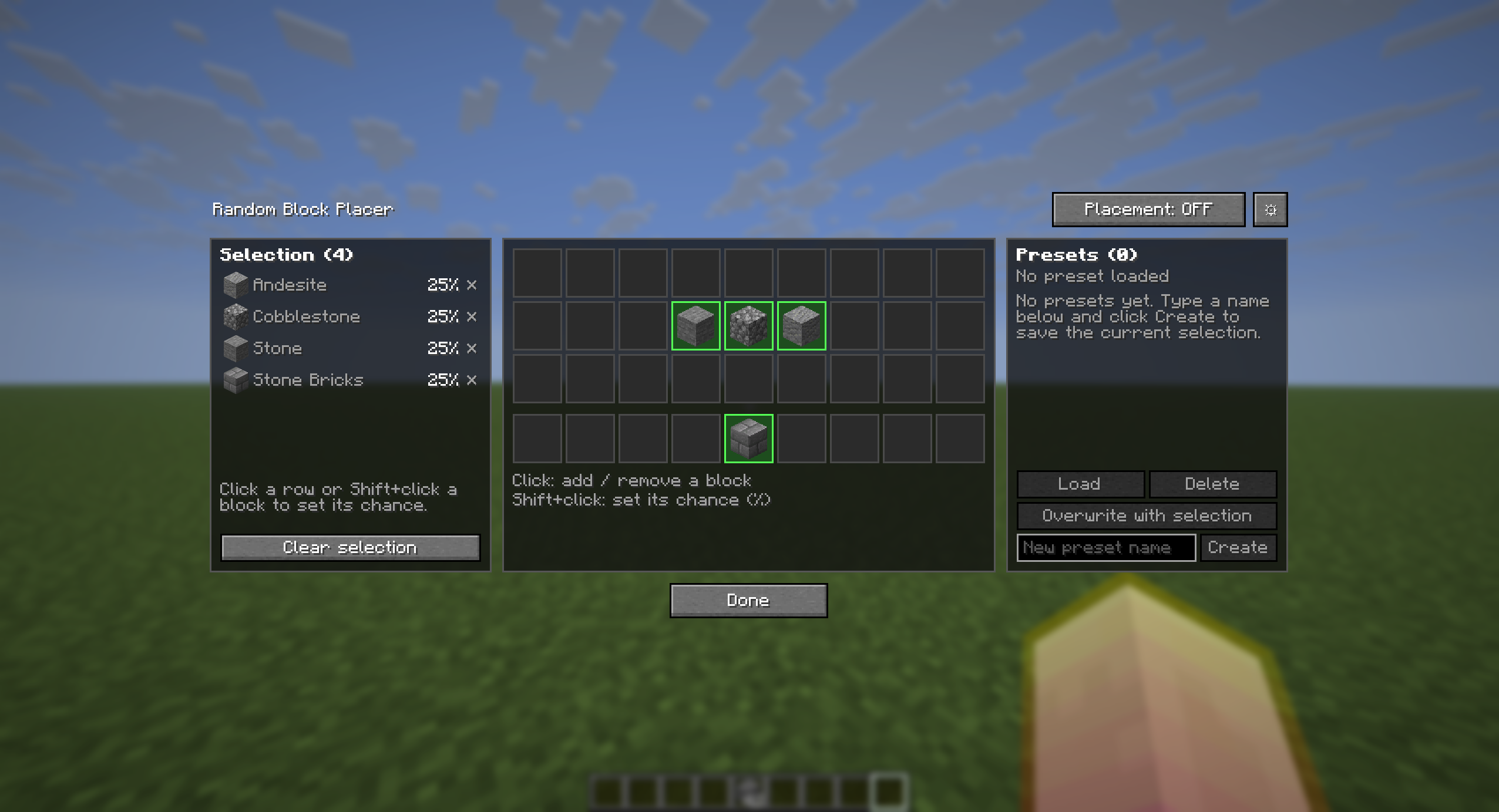
Press B to open the block selection menu. Your Selection is on the left, your inventory in the middle, and your Presets on the right. On small screens, Selection and Presets become two tabs next to the inventory.
2. Select your blocks
Click a block in your inventory to add it to the selection. Click it again to remove it. Selected blocks are outlined in green.
3. Set custom probabilities (optional)
Blocks start with an equal chance. To change a block’s chance, Shift+click it in your inventory, or click its row in the Selection panel. Type a percentage and press Enter.
The other blocks share the remaining percentage and keep their proportions. For example, with Stone, Andesite and Gravel at 33% each, setting Stone to 50% gives 25% to Andesite and 25% to Gravel. A value of 0 removes the block.
The Selection panel shows each block’s chance of being placed.
Clear selection at the bottom of the panel removes every block from the selection. Your presets are not affected.
4. Enable Random Placement
Click the Placement: ON/OFF button at the top of the menu, or press J at any time.
Close the menu and place blocks as usual!
Presets
The Presets panel lets you save and reuse selections:
- Create: type a name and click Create to save the current selection as a new preset.
- Load: click a preset to select it, then click Load (or double-click it) to replace the current selection with it.
- Overwrite with selection: replaces the blocks of the selected preset with the current selection.
- Delete: deletes the selected preset.
Overwrite and Delete ask you to click a second time to confirm. Hover a preset to preview its blocks.
The top of the panel shows which preset is loaded, and marks it as (modified) when the selection has changed since.
Settings
Open the settings with the ⚙ button at the top of the menu.
| Setting | Options |
|———|———|
| Save changes | On close (default): your selection is saved automatically when you close the menu (with Done, Esc or B). Manually: the menu shows Cancel and Apply buttons, and closing it without applying discards your changes. |
| Missing blocks | Continue (default): when a selected block runs out, placement goes on with the blocks you still have, and you are warned once. It turns off only when none are left. Continue (quiet): same, without the warning. Turn off: placement stops as soon as one block is missing. |
| HUD position | Where the “Random placement” indicator is shown: top center, top left, top right, above the hotbar, or hidden. It also shows the loaded preset’s name. |
Keybinds
| Key | Action |
|——|——–|
| B | Open / close the configuration menu |
| J | Enable / Disable random placement |
Feedback
Suggestions and feature requests are always welcome!
If you have an idea to improve the mod, feel free to open an issue or leave a comment. I’ll be happy to implement new features whenever possible.
常见问题
OC Random Block Placement 支持哪些 Minecraft 版本?
OC Random Block Placement 支持 Minecraft Java 版 1.21.11–26.3,共 3 个版本,可用的加载器:Fabric。下载时注意选择和你游戏版本一致的文件。
OC Random Block Placement 怎么安装?
先用 PCL2 或 HMCL 启动器安装对应版本的 Fabric,再把下载的 .jar 文件放进游戏目录的 mods 文件夹,重新启动游戏即可。开启了版本隔离的,mods 文件夹在 versions/版本名 下面。运行环境:仅客户端。
评论
登录后评论和评分