
截图

介绍

Installation
This mod is client-only.\
At the moment only Windows is supported.
Dependencies
- Cloth Config API
- Architectury API
- Fabric API (Fabric only)
- Mod Menu (Optional, Fabric only)
Features
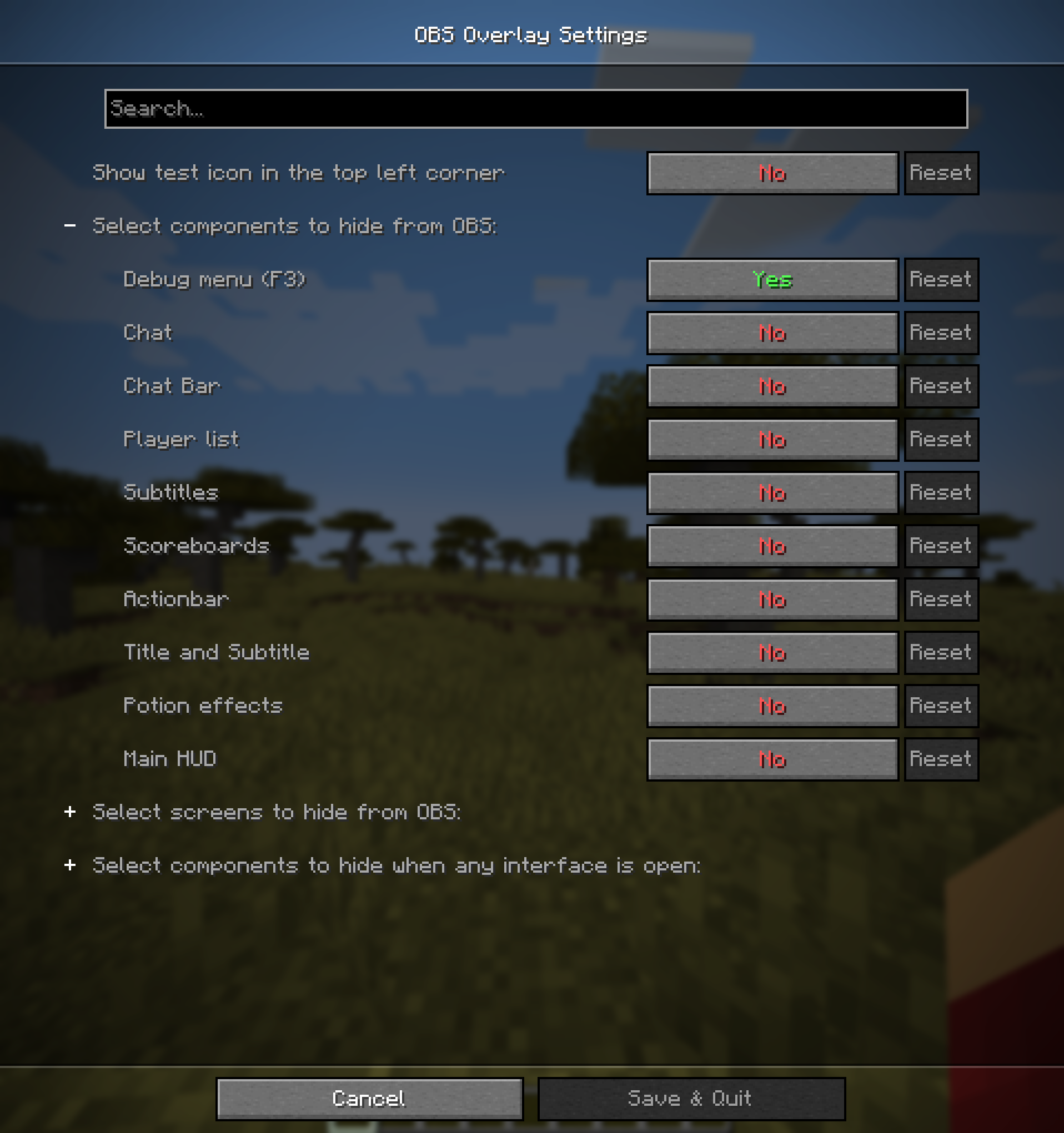
This mod lets you hide any combination of the following components:
- Debug menu (F3)
- Chat (without input bar)
- Chat input bar
- Player list (TAB)
- Subtitles (accessibility)
- Scoreboard
- Title and Subtitle from /title
- Actionbar from /title
- Effect display
- Main HUD (health, hunger, armor, experience, hotbar)
Additionally this mod lets you hide any combination of the following screens:
- Survival inventory
- Creative inventory
- Pause menu
- Command block screen
- Any HandledScreen by it’s ID (e.g.
minecraft:anvil,minecraft:furnace) - All ingame screens
By default only Debug menu (F3) is hidden.
Warning!
There is a possibility OBS might capture the HUD if started before game. If you hide any confidential information, make sure to double-check that it’s not visible in the stream.
For additional safety you can enable test icon, which is displayed all the time and should not be visible on stream. It should let you check if the mod is working correctly.
I am not responsible for any confidential information accidentally shown on stream.
Usage
Mod settings can be accessed by:
- Clicking
Settings->Video Settings->OBS Overlay settings - Opening mod settings through ModMenu (Fabric only)
- Opening mod settings through Mods menu (Forge only)

API
If you want to add support for your own HUD components you can use API provided by this mod.\
Check API documentation for more information.
常见问题
OBS Overlay 支持哪些 Minecraft 版本?
OBS Overlay 支持 Minecraft Java 版 1.20.5–1.21.4,共 4 个版本,可用的加载器:Fabric / NeoForge。下载时注意选择和你游戏版本一致的文件。
OBS Overlay 怎么安装?
先用 PCL2 或 HMCL 启动器安装对应版本的 Fabric / NeoForge,再把下载的 .jar 文件放进游戏目录的 mods 文件夹,重新启动游戏即可。开启了版本隔离的,mods 文件夹在 versions/版本名 下面。运行环境:仅客户端。

评论
登录后评论和评分