
截图


介绍

Introducing the Obelisk Magic Mod for Minecraft
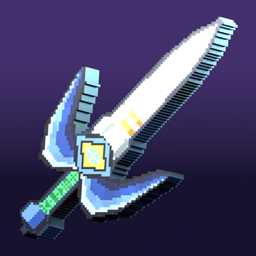
Embark on an enchanting journey in Minecraft with our latest creation: the Spell Wand. This mod is not just an addition to the game; it’s a doorway to a world brimming with magic and mystique. Currently, in its developmental phase, this mod is evolving rapidly, fueled by valuable feedback from players like you. Our goal? To make it the most immersive and engaging magic mod in the Minecraft community.
Obelisk Magic : Version 0
The initial version of this mod, fondly referred to as Version 0, has a story of its own. Born out of a creative challenge, it was crafted in just one hour. This version laid the foundation for what is becoming an increasingly sophisticated and enchanting mod. It includes a basic magic wand and a handful of spells, each with its unique charm and utility.
Your Role in the Obelisk Magic
As we delve deeper into the realms of coding and creativity, we invite you to be a part of this magical journey. Your feedback and ideas are not just welcomed; they are essential. They help us refine the mod, add new layers of magic, and ensure an immersive experience. Whether it’s suggesting new spells, tweaking the wand’s mechanics, or offering ideas for magical artifacts, your contribution can shape the future of this mod.
What’s Next?
As we continue developing this mod, you can expect a plethora of enhancements and new features. We’re talking about a more extensive array of spells, customizable wands, enchanting quests, and maybe even a magical world to explore. The possibilities are as limitless as the imagination of our community.
Join us in this enchanting endeavor. Help us transform the Obelisk Magic Mod from a simple challenge-inspired project into the ultimate magical experience in Minecraft. Share your thoughts, unleash your creativity, and let’s make magic together!

常见问题
Obelisk Magic 支持哪些 Minecraft 版本?
Obelisk Magic 支持 Minecraft Java 版 1.19–1.19.2,共 3 个版本,可用的加载器:Forge。下载时注意选择和你游戏版本一致的文件。
Obelisk Magic 怎么安装?
先用 PCL2 或 HMCL 启动器安装对应版本的 Forge,再把下载的 .jar 文件放进游戏目录的 mods 文件夹,重新启动游戏即可。开启了版本隔离的,mods 文件夹在 versions/版本名 下面。



评论
登录后评论和评分