
截图
介绍
中文介绍正在准备中,下面暂时显示原文。
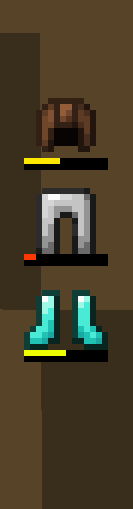
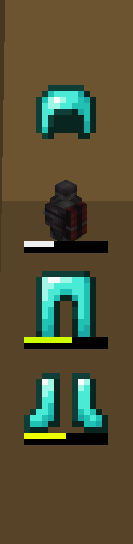
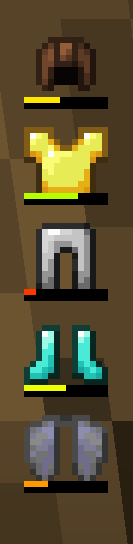
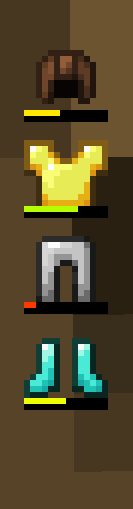
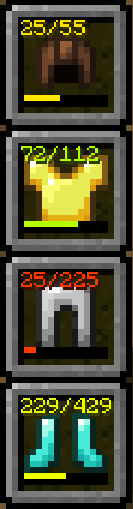
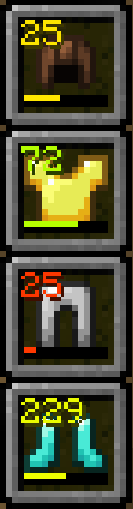
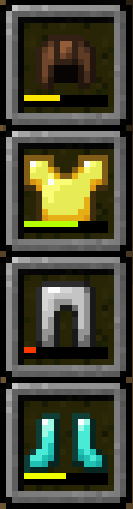
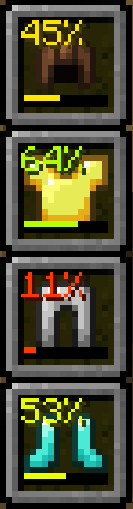
Displays your armor status on the HUD
Highly customizable through the mod settings
- Change the position of the hud
- Toggle if the armor is displayed vertically or horizontally
- Change the vertical and horizontal anchor position of the hud
- Change the scale of the hud
- Change the spacing between each armor pieces
- Toggle if the hotbar slots are shown
- Toggle if the durability bar is shown
- Switch the durability number between NUMBER_AND_MAX, NUMBER_ONLY, PERCENTAGE, and OFF
- Change the color of the durability number to be BLACK, WHITE, AUTO, and MATCH_DURABILITY_BAR
- Change what you consider low durability (when visibility is set to LOW_DURABILITY armor peices will only show on hud when they are below the threshold)
- Change Armor hud visibility to ALWAYS, LOW_DURABILITY, and NEVER
Compatibility with curios slots and create backtank
常见问题
Nrojb’s Armorhud 支持哪些 Minecraft 版本?
Nrojb’s Armorhud 支持 Minecraft Java 版 1.21.1,可用的加载器:NeoForge。下载时注意选择和你游戏版本一致的文件。
Nrojb’s Armorhud 怎么安装?
先用 PCL2 或 HMCL 启动器安装对应版本的 NeoForge,再把下载的 .jar 文件放进游戏目录的 mods 文件夹,重新启动游戏即可。开启了版本隔离的,mods 文件夹在 versions/版本名 下面。运行环境:仅客户端。

评论
登录后评论和评分